Easy Tech Tuts
⭐ NEW 2026: How to Activate Gmail in Squarespace Domain with Google Workspace (Best)
By Impran M NLast checked against official docs
Running email at you@yourbusiness.com instead of yourbusiness@gmail.com is a cheap credibility upgrade, and Google Workspace is the standard way to get there on a Squarespace-hosted domain. It's worth doing for any business owner or freelancer already invested in a Squarespace site and domain, since it also unlocks Calendar, Docs, and Drive under that same address.
The process touches two admin panels, Google's and Squarespace's, and the DNS changes in between are where most setups go wrong. This guide covers adding your domain in Google Workspace, the DNS records Squarespace needs back, and the verification and MX steps that turn Gmail on.
Before you start
- A Squarespace website on an eligible plan, or a trial. Squarespace excludes only its Mobile Start plans from Google Workspace signup.
- A domain with no existing Google Workspace, G Suite, or Squarespace Email (Titan) account attached, and no conflicting MX records or leftover Google verification TXT records already sitting in its DNS
01Start a Google Workspace account
Sign up for Google Workspace and pick a plan sized to how many mailboxes you need. You'll be asked for your business name and the domain you plan to use, which should match the domain your Squarespace site already runs on.
There's a second route worth knowing about: from your Squarespace domain's dashboard, under Email, Get Started walks you through the same signup, and if your domain still uses Squarespace's default nameservers, Squarespace adds the MX records for you automatically once you finish. The manual steps below are for signing up directly through Google, or for a domain on third-party or custom nameservers, where Squarespace can only email you instructions instead of setting records itself.
02Add your domain in the Google admin console
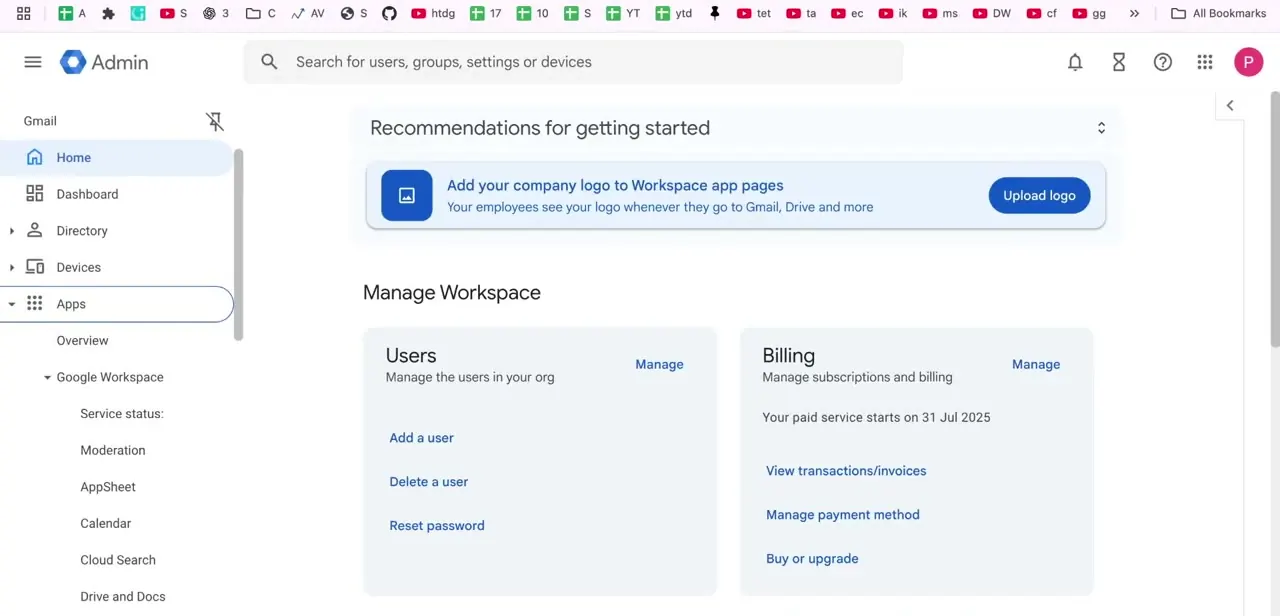
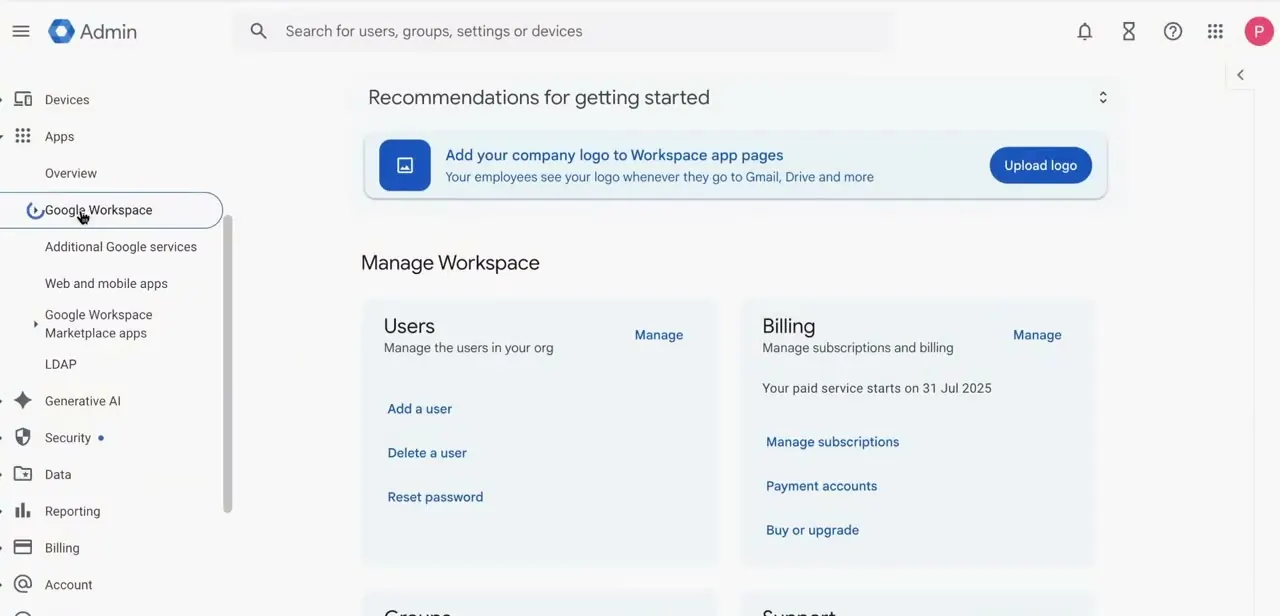
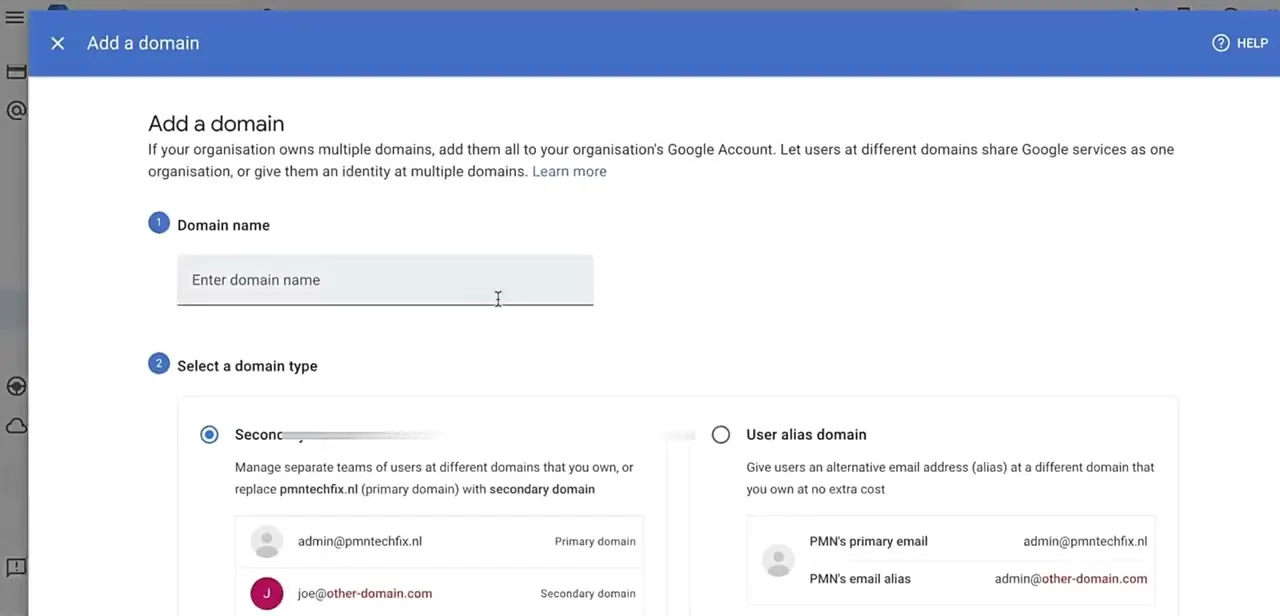
Inside Google admin, the Add a domain screen asks for the domain name and whether it's a secondary domain (for managing a separate team or replacing your primary one) or a user alias domain, which just gives existing users an alternate address at no extra cost. For activating Gmail on your main business domain, add it as your primary domain; the screen keeps both alternatives available for other setups.
03Verify domain ownership with a TXT record
Google needs proof you control the domain before it activates anything, and that proof is a TXT record it generates for you to add in Squarespace's DNS settings. Open the domain's DNS settings there and paste in the exact TXT record Google provided. Mismatched or truncated values are the most common reason verification fails, so copy the record instead of retyping it by hand.
04Point mail delivery at Google with MX records
Google Workspace's current setup uses a single MX record: smtp.google.com at priority 10, replacing the five-record configuration older guides describe. In Squarespace's DNS Settings, the fastest way to add it correctly is the Add Preset dropdown: choose Google Workspace MX and Squarespace fills in the record for you instead of typing it in by hand.
Before adding it, remove anything mail-related already on the domain: old MX records, and any DKIM, SPF, or email-forwarding rules tied to a previous provider. Squarespace's own support documentation calls this the most common cause of Google Workspace email not working afterward, ahead of any typo in the new record itself.
05Add SPF and DKIM if your setup calls for it
Squarespace treats SPF and DKIM as optional TXT records, needed only if a third-party provider or Google itself asks you to add one, not a requirement for receiving mail. They authenticate outgoing messages and reduce the chance of landing in spam, which starts to matter once you're sending real client or customer mail from the address.
If you already have an SPF record and add a second one, most receiving servers reject a domain with two. Squarespace merges duplicate SPF TXT records into a single one automatically after you refresh the DNS settings page, but check that only one remains before moving on.
06Finish verification and send a test email
MX changes can take up to 48 hours to fully process, per both Squarespace's and Google's own documentation, though it's often much faster. Finish verification inside Google Workspace once the records are live, then send a test email in both directions before handing the new address out. If something's off after 48 hours, recheck that the MX record still reads smtp.google.com at priority 10 and that no old MX, SPF, DKIM, or forwarding rule got left behind in Squarespace's DNS settings.
When it doesn't work
Gmail won't activate even after adding the new MX record
Why: Old MX, DKIM, SPF, or email-forwarding entries from a previous provider are still present alongside the new one.
Fix: Open Squarespace's DNS Settings and delete every mail-related record that isn't the current Google Workspace MX entry, then re-verify.
The domain ends up with two SPF records after adding Google's
Why: Adding a new SPF TXT record without removing the old one creates a duplicate, which most mail servers treat as invalid.
Fix: Refresh Squarespace's DNS settings page; Squarespace merges duplicate SPF records into one automatically. Confirm only a single SPF TXT record remains.
A guide or old note lists five separate MX records instead of one
Why: That reflects Google Workspace's older MX setup. The current standard, per Squarespace's own documentation, is a single record: smtp.google.com at priority 10.
Fix: Remove any of the older five records if present, and add only the single current MX record, ideally through Squarespace's Add Preset > Google Workspace MX option.
Frequently asked questions
How long does it take for Gmail to work after connecting Squarespace and Google Workspace?
Up to 48 hours per Squarespace's and Google's own documentation, though changes are frequently visible well before that.
What if I get an MX record error while connecting Squarespace to Google Workspace?
Confirm you're using Google's current single MX record, smtp.google.com at priority 10, and that no leftover MX, SPF, or DKIM records from a previous provider are still in place.
Do I need a paid Squarespace plan to connect Google Workspace?
Squarespace allows signup on a website trial or any website subscription plan except its Mobile Start plans. Google Workspace itself is billed separately, per mailbox.
Can I still use my old email while switching to Google Workspace?
It can keep working until the MX record change fully propagates, after which mail routes through Google Workspace instead.
Do I need SPF and DKIM records, or just MX?
Squarespace lists SPF and DKIM as optional, needed only if a provider asks for them. MX alone is enough to receive mail, but skipping SPF and DKIM can hurt how reliably your sent messages avoid spam filters.
Do I have to add the MX record myself?
Not always. Signing up for Google Workspace through Squarespace's own Domains > Email > Get Started flow adds MX records automatically, but only if the domain still uses Squarespace's default nameservers.
Do I always have to change my MX records at all?
No. Google Workspace lets you skip MX setup entirely if you already route mail through an inbound gateway or an existing mail server, and activate Gmail without touching MX records, though this applies mainly to secondary domains or aliases.
Sources and last check
Click path and the Google admin screen come from a recorded walkthrough. Re-checked against Squarespace's and Google's own support documentation in September 2026, which corrected the MX setup from an implied five-record configuration to Google's current single-record smtp.google.com (priority 10), added Squarespace's Add Preset shortcut, corrected the propagation estimate to the documented 48-hour figure, and corrected the plan-eligibility answer to Squarespace's actual rule (any website plan or trial except Mobile Start).
About the author

Impran M N
I've been hooked on technology for as long as I can remember — especially the new tools and AI apps that seem to land every other week. Easy Tech Tuts is where I write up whatever I've just worked out: I do the task in the real product, record the screen, and turn it into the guide I wish I'd found first.