Easy Tech Tuts
How to Activate Gmail of Google Workspace in Squarespace Domain & DNS Records Easily 2026
By Impran M NLast checked against official docs
Two things about this task changed recently enough that most published guides still describe the old version. Google replaced the five aspmx MX records with one, smtp.google.com at priority 1, for accounts set up from 2023 onward.
And since 1 February 2024, Gmail requires every sender to have SPF or DKIM authentication, so the records that guides used to file under "recommended for deliverability" are now the price of entry. There is also a shortcut most walkthroughs skip.
Squarespace ships a Google Workspace MX preset that adds the mail records for you, and if you bought Workspace through Squarespace in the first place, those records are already sitting in your DNS. This guide covers both consoles, the records that go where, and the waiting periods each vendor publishes so you know when something has genuinely failed instead of just not finished.
Before you start
- A Google Workspace subscription for the domain
- A domain registered with Squarespace, or connected through Nameserver Connect, since DNS records can only be edited in Squarespace in those cases
- Admin access to the Google Workspace admin console
01Open the Google Workspace admin console
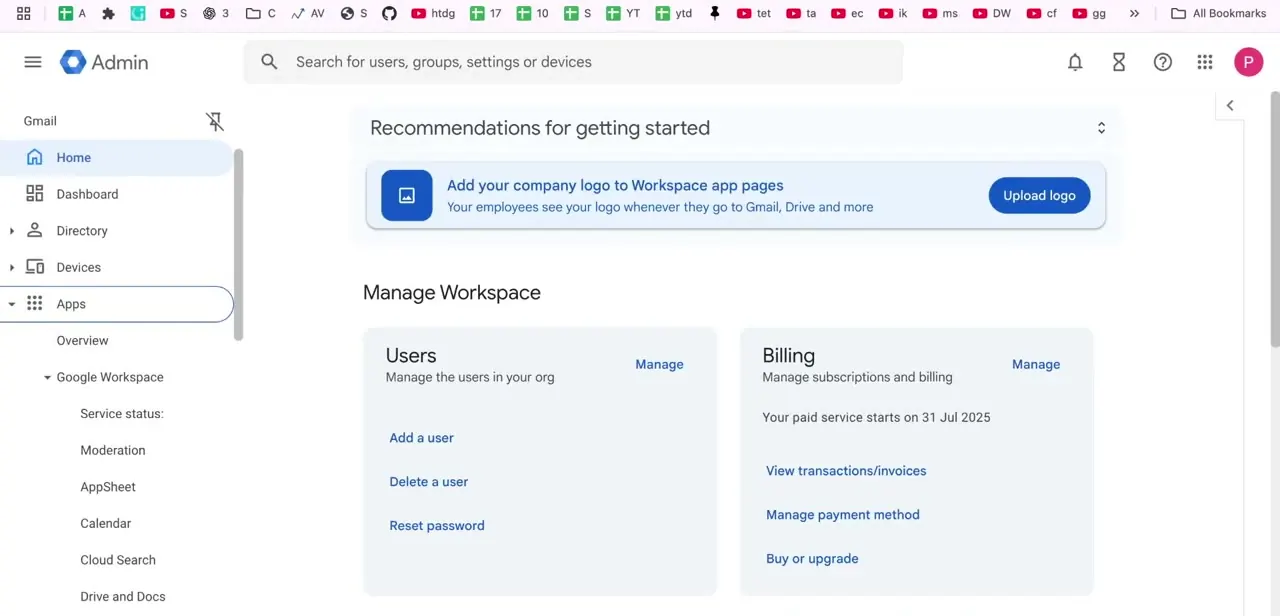
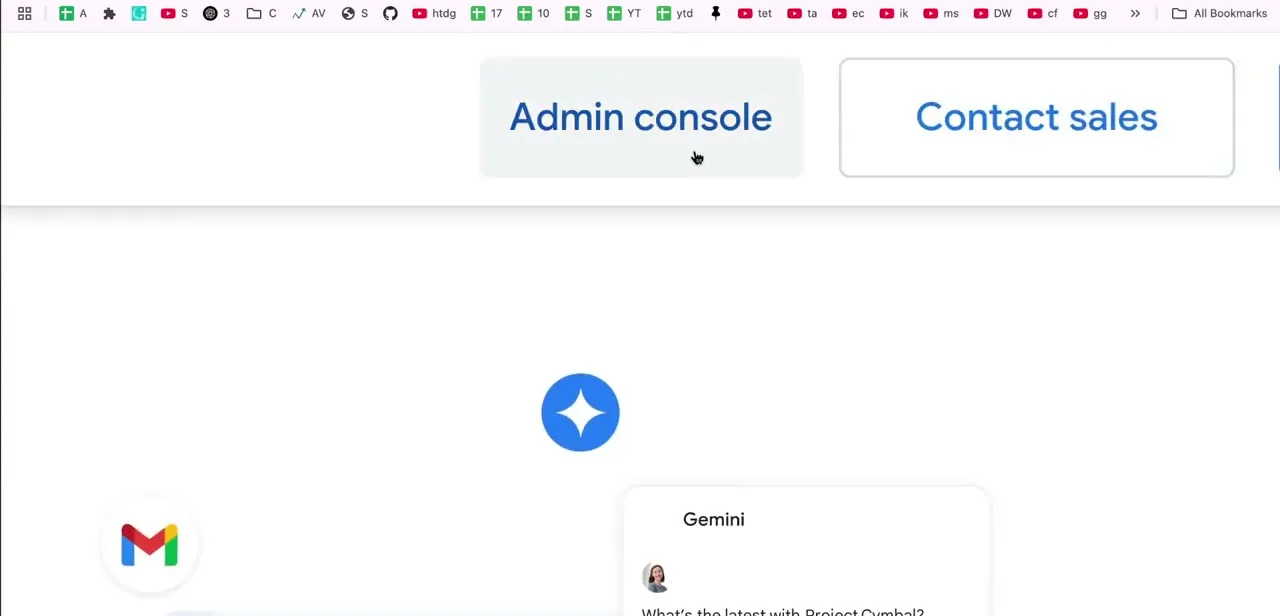
After subscribing, the Admin console link on the Google Workspace site is your way into the setup tools. Contact sales sits next to it and leads somewhere else entirely.
Clicking through leaves the marketing pages behind and lands you in the dashboard where domain verification and mail routing are both configured. Keep this tab open alongside your Squarespace domain settings. You will be copying values between the two, and having both open saves a lot of navigation.
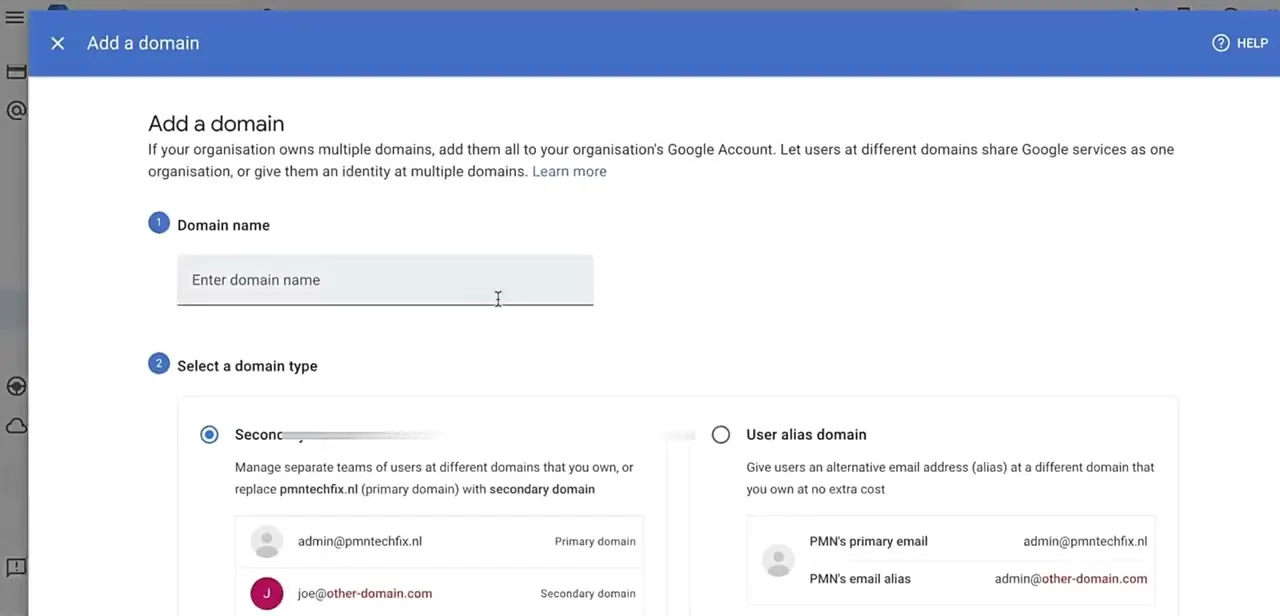
02Work through the domain setup checklist
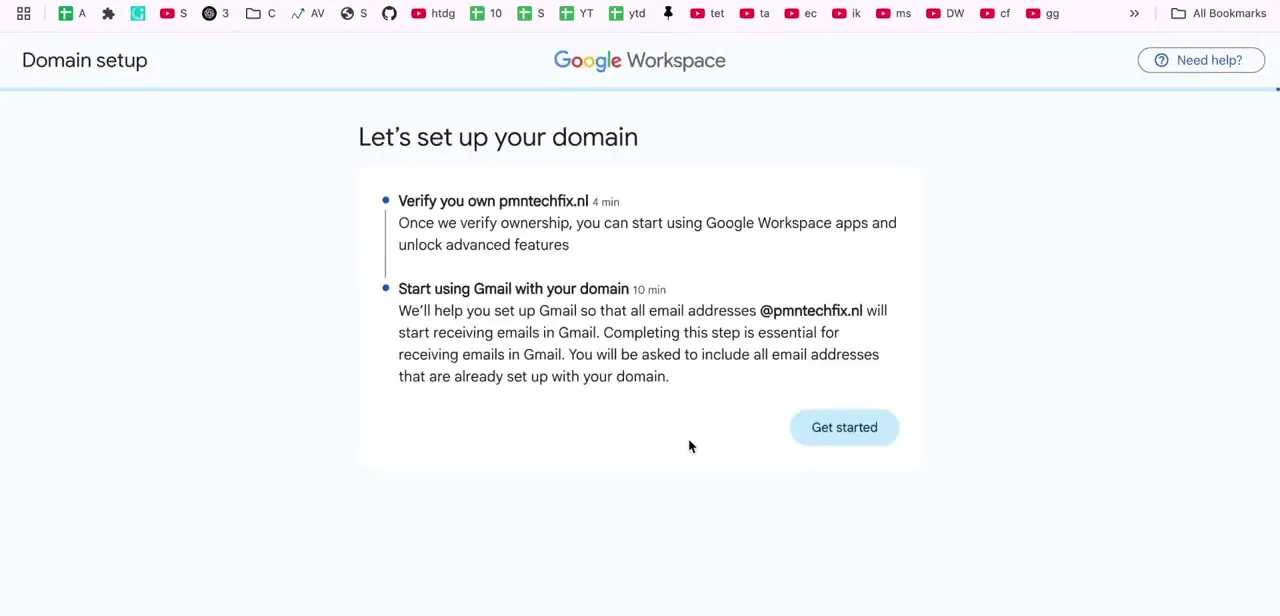
Google presents the process as two timed items: verifying you own the domain, around 4 minutes, and starting to use Gmail with that domain, around 10 minutes. Verification unlocks the rest of Workspace once it passes.
Read the warning on the Gmail item before you continue. Every address already receiving mail on your domain has to be accounted for, because those addresses stop working the moment mail routing switches over.
Make a list now of every mailbox, alias and forwarding rule currently live on the domain, and make sure each has a matching user or alias in Workspace. This is the step that causes real damage when skipped, and it is much harder to reconstruct afterwards than to write down beforehand. Clicking Get started on the verification item is what generates the DNS values you will paste into Squarespace.
03Open your domain's DNS settings in Squarespace
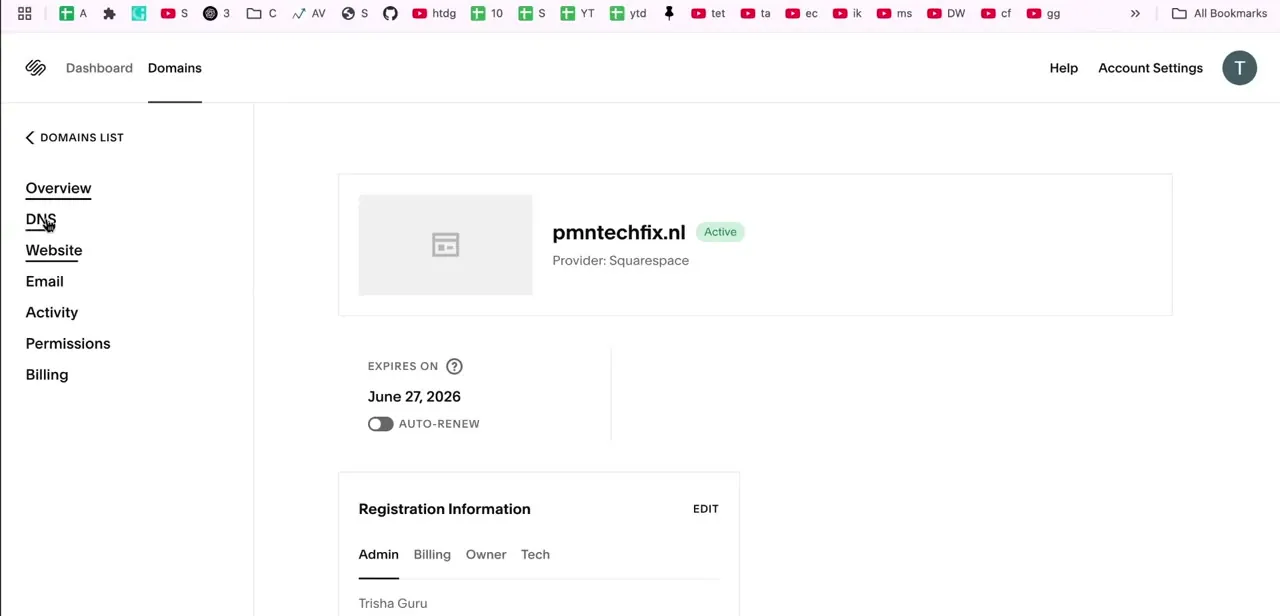
Switch to Squarespace, open your domains dashboard, click the domain name, then click DNS in the side panel. Custom records sit further down that page.
This is the only place in Squarespace where Google's records are entered; the Website and Email settings elsewhere in the same panel do not touch DNS. Check you have the right domain selected if the account manages several, since records pasted onto the wrong domain verify nothing and leave clutter to untangle later. One detail worth knowing before you start typing: Squarespace gives custom records a 4-hour TTL by default, which you can change per record.
04Add the verification record
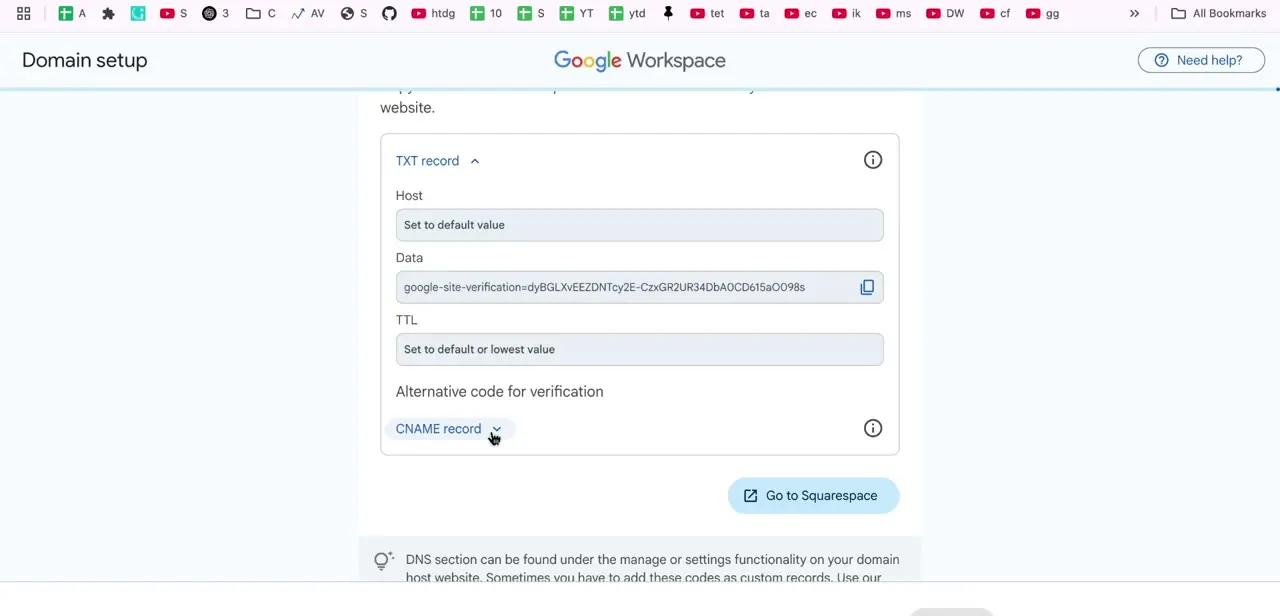
Google's verification step supplies a TXT record: a Host value you can usually leave at its default, a long Data string beginning with google-site-verification=, and a TTL. Copy the Data value exactly.
Google also offers a CNAME alternative if you prefer, and if you connect the domain from Google's side, Squarespace notes that a verification CNAME gets added automatically along with mail records. Add the record in Squarespace, save, then go back to Google Workspace and run the check. Verification failures at this point are nearly always one of three things: the record has not propagated yet, it went onto the wrong domain, or the Data string was truncated in the copy.
05Point mail at Gmail with a single MX record
Here is where older guides go wrong. Google Workspace now uses one MX record: the value smtp.google.com at priority 1.
Accounts created before 2023 may still carry the five legacy records whose values start with aspmx, and Google states those remain supported, so a working setup does not need changing. New setups take the single record.
Google is explicit that other MX records must go: keeping old or incorrect ones can stop mail working correctly. So delete what is there before adding the new record, and check for leftovers from a previous host.
On Squarespace you may not need to type anything. Choose Google Workspace MX from the Add Preset dropdown and Squarespace adds the required records for you.
If you bought Google Workspace through Squarespace, the MX records were added during setup and should already be present. Watch the format rules if you do enter it by hand, since Squarespace and Google differ on conventions like a trailing dot and whether priority sits in the same field as the destination.
Then wait properly. Google says new MX records can take up to 72 hours to be recognised, and Squarespace says changes may take up to 48 hours to process. Mail not arriving twenty minutes after the switch is not a fault.
06Set up SPF and DKIM, which are no longer optional
Older versions of this advice, including an earlier version of this page, described SPF and DKIM as good for deliverability but not required. Google's sender guidelines changed that.
Since 1 February 2024, all senders must have SPF or DKIM set up for their sending domains, and bulk senders over 5,000 messages a day must have SPF, DKIM and DMARC, with DMARC allowed to sit at a policy of none. For SPF, add a TXT record on the root of the domain.
Where Google Workspace is your only sender, Google gives the value v=spf1 include:_spf.google.com ~all. A domain gets exactly one SPF record, so if one already exists, edit it instead of adding a second.
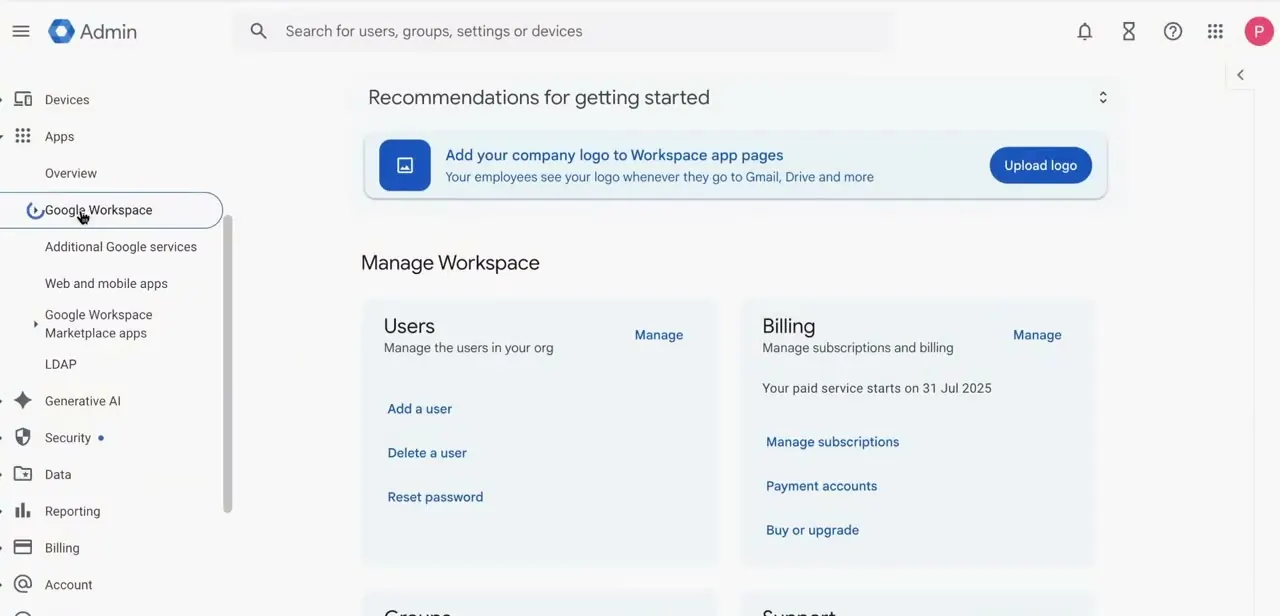
Extra senders such as a newsletter tool go in as additional include tags, up to a limit of ten. For DKIM, generate the key in the admin console under Menu, then Apps, Google Workspace, Gmail, and Authenticate email.
Keep the default selector google and pick 2048-bit if your provider supports it. That produces a TXT record named google._domainkey to add in Squarespace.
A 2048-bit key runs past the 255-character limit on a single TXT string, so it has to be entered as several quoted strings one after another in the value field, and a key pasted as one long line is a common reason DKIM never authenticates. Google gives up to 48 hours for both SPF and DKIM to start working.
07Test before you rely on the address
Once the records are saved and have had time to settle, send mail in both directions using an address outside your domain. Receiving proves the MX record is live.
Sending proves the mailbox works. Then check the authentication result instead of trusting that the record exists.
Open the received message in Gmail, use Show original, and confirm SPF and DKIM both report pass. A record that is present but malformed will sit in DNS looking correct while failing every check, and this is the one test that catches it before your mail starts landing in spam folders.
| Purpose | Type | Host | Value |
|---|---|---|---|
| Domain verification | TXT | Root of the domain | The google-site-verification= string from the admin console. A CNAME alternative is offered. |
| Mail routing | MX | Root of the domain | smtp.google.com at priority 1. Remove any other MX records first. |
| SPF | TXT | Root of the domain | v=spf1 include:_spf.google.com ~all, when Google Workspace is the only sender. One SPF record per domain. |
| DKIM | TXT | google._domainkey | The key generated under Apps > Google Workspace > Gmail > Authenticate email. Split a 2048-bit key across several quoted strings. |
Values as published by Google Workspace Help in September 2026. Accounts set up before 2023 may still use the legacy aspmx MX records, which Google says remain supported.
When it doesn't work
Mail still goes to the old provider after the MX change
Why: Old MX records were left in place alongside the new one. Google warns that keeping old or incorrect MX records can stop email working correctly.
Fix: Delete every MX record other than smtp.google.com at priority 1, then allow up to 72 hours for the change to be recognised.
DKIM never reports as authenticated
Why: A 2048-bit key exceeds the 255-character limit for a single TXT string and gets truncated or reordered when pasted as one line.
Fix: Split the key into multiple quoted strings entered one after another in the value field. Allow up to 48 hours after that.
Adding an SPF record appears to break authentication
Why: The domain now has two SPF records. Only one is permitted per domain, and a second invalidates the check.
Fix: Merge the entries into a single record using additional include tags, up to the limit of ten, and delete the duplicate.
Some addresses on the domain stopped receiving mail after the switch
Why: Those addresses existed with the previous provider but have no matching user or alias in Google Workspace, so the new routing has nowhere to deliver them.
Fix: Create the missing users or aliases in the admin console. Google flags this on the Gmail setup step for exactly this reason.
The DNS tab offers no way to edit records
Why: The domain is not registered with Squarespace and is not using Nameserver Connect, so its DNS lives with another provider.
Fix: Make the record changes at whichever provider holds the domain's nameservers.
Frequently asked questions
What MX record does Google Workspace use now?
One record: smtp.google.com at priority 1. The older set of five records beginning with aspmx applies to accounts set up before 2023, and Google says those legacy values are still supported, so a working configuration does not need migrating.
Do I need SPF and DKIM for Gmail to work?
Yes. Google's sender guidelines have required SPF or DKIM from all senders since 1 February 2024. Senders of more than 5,000 messages a day need SPF, DKIM and DMARC, though DMARC can be set to a policy of none. Guides describing these as optional predate that change.
How long does activation take?
Google allows up to 72 hours for new MX records to be recognised and up to 48 hours each for SPF and DKIM. Squarespace says MX changes may take up to 48 hours to process. Waiting through those windows before troubleshooting saves a lot of pointless re-entry.
Do I have to type the MX records into Squarespace by hand?
Usually not. Squarespace offers a Google Workspace MX option in the Add Preset dropdown that adds the records for you, and if you signed up for Workspace through Squarespace, they were added during account setup.
Why does domain verification keep failing?
Almost always propagation not yet complete, the record added to the wrong domain, or the verification string truncated during the copy. Compare the record in Squarespace character by character against what the admin console shows.
Can I use Gmail with a domain bought outside Squarespace?
Yes, and the Google side is identical. Only the DNS panel steps here are Squarespace-specific. Note that Squarespace can only edit DNS for domains registered with it or connected through Nameserver Connect; otherwise the records go in at your actual DNS provider.
Sources and last check
The admin console and Squarespace DNS screens come from a walkthrough recording. Every record value, click path and waiting period was re-checked in September 2026 against Google Workspace Help on MX, SPF and DKIM setup, Gmail's email sender guidelines, and Squarespace's help pages on adding Google Workspace MX records and editing DNS. That check corrected three things this guide previously got wrong: it described multiple MX records with priority ordering, when Google now uses the single value smtp.google.com at priority 1; it called SPF and DKIM optional, when Gmail has required SPF or DKIM from all senders since 1 February 2024; and it gave propagation as minutes to hours, when Google publishes up to 72 hours for MX and 48 hours for SPF and DKIM. Squarespace's Google Workspace MX preset, which removes the need to enter mail records manually, was missing from the guide and has been added.
- Google Workspace Help: Set up MX records for Google Workspace (official)
- Google Workspace Help: Set up SPF (official)
- Google Workspace Help: Set up DKIM (official)
- Gmail Help: Email sender guidelines (official)
- Squarespace Help Center: Adding Google Workspace MX records (official)
- Squarespace Help Center: Edit your domain's DNS records (official)
About the author

Impran M N
I've been hooked on technology for as long as I can remember — especially the new tools and AI apps that seem to land every other week. Easy Tech Tuts is where I write up whatever I've just worked out: I do the task in the real product, record the screen, and turn it into the guide I wish I'd found first.