Easy Tech Tuts
How to Verify Bank Account on Ebay, Link Banks Easily 2026
By Impran M NLast checked against official docs
Getting paid for eBay sales comes down to one setup step in your account: linking and verifying the checking account that receives payouts. Most guides describe only the old micro-deposit method, but eBay currently offers three ways to verify an account, and the fastest one takes seconds rather than days. This guide covers all three, the rules eBay enforces on account type and matching names, and the errors that most often stall a new seller before their first payout lands.
Before you start
- Identity information already on file with eBay: for an individual seller, full legal name, address, date of birth, and Social Security Number; for a business seller, the legal business name, EIN, and identification for the account's stakeholders
- A checking account (personal or business, matching your eBay account type) held in the same name as the eBay account
01Open your eBay account and head to Payments
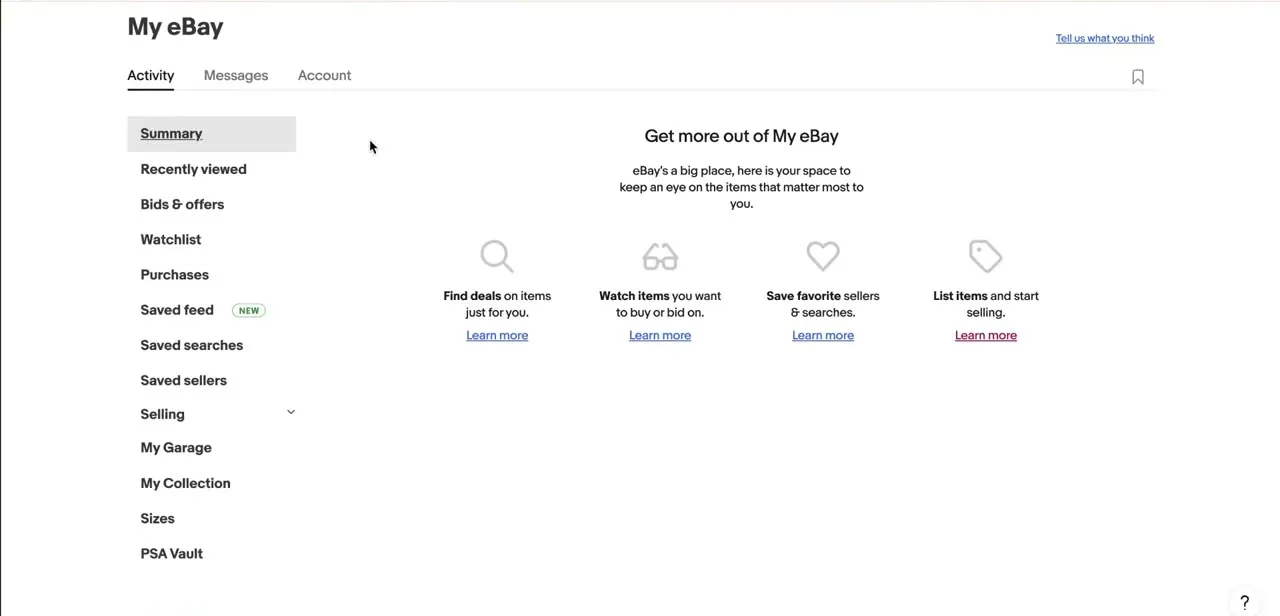
Bank linking lives inside the Payments tab in Seller Hub, or Payments in My eBay depending on which view your account defaults to. This is the same screen that later shows your payout history and schedule, so you'll return to it after setup as well as during it.
02Add your bank account, or a debit card instead
Select Add, then choose Log in to my bank or Enter manually. eBay only keeps one payout checking account on file at a time, so if you're replacing an existing one you'll need to remove it first rather than adding a second. The account type has to match your eBay account: a business eBay account needs a business checking account, and a personal account needs a personal one.
Savings accounts are not accepted at all, in either case. eBay also lets you receive payouts on a Visa or Mastercard debit card instead of a bank account, which skips the verification steps below entirely. Whichever route you take, the name on the account has to match the name on your eBay account. A payout account under a spouse's name or an old business name is one of the more common reasons linking fails before verification even starts.
03Choose how to verify it
eBay gives you three options, and they are not equally fast. Logging in to your bank directly is the quickest: you authenticate with your bank's own credentials and the account is confirmed immediately, with no waiting.
Uploading a bank statement works too, but the statement has to be dated within the last three months and submitted as a PDF. The slowest option is microdeposits: eBay sends two small, uniquely-sized test deposits to the account, which typically post within two to four business days, and you come back to enter the exact amounts once you see them on your statement.
04Fix the most common linking errors
If eBay rejects the account outright, check these in order: the account holder's name not matching your eBay account exactly, a savings account submitted where only checking is accepted, an eBay account type (business vs. personal) that doesn't match the checking account type, or a routing number that doesn't correspond to the account number's bank. Re-check each field individually instead of re-submitting the form unchanged, since an error that wasn't fixed will just be rejected again.
05Know what to expect once verification clears
Once the account is verified, it becomes the destination for payouts, and eBay shows it in Payments settings alongside your payout schedule. eBay states changes are typically confirmed and payouts enabled within about two business days of a successful verification. This is also a good time to check the payout frequency options tied to your seller status, since they sit in the same settings.
06Update your bank details if you switch banks
If you close an account or move banks, return to the same Payments settings, remove the old account (eBay only allows one on file), and add the new one. The new account goes through verification again even if the old one was already confirmed, since verification is tied to the specific account rather than to your seller profile as a whole.
| Method | Typical time | What it needs |
|---|---|---|
| Log in to my bank | Immediate | Your online banking username and password |
| Upload a bank statement | Depends on eBay's review | A PDF statement dated within the last 3 months |
| Microdeposits | 2-4 business days | Access to the account to read two small test deposits |
Based on eBay's own help documentation; eBay recommends the bank login method as the fastest of the three.
When it doesn't work
eBay rejects the account with no clear reason given
Why: Most often a savings account was submitted, or the account holder's name doesn't exactly match the name on the eBay account.
Fix: Confirm the account is checking, not savings, and that the name matches your eBay account exactly, then resubmit.
A business eBay account won't accept a personal checking account, or vice versa
Why: eBay requires the checking account type to match the eBay account type: business accounts need business checking, personal accounts need personal checking.
Fix: Use a checking account that matches your eBay account type, or switch the eBay account type if that's actually what's needed.
An uploaded bank statement gets rejected
Why: eBay requires the statement to be no more than three months old and submitted as a PDF; an older statement or a different file type won't pass.
Fix: Download a current statement (within the last three months) from your bank as a PDF and upload that instead.
The microdeposits never show up
Why: A wrong account or routing number sends the deposits nowhere, or it simply hasn't been the full two to four business days eBay allows for them to post.
Fix: Double-check the numbers you entered for typos; if they're correct, wait out the full window before contacting eBay support to reissue them.
Frequently asked questions
What's the fastest way to verify a bank account on eBay?
Logging in to your bank directly through eBay's Add account flow. It confirms the account immediately, unlike microdeposits, which take 2-4 business days, or a bank statement upload, which needs manual review.
Why does eBay keep rejecting my bank account?
Usually a mismatched account holder name, a savings account where only checking is accepted, an eBay account type that doesn't match the checking account type, or an incorrect routing number.
Can I use a savings account for eBay payouts?
No. eBay requires a personal or business checking account and does not accept savings accounts for payouts.
Can I get paid without linking a bank account?
Yes. eBay also supports payouts to a Visa or Mastercard debit card as an alternative to a checking account.
Can I change my bank account on eBay after it's verified?
Yes, from the same Payments settings. eBay only keeps one payout checking account on file, so you remove the old one and verify the new one from scratch.
What if the microdeposits never show up in my bank account?
Double-check the account and routing numbers for typos, since a wrong number sends the deposits nowhere. If the details are correct, wait out the full 2-4 business day window, then contact eBay support to have them reissued.
Sources and last check
Re-checked against eBay's own Help Center in September 2026. The original version described only microdeposits, as if that were the sole or default verification method; eBay's documentation shows three methods, with direct bank login as the fastest and recommended one, which this version now leads with. It also corrected the savings-account claim from a soft "sometimes causes issues" to eBay's actual hard rule (checking only), and added the account-type-matching rule, the bank-statement-upload option, the debit-card payout alternative, and the one-account-at-a-time limit, none of which the previous version mentioned.
About the author

Impran M N
I've been hooked on technology for as long as I can remember — especially the new tools and AI apps that seem to land every other week. Easy Tech Tuts is where I write up whatever I've just worked out: I do the task in the real product, record the screen, and turn it into the guide I wish I'd found first.