Easy Tech Tuts
How to Set Up International Shipping on Ebay & Sell Globally Easily in 2026
By Impran M NLast checked against official docs
International shipping on eBay isn't a separate account you sign up for. It's a toggle inside each listing's shipping section, next to the domestic options you're probably already used to setting.
That makes it easy to overlook, but also easy to turn on once you know where it lives. This guide walks through enabling it on an actual listing: picking a domestic service first, flipping on the international switch, choosing which countries to ship to, and why the price jumps once a package is headed overseas. It also covers how this manual toggle relates to eBay's own managed international programs, since the two get confused often.
01Open the listing you want to ship internationally
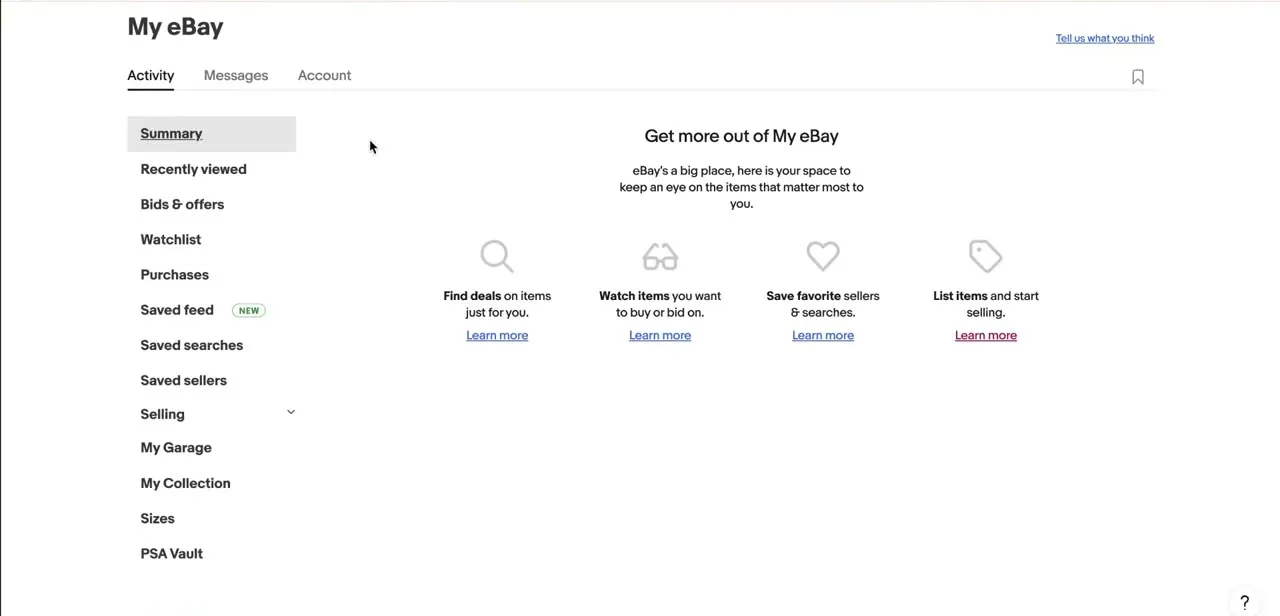
International shipping is set per listing, so start from an item you've already listed or are in the process of listing (here, a used copy of Atomic Habits). From your Selling area, find the item and open it for editing. There's no global shipping switch in account settings; every listing carries its own shipping configuration.

02Set your domestic shipping service first
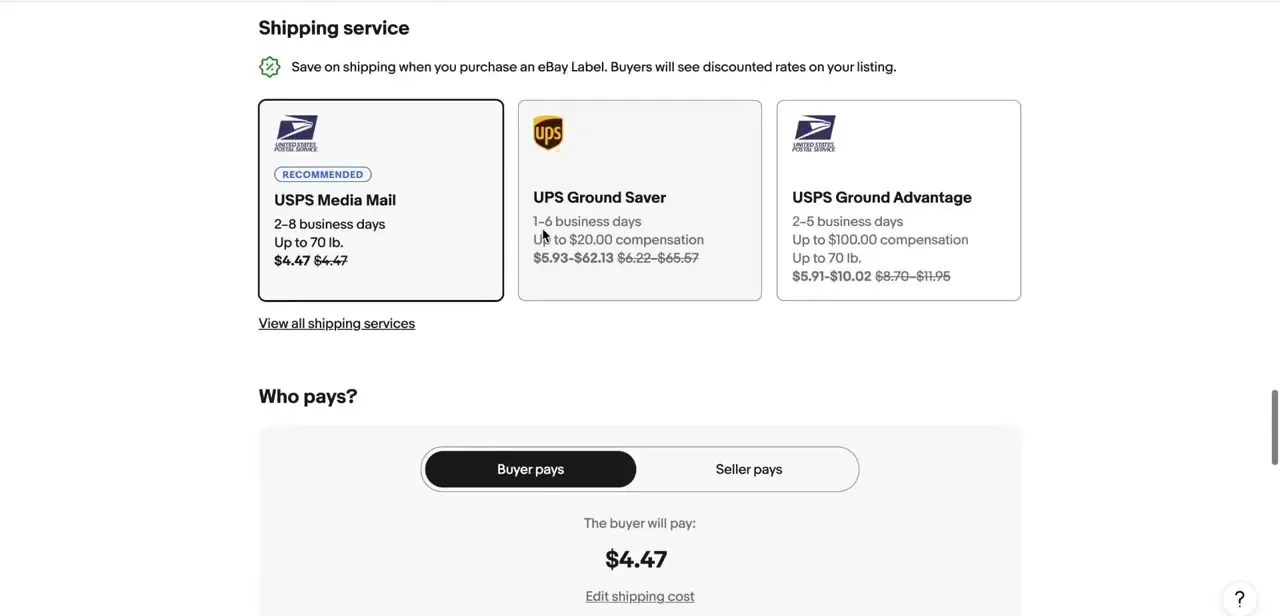
Before touching international options, the Shipping service section asks for a domestic carrier and service level: USPS Media Mail, UPS Ground Saver, or USPS Ground Advantage, each with its own delivery window, price, and compensation coverage if something goes wrong in transit. eBay marks one option "Recommended" and buying the label through eBay is how you unlock the discounted rate buyers see on your listing. The "Who pays?" toggle just below decides whether the buyer covers this cost or you build it into the item price.
03Turn on the International shipping toggle
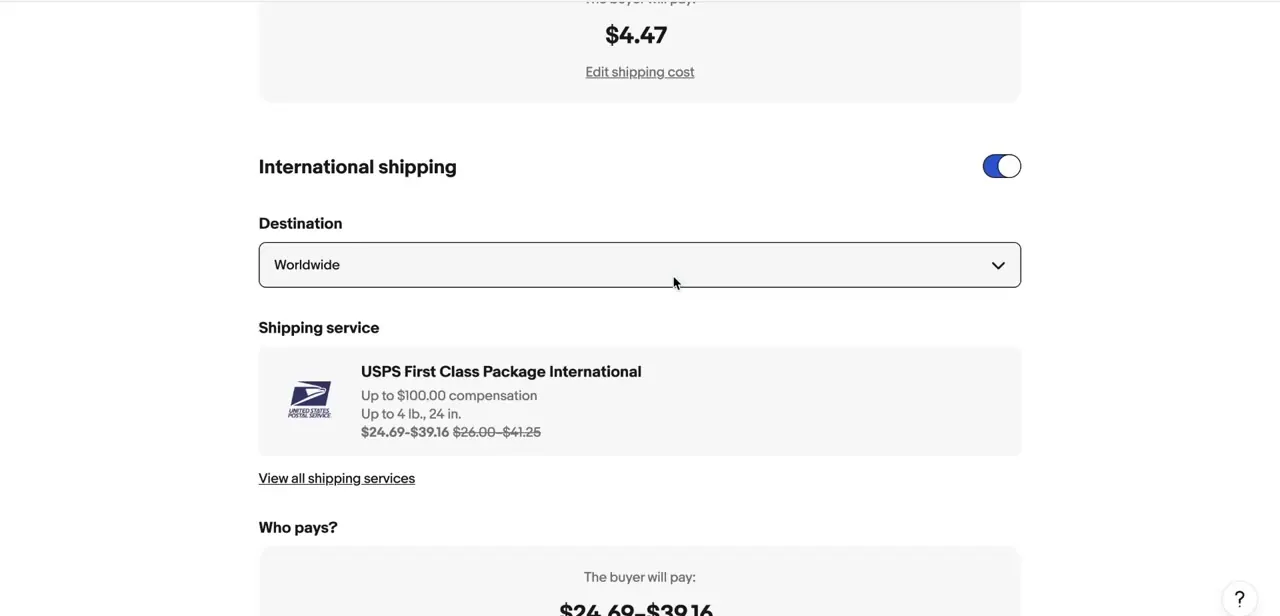
Scroll past the domestic section and International shipping appears as its own block with a switch on the right, off by default on most listings. Flipping it on reveals a Destination field and a separate shipping service picker for cross-border delivery.
This is what the task involves: not a dedicated "go global" wizard, just this toggle inside the listing you're already editing. It sets your own carrier and rates directly, which is different from eBay's separately managed international programs covered in the last section of this guide.
04Choose how wide your destination reach goes
The Destination dropdown defaults to Worldwide once international shipping is on, the simplest setting if you're comfortable shipping to any country that can legally receive the item. To limit exposure to certain regions, because of customs complexity, high loss rates, or export restrictions on the item, this is where you'd narrow that list instead of leaving it wide open. Starting broad and dialing back once you see which countries convert is easier than guessing upfront which ones to exclude.
05Pick an international shipping service level
With Worldwide selected, eBay surfaced USPS First Class Package International as the service on this listing, listing up to $100 in compensation, a 4 lb / 24 inch size limit, and a price range instead of a flat number (in this case, a buyer cost spanning from the mid-$20s to the low-$40s). That range reflects the fact that international rates vary by destination country even under one service tier, so eBay shows a band instead of a single price the way domestic listings do.
06Decide who pays for the international leg
Just like the domestic section, international shipping has its own buyer-pays or seller-pays choice. Cross-border rates run noticeably higher than domestic ones, so many sellers pass this cost directly to the buyer instead of baking an unpredictable range into every price, especially with Worldwide selected, where the true cost depends entirely on where the buyer is located.
07Expect a bigger price jump than you might guess
Compare the numbers side by side: the same package that ships domestically for under five dollars jumps to a price range in the tens of dollars once it's headed abroad. That isn't a settings error; it's the real cost difference between domestic handling and international package processing, customs paperwork, and longer-distance carriage. Set buyer expectations for that gap in your listing description so a shopper in another country isn't caught off guard at checkout.
When it doesn't work
A listing shows an international shipping method you never chose, such as eBay International Shipping.
Why: eBay automatically enrolls sellers who meet its performance requirements (Above Standard or Top Rated status, low service metrics, eligible for seller protections) into eBay International Shipping, a separate eBay-managed program. It ships the item to a domestic eBay hub and handles customs from there, applied on top of whatever the listing itself has set.
Fix: Check your enrollment status under Shipping preferences in your account settings (User ID menu > Account settings > Shipping preferences), and opt out there if you'd rather manage international shipping yourself.
You were expecting the Global Shipping Program and can't find it.
Why: eBay is replacing the Global Shipping Program with eBay International Shipping. Sellers previously enrolled in GSP are being migrated to the newer program automatically.
Fix: Look for eBay International Shipping in Shipping preferences instead. Existing GSP listings update on their own; no action is required to keep those listings shipping internationally.
International orders get delayed or canceled more often than domestic ones.
Why: Missing or inaccurate customs information on the shipment is a common cause of international delivery delays.
Fix: Fill in customs details accurately when creating the label, and double-check the item description matches what's declared.
Frequently asked questions
What's the difference between the Global Shipping Program, eBay International Shipping, and the toggle in this guide?
The toggle covered here is self-managed: you pick your own carrier and rate, and you handle customs. eBay International Shipping and the Global Shipping Program it's replacing are eBay-managed instead: you ship domestically to an eBay hub, and eBay handles customs and international transport from there.
Do I need to set up eBay International Shipping separately?
Not if you're already enrolled. Sellers who meet eBay's performance requirements are opted in automatically. Check Shipping preferences in your account settings to see your status, and opt out there if you'd rather run international shipping yourself.
Can I exclude certain countries from international shipping?
Yes. Once international shipping is turned on for a listing, the Destination field can be narrowed from Worldwide to specific regions or countries instead.
What causes delays or cancellations with international orders?
Missing or inaccurate customs information is a common cause of both shipping delays and order cancellations.
Why is the international shipping price shown as a range instead of one number?
When the destination is set to Worldwide, actual rates vary by country, so eBay displays a price band covering the cheapest and most expensive destinations under that service.
Is international shipping complicated to set up on eBay?
The self-managed version isn't: it's one toggle inside the listing's shipping section, right below the domestic service you're already choosing. Figuring out whether you're also enrolled in eBay's managed program takes an extra step, covered above.
Sources and last check
Click path and screens come from a recorded listing walkthrough showing the self-managed International shipping toggle. Re-checked against eBay's official seller documentation in September 2026, which surfaced something the original draft didn't cover: eBay is replacing the Global Shipping Program with eBay International Shipping, an automated program that eligible US sellers are opted into by default, separate from the per-listing toggle this guide walks through. That distinction, the eligibility basics, and the opt-out location have been added; the original FAQ line treating GSP as eBay's current default program has been corrected.
About the author

Impran M N
I've been hooked on technology for as long as I can remember — especially the new tools and AI apps that seem to land every other week. Easy Tech Tuts is where I write up whatever I've just worked out: I do the task in the real product, record the screen, and turn it into the guide I wish I'd found first.