 Easy Tech Tuts
How to Do a Partial Refund on eBay Easily 2026
By Impran M NLast checked against official docs
When a buyer receives a slightly damaged item or agrees to keep a product for a reduced price, cancelling the whole order is overkill. A partial refund settles the issue while keeping the transaction on record.
This guide covers the direct route: issuing the refund yourself from Seller Hub, with no return shipment and no open dispute. It applies across most eBay categories, from electronics to clothing to collectibles, and it works the same whether you're refunding one item or an order with several.
Before you start
- The order must be within 90 days of the original transaction
- No open cancellation request, return request, Money Back Guarantee case, or dispute already sitting on that order
01Sign in and get to Seller Hub
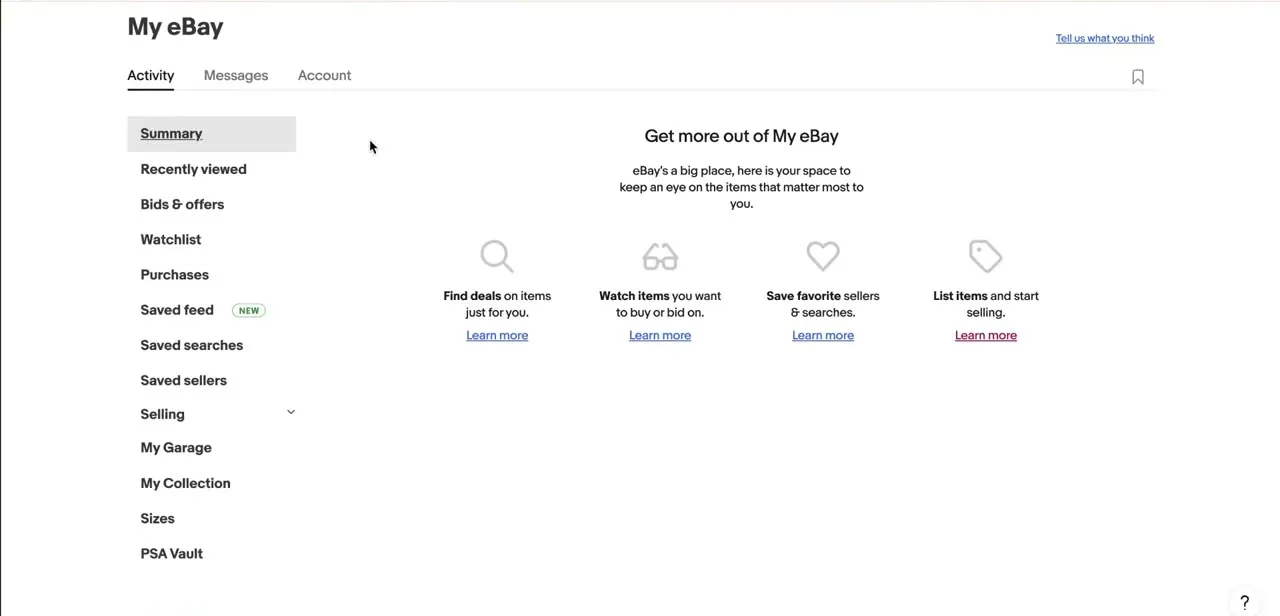
Sign in at eBay's sign-in screen with your email or username, or one of the Google, Facebook, or Apple continue options if your account is linked to one of them. Once you're in, go to My eBay from the top navigation.
It opens to an Activity summary with links down the left for Purchases, Watchlist, and, for sellers, a Selling section. That page doesn't process refunds itself; it's the route to Seller Hub or the Orders view, where the actual order lives. If you sell regularly, bookmarking Seller Hub directly skips this summary page entirely.
02Locate the order in Seller Hub
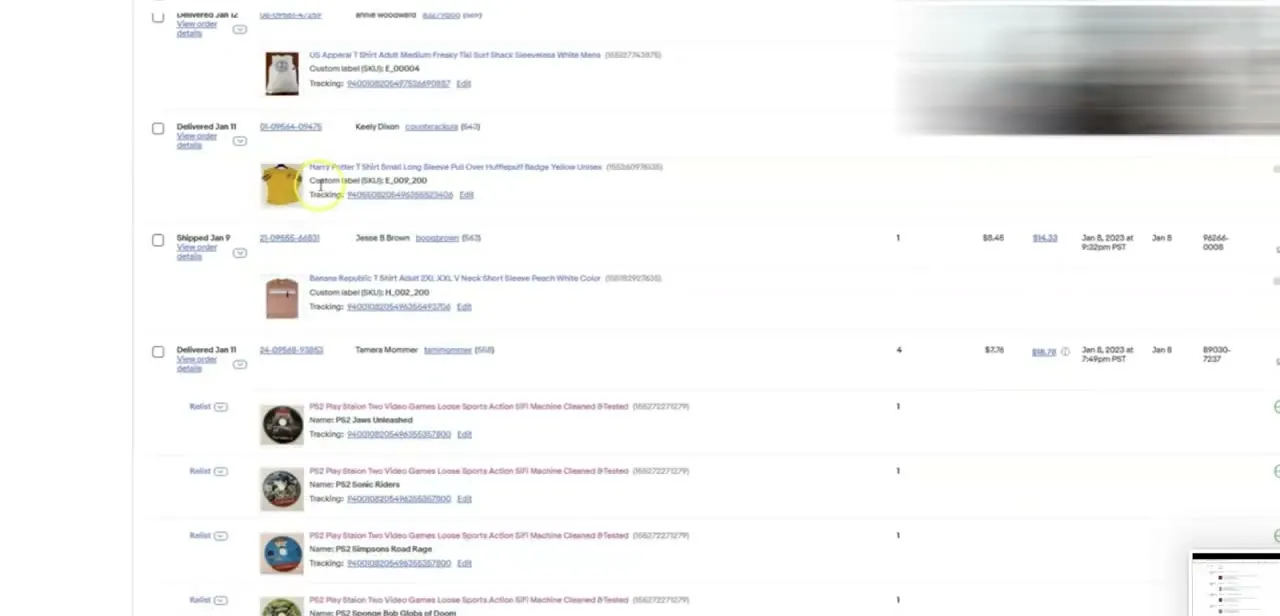
In Seller Hub's orders list, each row shows the item, buyer, tracking number, price, and order status such as Shipped or Delivered. Find the specific order the buyer contacted you about (searching by buyer name or order number is faster than scrolling once you have more than a handful of orders) and open it. This is also where you can confirm the item shipped and what tracking shows, useful context before deciding how much to refund.
03Select Send refund instead of Cancel order
Open the order's dropdown menu and choose Send refund, not Cancel order. Cancelling unwinds the whole sale and refunds the full amount; Send refund keeps the order on record and only adjusts how much money changed hands.
This option won't appear at all if the order already has an open cancellation request, return request, Money Back Guarantee case, or other dispute attached. In that situation eBay routes refunds through that existing case instead, not through this menu.
04Choose a reason and enter the amount
Pick a reason for the refund, then enter the specific amount agreed with the buyer, such as a portion of the price to cover minor damage. eBay lets you refund the whole order or a single item; either way, a partial amount applied to a multi-item order is split proportionally across every item in it, not just the one the buyer complained about. Confirm with Send refund again to finish. The refund has to be started within 90 days of the original transaction, after which Seller Hub won't offer this route at all.
05Follow up with the buyer
A refund sent this way is immediate and final: unlike a partial-refund offer made inside an active return request, the buyer isn't asked to accept or decline it. You'll get an email once it's initiated and another once it completes.
Message the buyer anyway to explain what was refunded and why. It costs nothing and heads off a confused buyer opening a dispute over money that already moved.
When it doesn't work
Send refund doesn't appear on an order
Why: eBay hides this option once there's an open cancellation request, return request, Money Back Guarantee case, or other unresolved dispute already attached to that order.
Fix: Handle the refund through that existing request or case instead. It won't show up as a separate menu action until the case is closed.
The order is older than expected and there's no refund option at all
Why: eBay only allows refunds to be started within 90 days of the original transaction.
Fix: Contact eBay support directly; a refund can't be initiated from Seller Hub past that window.
The refund amount came out different from what was agreed for one item
Why: eBay spreads a partial refund proportionally across every item in the order, not only the one item that needed adjusting.
Fix: Work out the split before entering the amount, or refund that item's order line on its own if the order allows it.
Frequently asked questions
Does a partial refund on eBay affect my seller metrics?
Refunds, including partial ones, can factor into seller performance data, though a smoothly handled partial refund is generally better for metrics than a full cancellation or an escalated dispute.
Can the buyer reject a partial refund sent this way?
No. Send refund, used outside of a return request, is immediate and final; the buyer has no accept or decline step. A buyer can only accept or reject a partial refund when it's offered as a resolution inside an active return request, and eBay allows only one such offer per return.
Is there a deadline for issuing a refund?
Yes, 90 days from the original transaction. After that, Seller Hub no longer offers the Send refund option for that order.
What happens if I don't have enough funds available to cover the refund?
eBay draws the shortfall from your on-file payment method automatically, so the refund still goes through.
Do I need to accept a return to issue a partial refund?
No. Send refund can be issued without the buyer returning the item, which is one of the main reasons sellers use it for minor issues.
Can I refund just one item out of a multi-item order?
You can target a single item, but a partial amount is still split proportionally across every item in that order instead of landing on only the one you picked, so the math needs to account for that.
Sources and last check
Click path and screens come from a recorded walkthrough of Seller Hub. Re-checked against eBay's official Help Center in September 2026, which corrected the exact button name (Send refund, not a generic 'refund' action), added the 90-day time limit and the proportional split across multi-item orders, and fixed the claim that a buyer can decline a direct refund: that only applies to a partial-refund offer made inside an open return request.
About the author

Impran M N
I've been hooked on technology for as long as I can remember — especially the new tools and AI apps that seem to land every other week. Easy Tech Tuts is where I write up whatever I've just worked out: I do the task in the real product, record the screen, and turn it into the guide I wish I'd found first.



