 Easy Tech Tuts
How to import eBay Reviews & DSers Reviews to Shopify for Free Easily 2026
By Impran M NLast checked against official docs
Reviews pulled from eBay and DSers can make a new Shopify listing feel credible faster than launching with zero reviews. This guide covers installing Kudosi (formerly Ali Reviews) and its browser extension, scanning reviews off a live eBay listing, and bulk-importing from DSers, which turns out to work in a different way than eBay does. It also covers what genuinely comes free versus what needs a paid plan, since despite the name, most of this feature set doesn't.
Before you start
- A Shopify store with Kudosi installed, on a paid plan (Basic or higher) — the free plan only imports from AliExpress, not eBay or DSers
- Kudosi's Chrome extension, installed in the browser you'll use to browse eBay listings or DSers' My Products page
01Install Kudosi and check what your plan covers
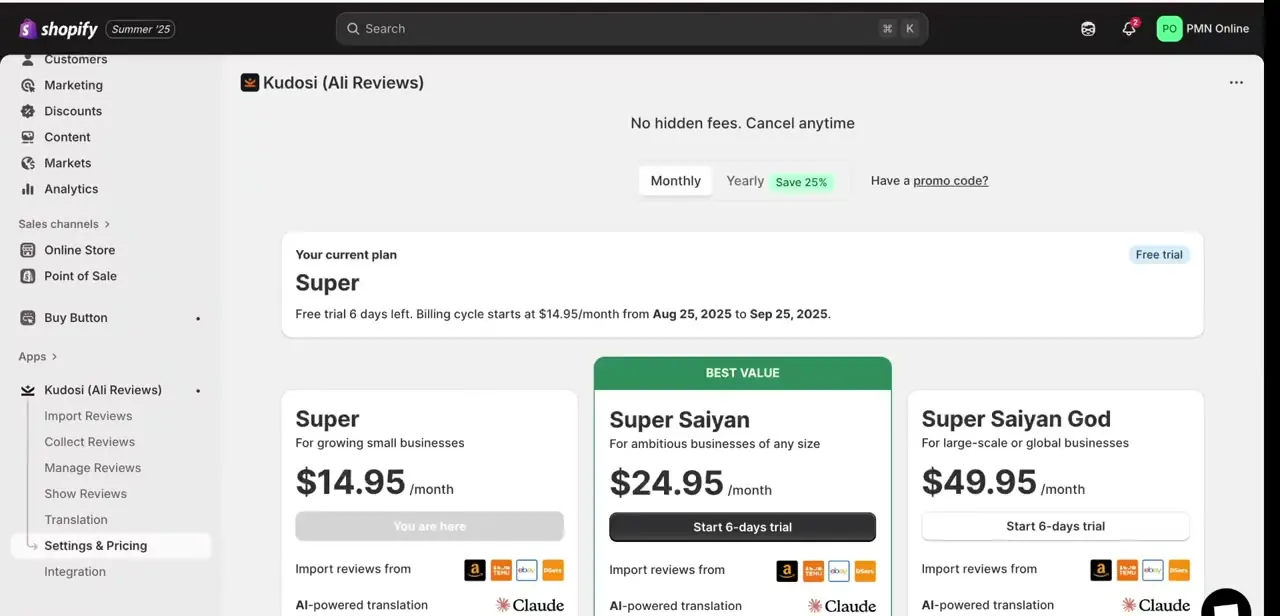
Add Kudosi (formerly Ali Reviews) from the Shopify App Store, then open Settings & Pricing to see what your account is entitled to. New installs land on a free plan by default, which imports reviews from AliExpress only. eBay and DSers, along with Amazon, Temu and Etsy, sit behind the Basic plan and above. Before scanning anything, confirm you're on a paid plan or its 14-day trial — the free tier will let you open the eBay or DSers screens but won't complete an import from either.
02Open the eBay import screen inside Kudosi
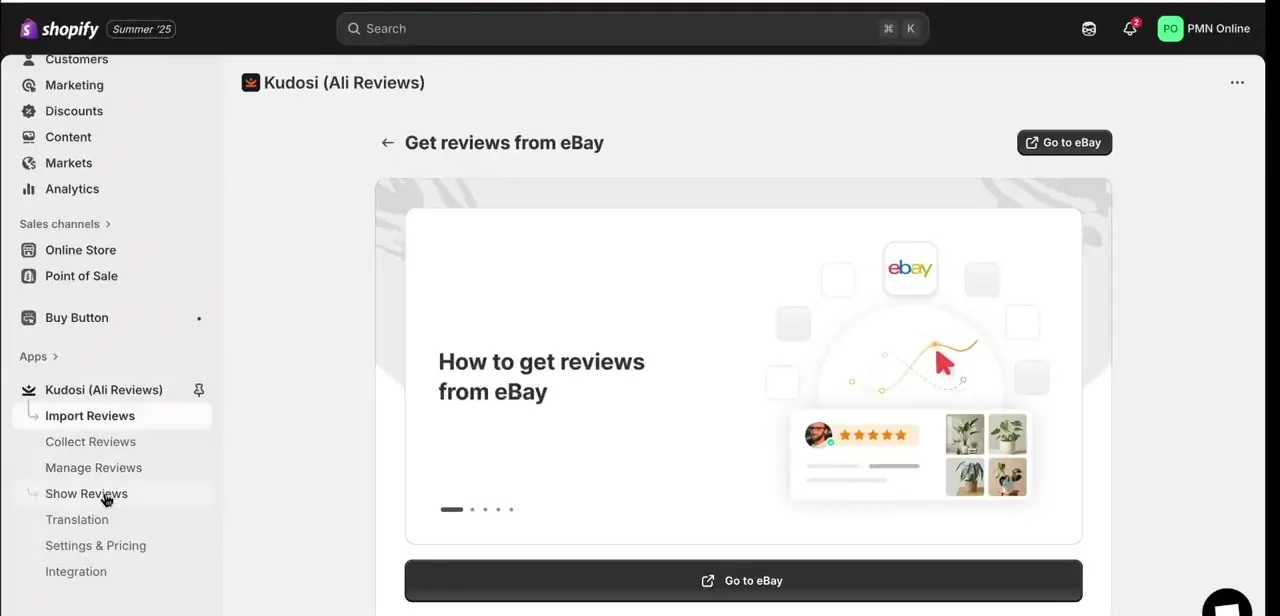
From the Import Reviews section, selecting eBay as a source opens a short "Get reviews from eBay" walkthrough rather than starting a scan directly. It explains that reviews come from the browser extension reading a live eBay page, with a Go to eBay button that opens eBay in a new tab so you can find the listing you want to pull reviews from.
03Match the eBay listing to your Shopify product
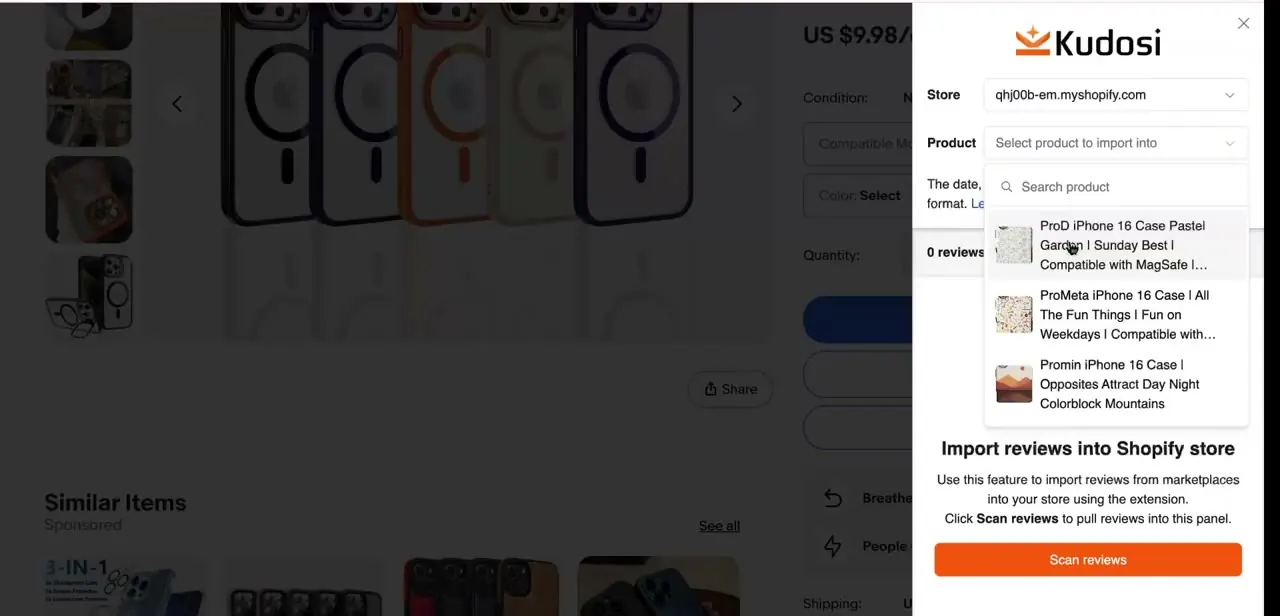
On the matching eBay product page, open the Kudosi extension panel from the browser toolbar and use the product search field to find which item in your store the reviews should attach to. The dropdown searches your live catalog as you type and shows a thumbnail with each match, which matters when several near-identical variants (multiple phone case designs, say) could otherwise get the wrong reviews. You can also filter for reviews that include photos or written text before scanning.
04Scan, deselect, and publish
Click Scan Reviews and Kudosi reads what's visible on that eBay page, up to 1000 reviews in a session with a limit of five photos carried over per review. Deselect anything you don't want, then click Import Reviews, followed by Publish All Reviews to make them live.
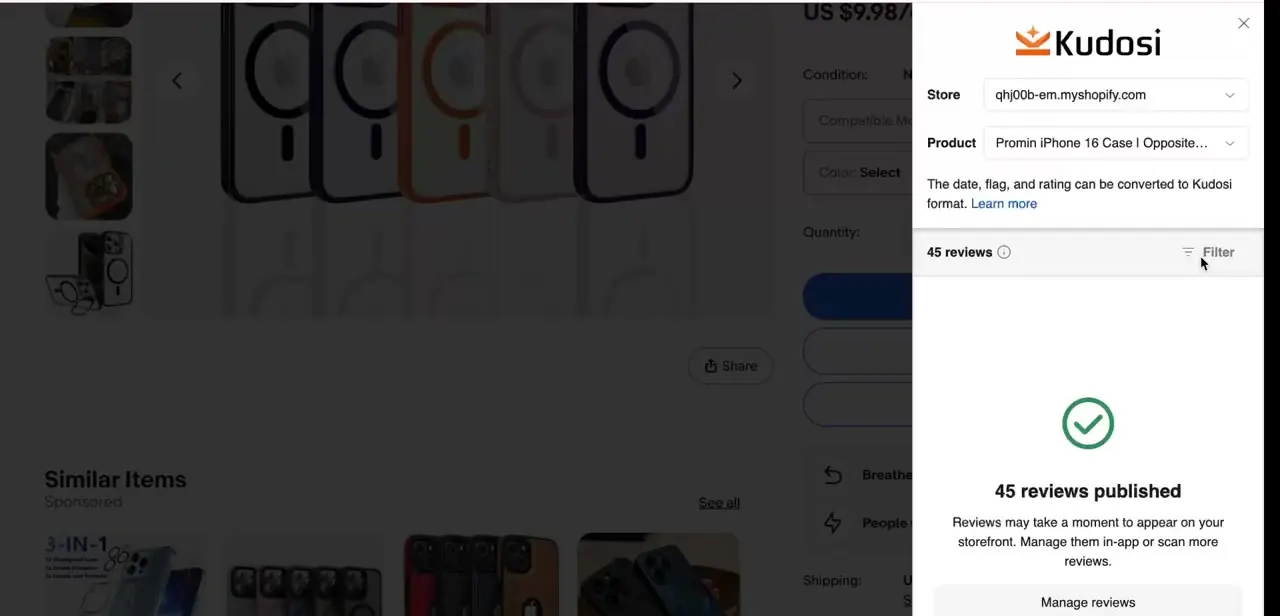
A completed scan shows the exact count published, such as "45 reviews published," with a Manage Reviews link if you want to prune them afterward. That count is the quickest way to confirm the import worked before checking the live product page.
05Import from DSers a different way
DSers doesn't share the eBay flow, despite sitting on the same list of sources inside Kudosi. Its import runs from inside DSers itself: open My Products in your DSers account, and with the Kudosi extension installed you'll see a Bulk Import Reviews banner.
Click Import Reviews to open a modal where you choose the scope (products with no reviews yet, products that already have some, or everything), the page range (the current page or every page), and whether to auto-publish once it's done. You can also trigger the same import for one product at a time from beneath its listing. This bulk path is also paid-plan only, and Kudosi skips exact duplicate reviews automatically within a single DSers import run.
06Clean up and configure the storefront display
After importing from both sources, open Manage Reviews to remove anything that doesn't read naturally for your product, then use Show Reviews to set how the widget renders: star summary, count, and whether photos appear. Kudosi's own duplicate skip only applies within a DSers import, not between eBay and DSers, so running both against the same product makes a manual pass through Manage Reviews worth doing before you publish the widget.
When it doesn't work
Scanning an eBay listing or opening DSers' bulk import doesn't produce anything
Why: The store is on Kudosi's free plan, which only imports from AliExpress. eBay and DSers are both gated behind the Basic plan or higher.
Fix: Check Settings & Pricing and confirm you're on Basic or above, either paid or during the 14-day trial, before scanning.
Fewer reviews import than expected from one eBay listing
Why: Kudosi caps a single scan at 1000 reviews and carries over at most five photos per review.
Fix: Re-run the scan on the same listing if it looks cut off, and don't expect every photo from a review to come across.
The same review appears twice after importing from eBay and DSers
Why: Kudosi's duplicate skip only applies inside a single DSers bulk import. It doesn't compare what eBay already added against what DSers is about to add.
Fix: Check Manage Reviews after running both imports on a product and remove obvious repeats before publishing.
Frequently asked questions
Is this really free?
Not for eBay or DSers. Kudosi's free plan only pulls reviews from AliExpress. Importing from eBay, DSers, Amazon, Temu or Etsy needs the Basic plan or higher, currently $14.95/month with a 14-day trial.
Is this useful for dropshippers specifically?
Yes — it's built for store owners who want reviews pulled from the same eBay or DSers listings they're already sourcing products through, instead of launching with an empty review section.
Can I bulk import instead of doing it one listing at a time?
For eBay, no — each listing is scanned individually through the browser extension. For DSers, yes: the Bulk Import Reviews banner inside DSers' My Products page can pull reviews for every synced product in one pass.
Will imported reviews match my store's theme?
You can customize the widget's appearance in Show Reviews after importing, including the star summary, review count, and whether photos display.
Can I import from both eBay and DSers for the same product?
Yes, since they're separate sources for the same product. Just check Manage Reviews afterward, since duplicates between the two aren't filtered out automatically the way they are within a single DSers import.
Is there a limit on how many reviews I can pull from one eBay listing?
Kudosi caps a single scan at 1000 reviews, with up to five photos carried over per review.
Sources and last check
Click path and screens for the eBay flow come from a walkthrough recorded in July 2025. Plan names, pricing, and the DSers workflow were re-checked against Kudosi's own helpdesk and its Shopify App Store listing in September 2026. That check replaced this guide's outdated plan names (Super, Super Saiyan, Super Saiyan God) with the current Free/Basic/Growth/Advanced structure, and corrected the claim that DSers uses the same per-listing scan as eBay — DSers runs as a bulk import triggered from inside DSers itself, not from Kudosi's own Import Reviews screen.
About the author

Impran M N
I've been hooked on technology for as long as I can remember — especially the new tools and AI apps that seem to land every other week. Easy Tech Tuts is where I write up whatever I've just worked out: I do the task in the real product, record the screen, and turn it into the guide I wish I'd found first.



