 Easy Tech Tuts
How to End a Listing on Ebay 2026 Easily Close or Cancel it after it sold
By Impran M NLast checked against official docs
Sellers end listings early for all kinds of reasons: a stock issue, a pricing mistake, a duplicate post. eBay handles this differently depending on whether the item has bids, is a fixed-price listing, or has already sold, and the auction rules are more specific than "it depends": eBay publishes an exact eligibility table by time remaining and bid status. This guide follows the real navigation through My eBay and Seller Hub to reach your listings, plus what happens to your final value fee when you end or cancel.
01Open Selling from My eBay and find the listing under Active
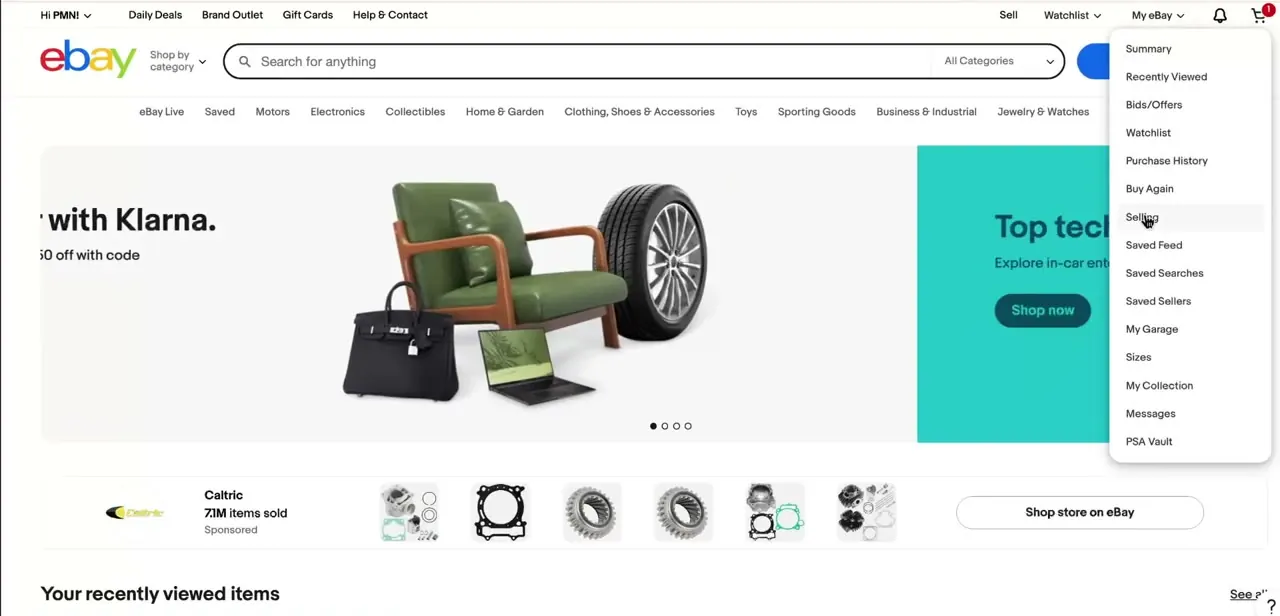
Click the My eBay dropdown in the top navigation and the account splits into two halves: buying-side items like Watchlist, Purchase History, and Buy Again toward the top, and Selling further down alongside Saved Feed, Saved Searches, and Saved Sellers. Ending a listing always starts by clicking into Selling from here or from Seller Hub; there's no shortcut from the item page itself once it's live.
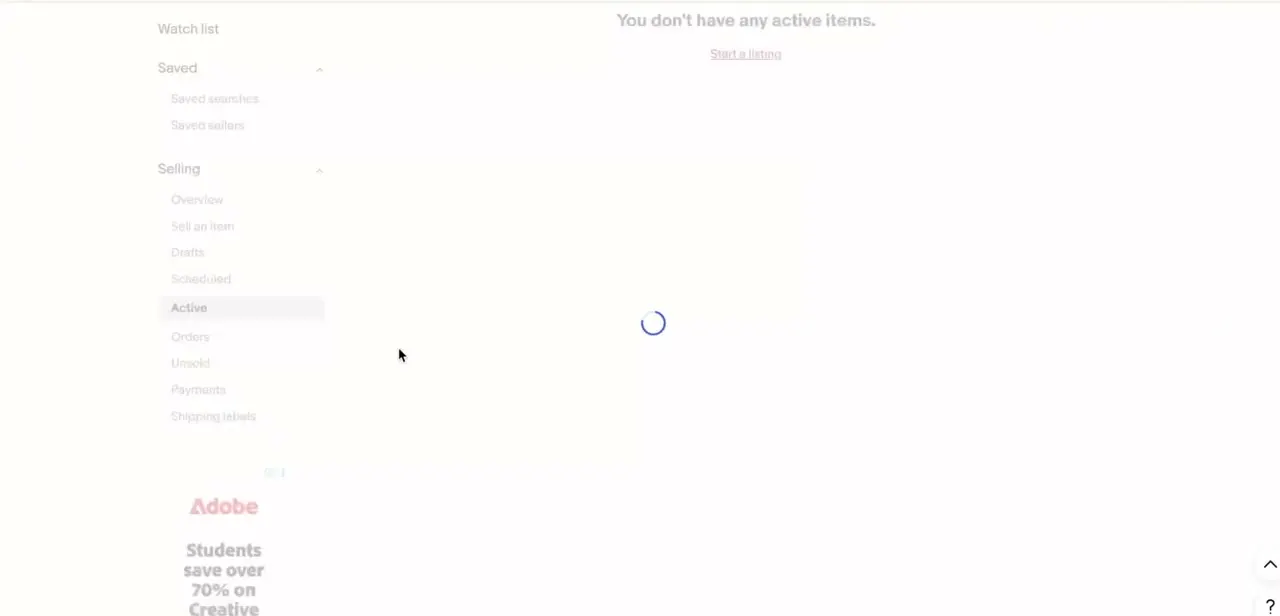
From the Selling menu, click Active to see every listing currently live on the account, the same tab whether reached through My eBay's classic view or Seller Hub's dashboard. If the tab shows nothing, check that the right account is selected; managed multi-seller accounts sometimes default to a different view.
02Pick an accurate reason for ending it
eBay asks for a reason before it lets the listing end: common categories include the item being out of stock, a pricing error, or the item being lost or damaged. The choice matters beyond the moment: eBay's own guidance says canceling because you're out of stock can register as a transaction defect against your seller performance level, while other reasons don't carry the same risk. Pick the one that's genuinely true, not whichever option seems fastest.
03End a fixed-price listing
A fixed-price listing can be ended at any time, with or without open offers pending; eBay doesn't restrict this the way it restricts auctions. Select the item from Active, choose to end the listing, then pick the reason. It disappears from search immediately, though anyone holding the direct link may still land on a now-inactive page.
04Cancel an auction listing early
Auctions follow a specific eligibility rule based on time left and whether the reserve (if any) has been met, not a general sense of "the closer it is to ending, the harder it gets." With no bids yet, an auction can be ended at any time. Once there are bids, eBay may charge a final value fee based on the highest bid even though the sale didn't happen, and with fewer than 12 hours left and the reserve met (or no reserve set at all), ending early isn't offered as an option; the item has to go to the highest bidder.
05Handle an order after the item already sold
Once a buyer has purchased the item, ending the listing is the wrong tool: use the order cancellation flow instead, available up to 30 days after the sale even if the buyer already paid. If the buyer requested the cancellation, there are 3 days to approve or decline before eBay closes the request automatically.
A full refund goes out as soon as the order is canceled, and any fee credit that follows depends on the reason given, not a fixed outcome. Canceling because the buyer didn't pay also removes any feedback they left and doesn't count against seller standing; canceling because an item is out of stock or damaged does not carry that same protection. A single-quantity Buy It Now listing relists automatically afterward unless "Relist item?" is set to No.
| Time left | Bid status | Can you end it early? |
|---|---|---|
| 12+ hours | No bids | Yes |
| 12+ hours | Bids, reserve not met | Yes, but a final value fee based on the highest bid may apply |
| 12+ hours | Bids, reserve met or no reserve | Yes, by cancelling all bids; a fee may apply, or you can sell to the highest bidder instead |
| Under 12 hours | No bids | Yes |
| Under 12 hours | Bids, reserve not met | Yes, a final value fee based on the highest bid may apply |
| Under 12 hours | Bids, reserve met or no reserve | No, the item must go to the highest bidder |
Per eBay's official "Ending a listing" help page, current as of September 2026.
| Why you canceled | Final value fee credit | Flat per-order fee credit |
|---|---|---|
| Outside your control (buyer asked to cancel, or a bad shipping address) | Credited in full | Credited in full |
| Within your control (item out of stock or damaged) | Credited in full | Not credited |
Per eBay's official "Fee credits" help page, current as of September 2026.
When it doesn't work
eBay won't offer the option to end an auction with bids
Why: Fewer than 12 hours remain and the reserve has been met, or there's no reserve at all. At that point eBay requires the item to go to the highest bidder.
Fix: Contact the highest bidder directly if the sale genuinely can't go through, or let the auction finish and cancel the resulting order instead.
A canceled order didn't refund the full fee amount
Why: Fee credit depends on the stated reason. Canceling for something outside your control (the buyer asked, or a bad address) credits both the category fee and the flat per-order fee; canceling because you're out of stock or the item is damaged only credits the category fee.
Fix: Check which reason was selected when the order was canceled; it determines what comes back, not just the fact that a refund happened.
Seller performance level dropped after a routine cancellation
Why: Canceling because an item is out of stock counts as a reason within the seller's control and can register as a transaction defect. Only non-payment cancellations are explicitly protected from affecting seller standing.
Fix: Reserve "out of stock" for when it's genuinely true, and expect it to be treated differently from a buyer-requested cancellation.
Frequently asked questions
Can I end a fixed-price listing that has offers on it?
Yes. Fixed-price listings can be ended at any time, with or without open offers pending.
Can I end an auction that already has bids?
It depends on time and reserve status. With fewer than 12 hours left and the reserve met (or no reserve set), eBay requires the item to go to the highest bidder instead.
Will I be charged a fee for ending an auction early?
Possibly. If the auction has bids, eBay may charge a final value fee based on the highest bid even though the item wasn't sold through to completion.
Will I get my fees back if I cancel an order?
The category final value fee is credited either way. The flat per-order fee is only credited when the cancellation reason was outside your control, such as the buyer asking to cancel; it isn't credited for an out-of-stock or damaged-item cancellation.
Does canceling an order hurt my seller rating?
Canceling because the buyer didn't pay is protected and doesn't affect seller standing. Canceling because you're out of stock or made an error can register as a transaction defect.
How long after a sale can I still cancel the order?
Up to 30 days after the sale, even if the buyer has already paid.
Sources and last check
Click path and screens come from a walkthrough recorded in July 2025. Auction-ending eligibility and fee-credit rules were re-checked against eBay's official help pages in September 2026. That check corrected the original's claim that fixed-price listings need "no offers pending" to end (they don't), replaced a vague description of auction restrictions with eBay's actual time/reserve eligibility table, and added the distinction between fee credits for cancellations outside versus within a seller's control, none of which the original version stated precisely.
About the author

Impran M N
I've been hooked on technology for as long as I can remember — especially the new tools and AI apps that seem to land every other week. Easy Tech Tuts is where I write up whatever I've just worked out: I do the task in the real product, record the screen, and turn it into the guide I wish I'd found first.



