 Easy Tech Tuts
How to Delete Account on eBay, Close Account Now in 2026 Easily
By Impran M NLast checked against official docs
Closing an eBay account for good is not a single button press. eBay routes the request through a help article you have to read, a checklist of unpaid fees and open cases you have to clear, and a waiting period before anything is deleted. This guide covers where the option sits inside My eBay, what stops the request from going through, and how long eBay says the deletion itself takes.
None of it is difficult. Most of the frustration comes from not knowing the checklist exists until the site rejects the request.
01Sign in to the account you're closing
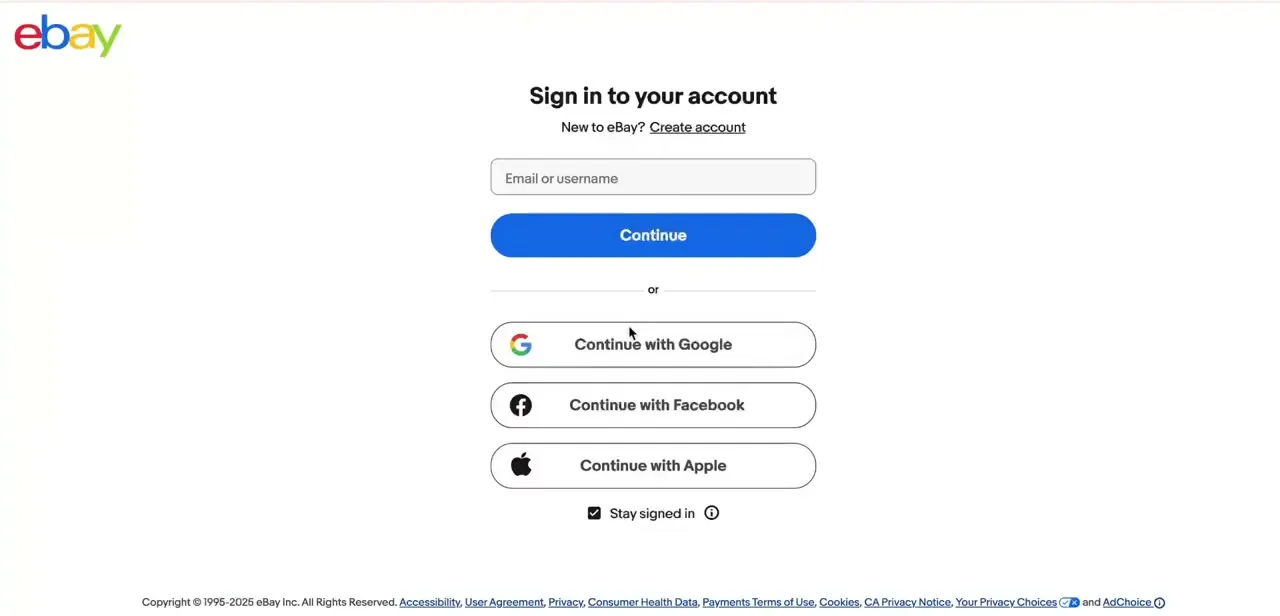
Start at eBay's sign-in screen and log in with the email or username tied to the account you want to close. Signing in through Google, Facebook or Apple works too, if that's how the account was set up originally. Either way, it has to be that account. eBay cannot close it on your behalf without verifying you're the owner.
02Open My eBay and find Close account
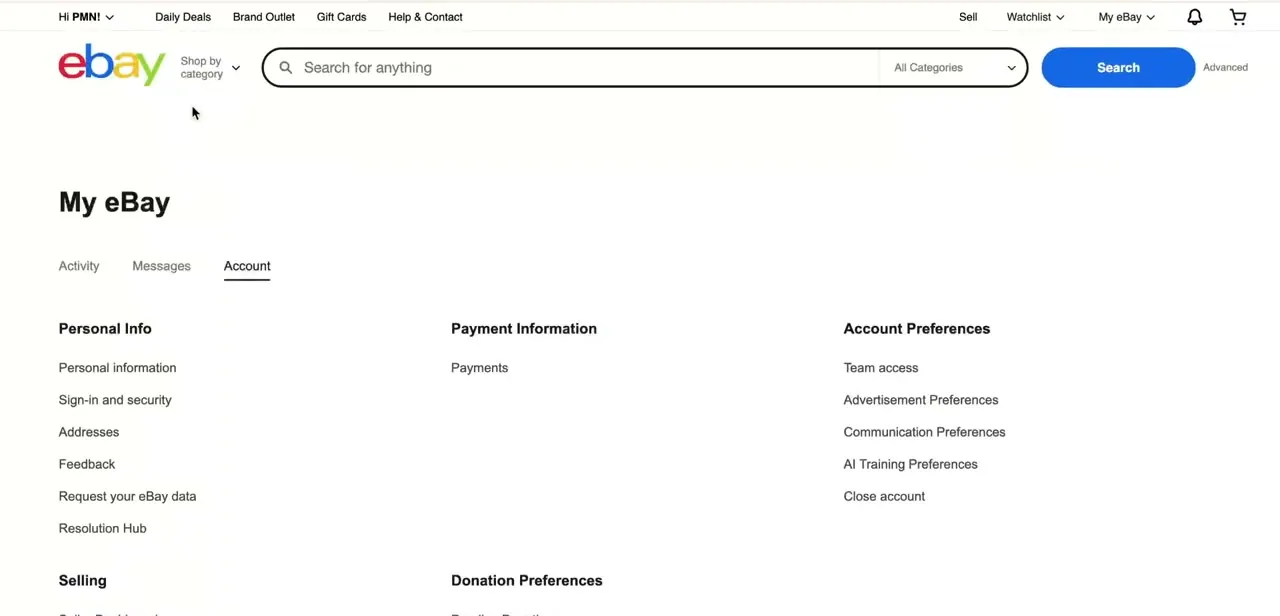
Once signed in, go to My eBay and select the Account tab. The page is split into Personal Info, Payment Information, and Account Preferences.
Close account sits at the very bottom of Account Preferences, below Team access, Advertisement Preferences, Communication Preferences, and AI Training Preferences. It's easy to scroll past, since eBay doesn't place it anywhere near the top.
03Read what closing your account means
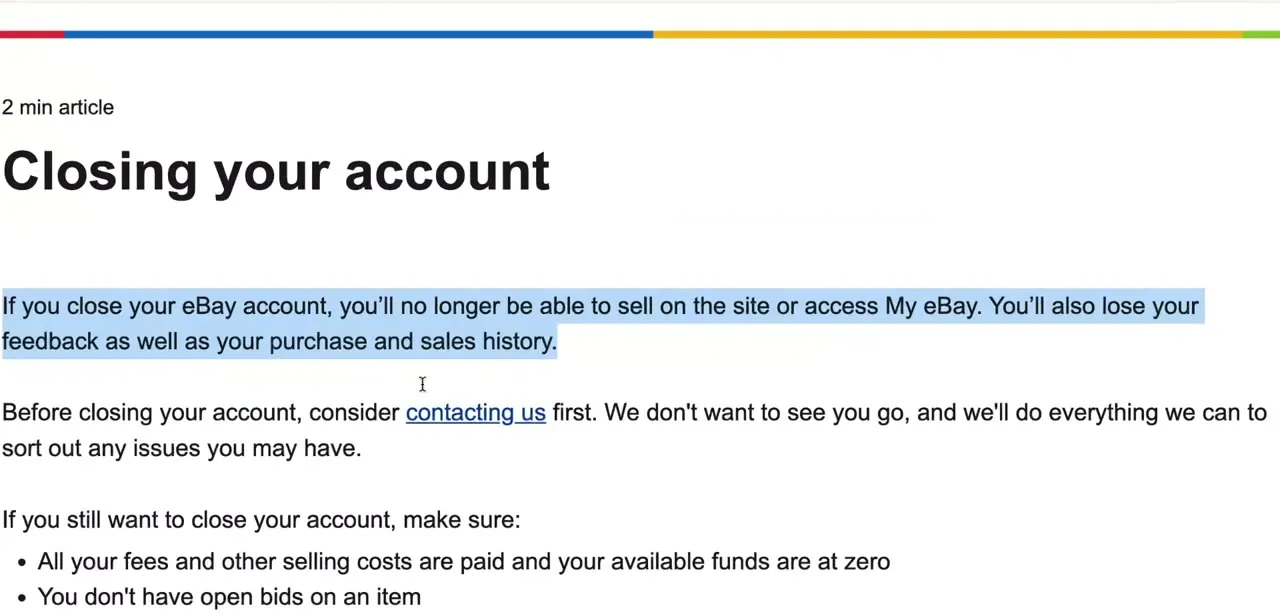
Clicking Close account leads to eBay's help article on the subject before it lets you proceed. eBay states plainly that once the account closes, you lose access to My eBay, can no longer sell on the site, and lose your feedback along with your purchase and sales history. The same page suggests contacting support first if the closure is being driven by a problem eBay could fix instead.
04Clear anything that would block the request
eBay lists what has to be true before it will process a closure. Your available funds need to sit at zero, with all fees and selling costs paid.
There can be no open bids, pending payments, pending returns, payment disputes, or unresolved buyer or seller cases. You also need to have canceled any active subscriptions tied to the account.
If the account carries a restriction, or falls below eBay's minimum seller performance standards, you'll need to contact support directly instead of submitting the request yourself. Leaving any of this unresolved is the most common reason a closure request stalls.
05Submit the request and expect a wait
Once you submit, eBay sends a status update to your registered email within 24 hours, but the account itself isn't gone right away. eBay generally takes 14 days to close an account after receiving the request. That stretches to as long as 60 days if there's been any transaction, payment, claim, or dispute on the account in the previous 30 days.
During that waiting period you can still contact eBay and ask to withdraw the deletion request, as long as the account is in good standing and not restricted or suspended. Closing the account also closes any other eBay business built on the same identity, including the eBay Partner Network, so check for those first.
06Know what eBay keeps, then clean up your own end
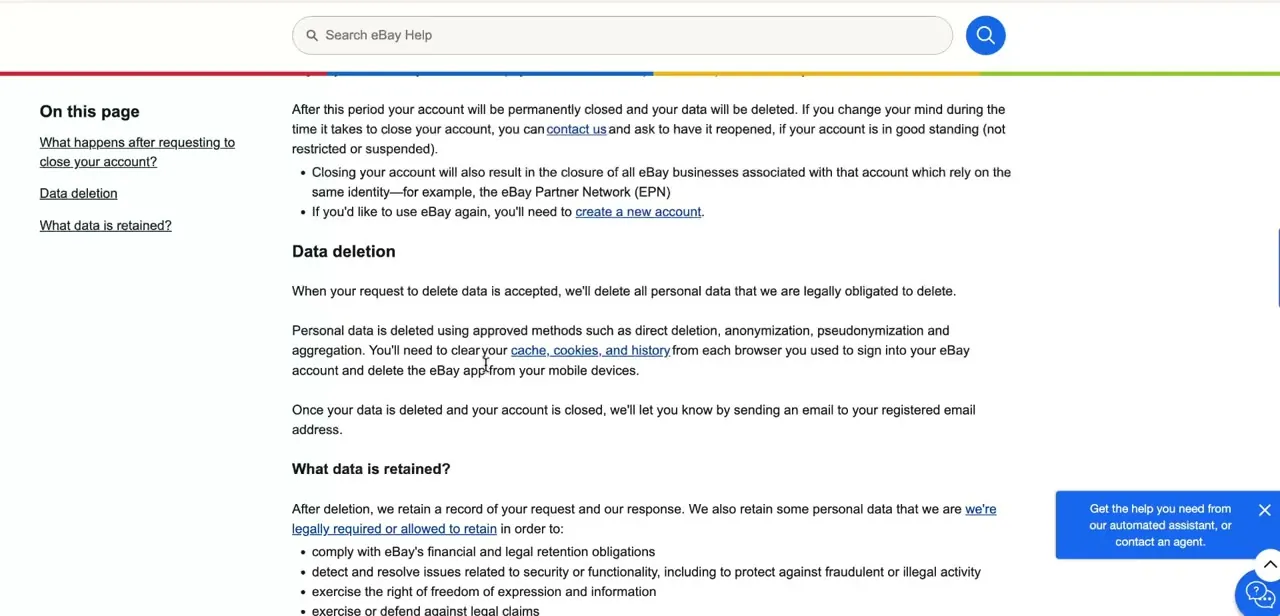
Some data survives the deletion because eBay is legally required or permitted to retain it: records tied to financial and legal obligations, fraud and security cases, tax reporting, and unresolved legal claims. Everything else is removed through direct deletion, anonymization, or pseudonymization, and eBay emails a confirmation once the process finishes.
From there it's on you to clear cookies and cache from any browser you signed in on and remove the eBay app if you're finished with the platform. Coming back later means creating a new account. Once the closure is final, eBay does not reactivate the old one.
| Situation | Time to close |
|---|---|
| No transactions, payments, claims or disputes in the last 30 days | About 14 days |
| Any transaction, payment, claim or dispute in the last 30 days | Up to 60 days |
eBay sends a status update to your registered email within 24 hours of receiving the request regardless of which timeline applies.
When it doesn't work
eBay won't let the closure request go through
Why: An unpaid balance, an open bid or pending payment, an unresolved case, a subscription that's still active, or a restriction on the account.
Fix: Clear the balance and any open cases, cancel remaining subscriptions, and contact eBay support directly if the account is restricted or below the seller performance standard.
Changed your mind after submitting the request
Why: eBay holds accounts for 14 to 60 days before deletion completes, precisely to allow this.
Fix: Contact eBay support before the waiting period ends and ask to withdraw the deletion request. This only works if the account was in good standing when you submitted it.
A linked eBay business, like the Partner Network, stopped working
Why: Closing the main account closes every eBay business registered under the same identity.
Fix: There's no way to keep it running separately. Export anything you need from the Partner Network or a linked Store before you submit the closure request.
Frequently asked questions
How long does it take eBay to close an account?
About 14 days from when eBay receives the request. If there's been a transaction, payment, claim, or dispute in the previous 30 days, it can take up to 60 days instead.
Can I undo an eBay account deletion?
During the waiting period before deletion completes, yes. Contact eBay support and ask to withdraw the request, provided the account was in good standing when you submitted it. Once deletion finishes, it's final.
What happens to my order history when I close my account?
Access to your feedback, purchase history, and sales history ends as soon as the account closes. Save any receipts or seller messages you need beforehand.
Can I close my eBay account with a pending sale or unpaid fees?
No. eBay requires your balance at zero, no open bids or pending payments, no unresolved cases, and no active subscriptions before it will process the request.
Does closing my eBay account also close my Partner Network account?
Yes. Closing the main account closes every eBay business tied to the same identity, including the eBay Partner Network.
Where exactly is the Close account option?
In My eBay, under the Account tab, at the bottom of Account Preferences, below Team access, Advertisement Preferences, Communication Preferences, and AI Training Preferences.
Sources and last check
Click path and screens come from a recorded walkthrough. The closure requirements and deletion timeline were re-checked against eBay's official Closing your account and Deleting your data help pages in September 2026. That check added two requirements the original version left out, canceled subscriptions and account standing, and added the 14-to-60-day timeline and 24-hour status email, which the original didn't mention at all.
About the author

Impran M N
I've been hooked on technology for as long as I can remember — especially the new tools and AI apps that seem to land every other week. Easy Tech Tuts is where I write up whatever I've just worked out: I do the task in the real product, record the screen, and turn it into the guide I wish I'd found first.



