 Easy Tech Tuts
How to Change Your Name on Ebay, Edit Numbers in Personalization Easily 2026
By Impran M NLast checked against official docs
eBay handles your name in two separate places that get confused constantly. Your username is what buyers see attached to reviews and listings; your legal name is what eBay uses for verification, invoicing, and payouts.
Both live under Personal info in My eBay, not a dedicated "edit profile" screen. This guide covers the click path for each, the 30-day limit on username changes, and a Payoneer-related notice that explains why some sellers' name changes appear to not save at all.
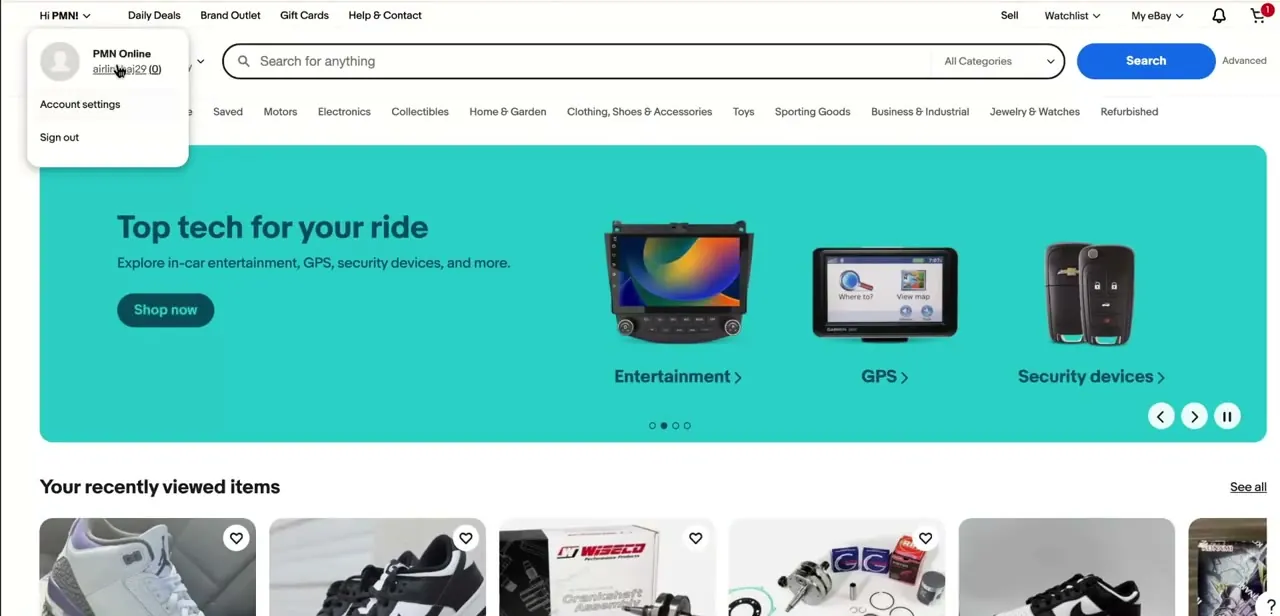
01Open the account dropdown
From any eBay page while signed in, click your account name in the top-left corner next to "Hi [name]" to open the dropdown menu. It shows your account name and username, followed by two links: Account settings and Sign out. Account settings is the way into everything covered here.
02Navigate to Personal info under My eBay
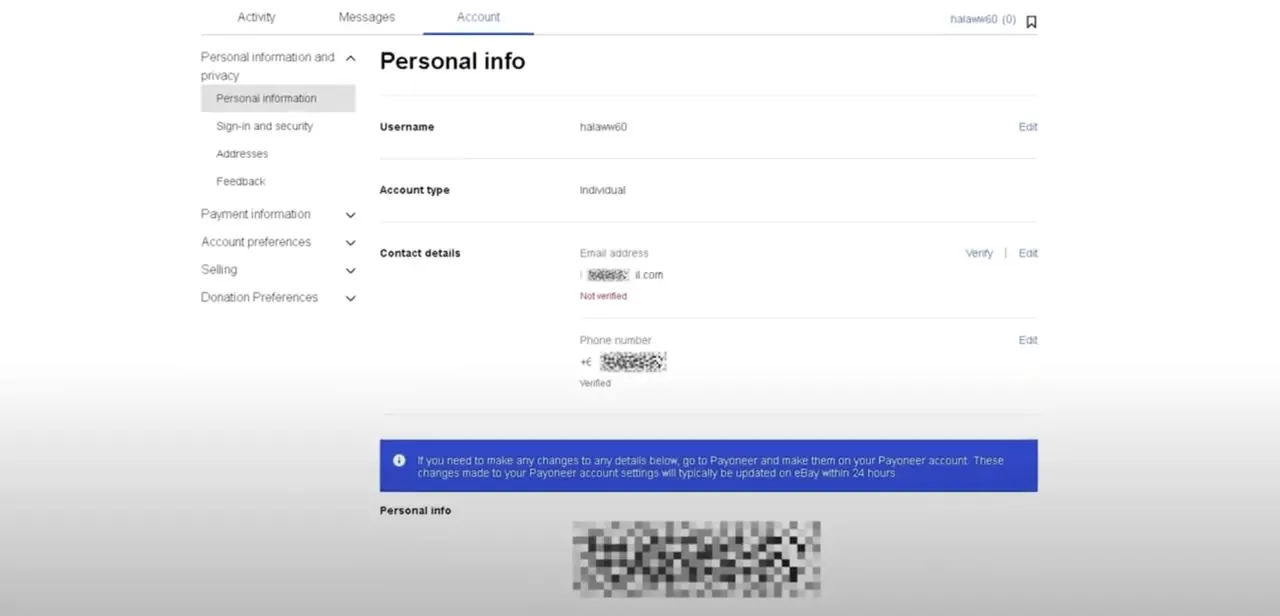
Account settings takes you into My eBay's Account tab, with a left-hand menu split into Personal information and privacy, Payment information, Account preferences, Selling, and Donation preferences. Click Personal information, then Personal info, to reach a page showing your Username, Account type, and Contact details, each with an Edit link.
03Edit the field that needs changing
Use the Username Edit link if you're fixing what buyers see on listings and reviews. eBay caps this at one change every 30 days: your old username can't be claimed by anyone, including you, for those 30 days, and an icon appears next to your new username for the same period so other members can see it recently changed. If it's your legal name that needs updating, that's a separate field further down Personal info, and eBay is stricter about it.
Sellers should note it needs to match the name on their registered bank account for payouts to go through cleanly. For a Social Security number or EIN tied to tax verification, eBay doesn't let you edit that field yourself; you have to contact eBay support directly.
The Account type field on this same page shows Individual or Business. Business accounts display a company name here instead of a personal first and last name, and changing it means updating your registered business details instead of editing a plain name field.
04Watch for the Payoneer notice on payment-linked accounts
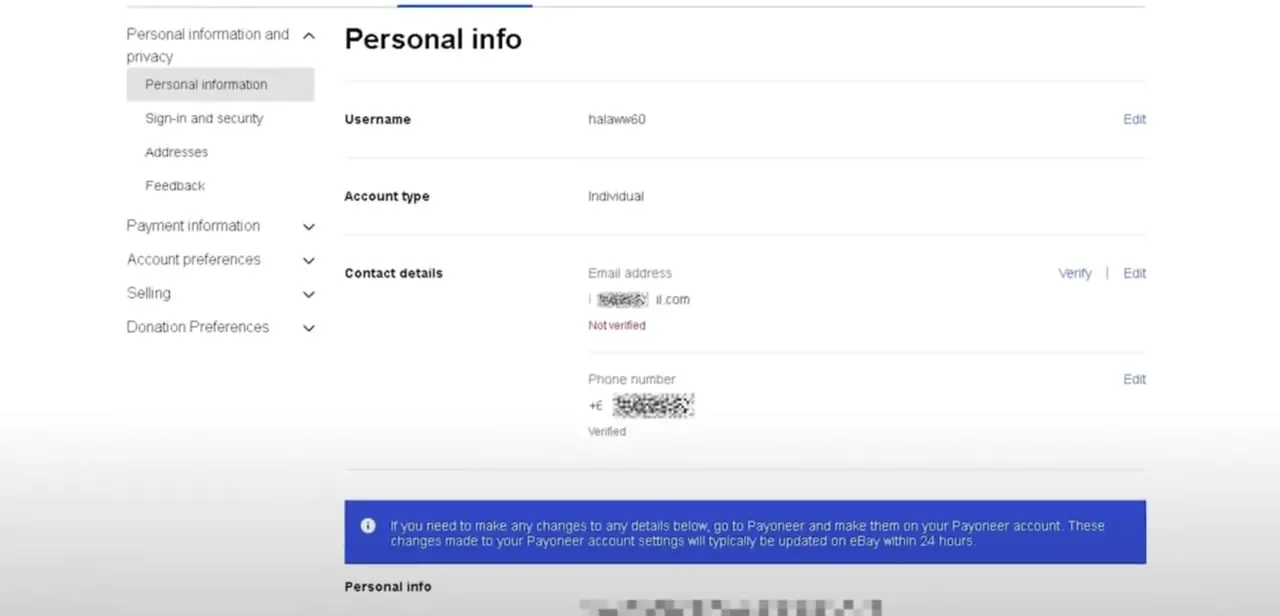
Accounts that receive payouts through Payoneer show a blue notice at the bottom of Personal info: changes to the details above need to be made on Payoneer's side, and updates made there typically reach eBay within 24 hours. eBay's general help pages don't mention this, since it only applies to Payoneer-linked accounts, but it's the most common reason a name change looks like it silently failed. If you edited on eBay directly and nothing stuck, this notice is why.
05Repeat the process on the mobile app if that's easier
The same Personal info section is reachable from the eBay app: tap your profile icon, then Account, then Personal information, for the same Username and Contact details layout as desktop. If a change doesn't appear to have saved on one platform, check the other; sync between web and app, or between eBay and Payoneer, can take a few minutes to catch up.
| Username | Legal name | |
|---|---|---|
| What it affects | What buyers see on listings, reviews, and feedback | Verification, invoicing, and payouts |
| Where to edit it | Personal info, Edit next to Username | Personal info, a separate field further down the page |
| Limits | One change every 30 days; old username locked for 30 days | Must match your registered bank account name; SSN/EIN changes require contacting eBay support |
When it doesn't work
A name change doesn't seem to save
Why: The account receives payouts through Payoneer, and eBay's Personal info page requires those edits to be made on Payoneer instead.
Fix: Make the change on your Payoneer account. eBay states it typically syncs within 24 hours.
eBay won't let you change your username again
Why: eBay allows one username change every 30 days.
Fix: Wait out the 30-day window from your last change before trying again.
Can't reuse an old username
Why: A username you've changed away from is locked for 30 days and can't be claimed by anyone, including your own account.
Fix: Wait 30 days from the date you changed it, then it becomes available again.
Can't edit the Social Security number or EIN on file
Why: eBay doesn't allow this field to be changed through the Personal info page.
Fix: Contact eBay customer support directly to update tax verification details.
Frequently asked questions
How often can I change my eBay username?
Once every 30 days. Your old username is locked for that same 30 days and can't be claimed by anyone, and an icon shows next to your new one during that window.
Will buyers see my updated name immediately?
Username changes apply right away and carry your existing feedback score with them. If your account syncs identity details from Payoneer, allow up to 24 hours for those specific changes to show.
Can I change my name from the eBay app instead of desktop?
Yes. The same Personal info section under Account is available in the eBay mobile app, with the same Username and Contact details layout.
Why isn't my name change saving on eBay?
If your account is linked to Payoneer for payouts, some detail changes have to be made on the Payoneer account instead. eBay's Personal info page shows a notice about this directly above the field.
Does changing my username affect my seller or buyer history?
No. eBay carries your feedback score and account history over to the new username automatically.
Can I update the Social Security number or EIN on my account myself?
No, that field isn't self-editable through Personal info. You need to contact eBay support to change it.
Sources and last check
Click path and screens, including the Payoneer notice text, come from a recorded walkthrough. The 30-day username limit, the old-username lock, and the bank-name-matching requirement for payouts were re-checked against eBay's official help pages in September 2026; the earlier version had this vaguely as 'eBay limits how frequently' with no figure. The Payoneer notice itself isn't documented on eBay's public help pages, so that detail is sourced from the recording, not from eBay's own documentation.
About the author

Impran M N
I've been hooked on technology for as long as I can remember — especially the new tools and AI apps that seem to land every other week. Easy Tech Tuts is where I write up whatever I've just worked out: I do the task in the real product, record the screen, and turn it into the guide I wish I'd found first.



