 Easy Tech Tuts
How to Call Ebay Customer Service, Contact Phone numbers in USA, UK, Australia 2026
By Impran M NLast checked against official docs
eBay's own Contact eBay page doesn't list a phone number for the USA, UK, Australia, or anywhere else. It tells you to sign in, open Contact us, and describe the issue, and eBay routes you from there.
Whether that routing includes an actual phone call depends on the issue, your account, and your region, and it has narrowed considerably since 2023: sellers and buyers on eBay's community forums have reported the callback option disappearing for most general questions and remaining mainly for account-security and fraud cases. This guide walks through the real click path, what to do when no call option appears, and why a phone number found through a generic web search shouldn't be trusted over what's shown inside your own account.
01Start from Help & Contact, not a search engine
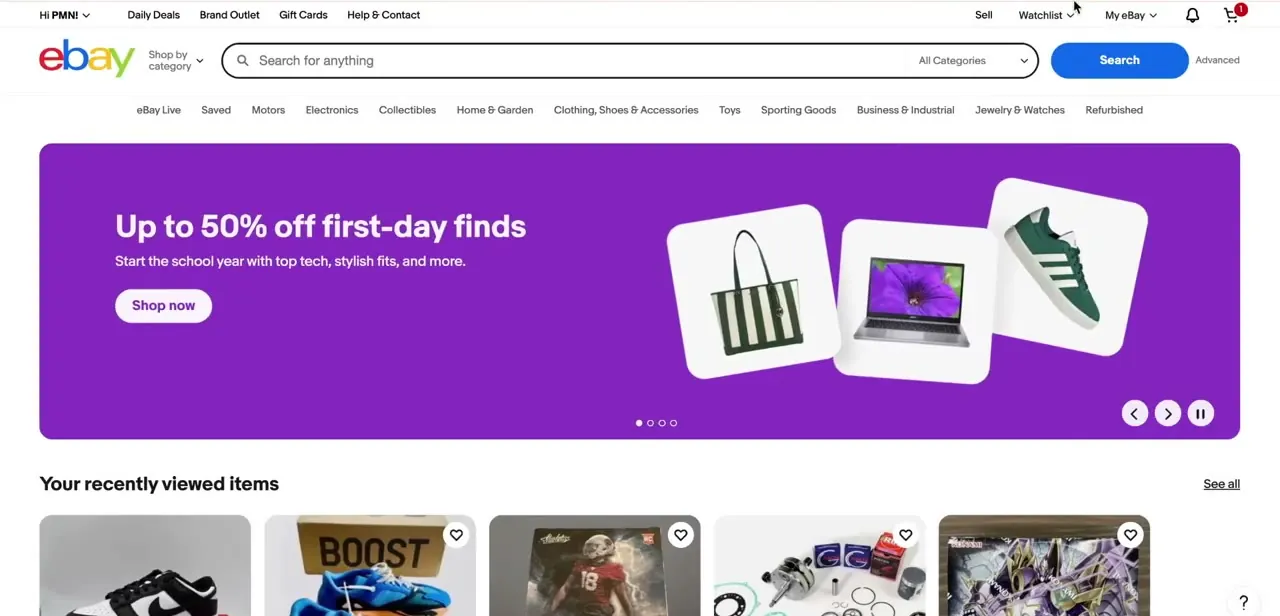
Log into eBay on desktop and find Help & Contact in the top navigation, next to Daily Deals and Gift Cards. It's the entry point for every support path eBay offers, and the homepage gives no other hint that phone support might exist; the option only appears once you're inside Help, and only for some issues.
02Open the Help & Contact center and search your actual issue
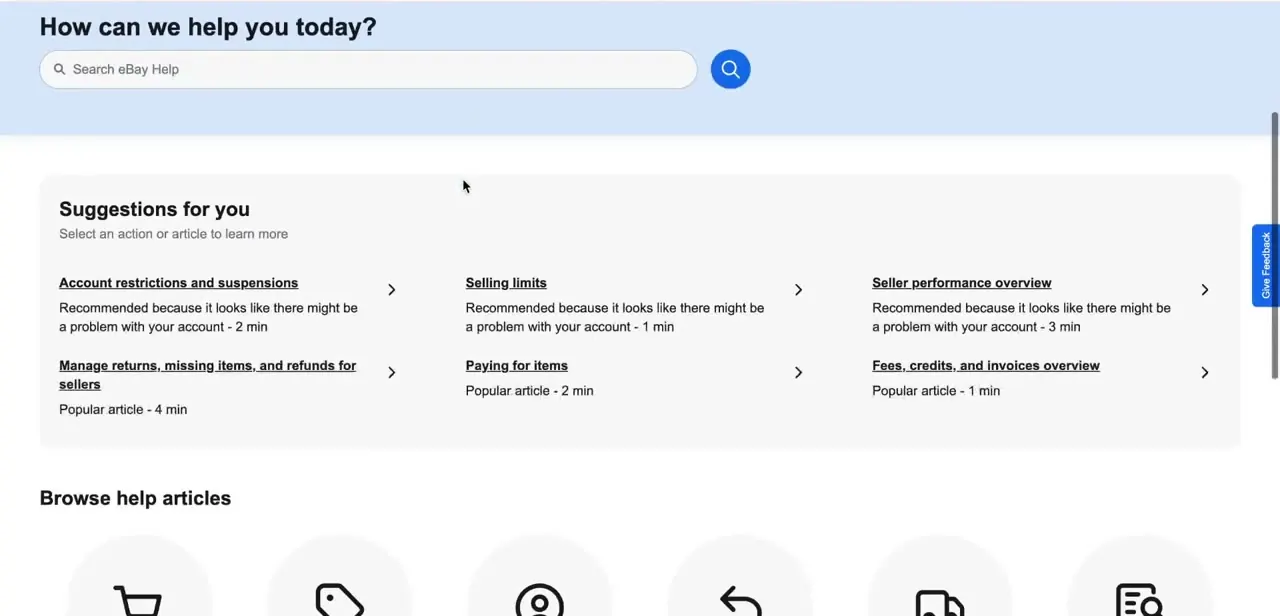
Clicking Help & Contact drops you onto a "How can we help you today?" screen with a search bar and suggested articles based on recent activity on your account, not necessarily your issue. Skip the suggested cards if none match and type what's wrong instead. eBay routes you toward chat, a help article, or occasionally a call option depending on what you describe here, so being specific matters more than it looks like it should.
03Check whether a Call Us or callback option appears
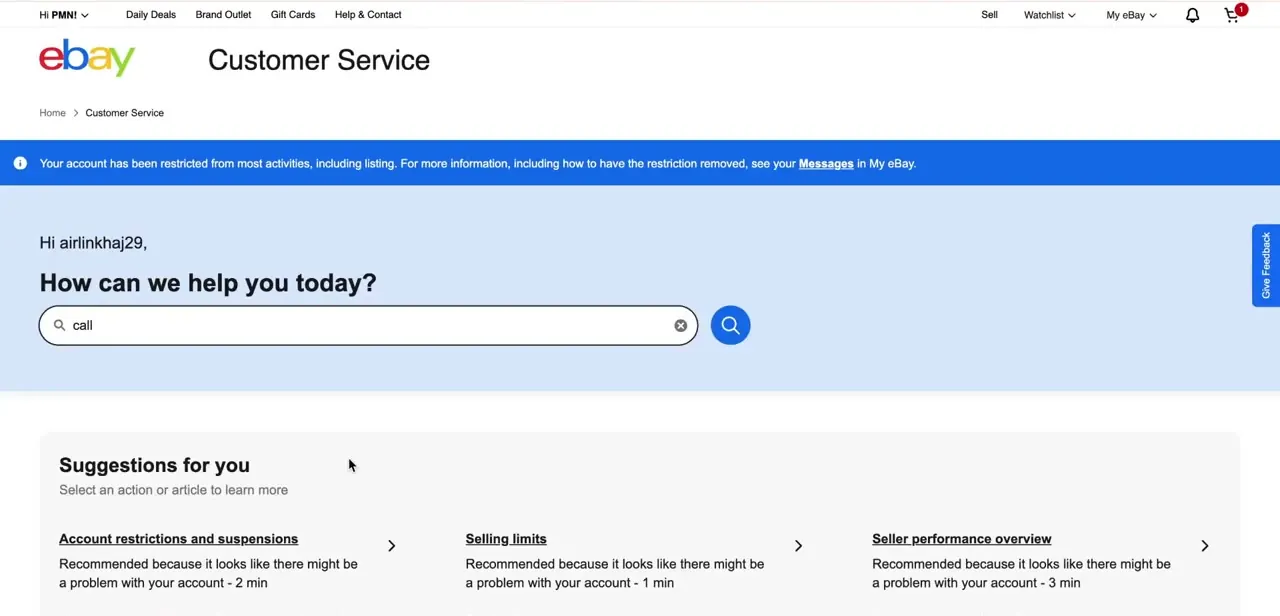
On the Customer Service page, under a greeting with your username and any account-restriction banner, selecting the right topic sometimes surfaces a Call Us or Have us call you option. eBay doesn't guarantee this for every issue type; it's become more common for account-security and fraud-related topics and less common for general selling or buying questions. If it doesn't show up for your issue, that's not a bug on your end, it's how eBay currently routes that category of question.
04Treat a web-searched number as a check, not a source
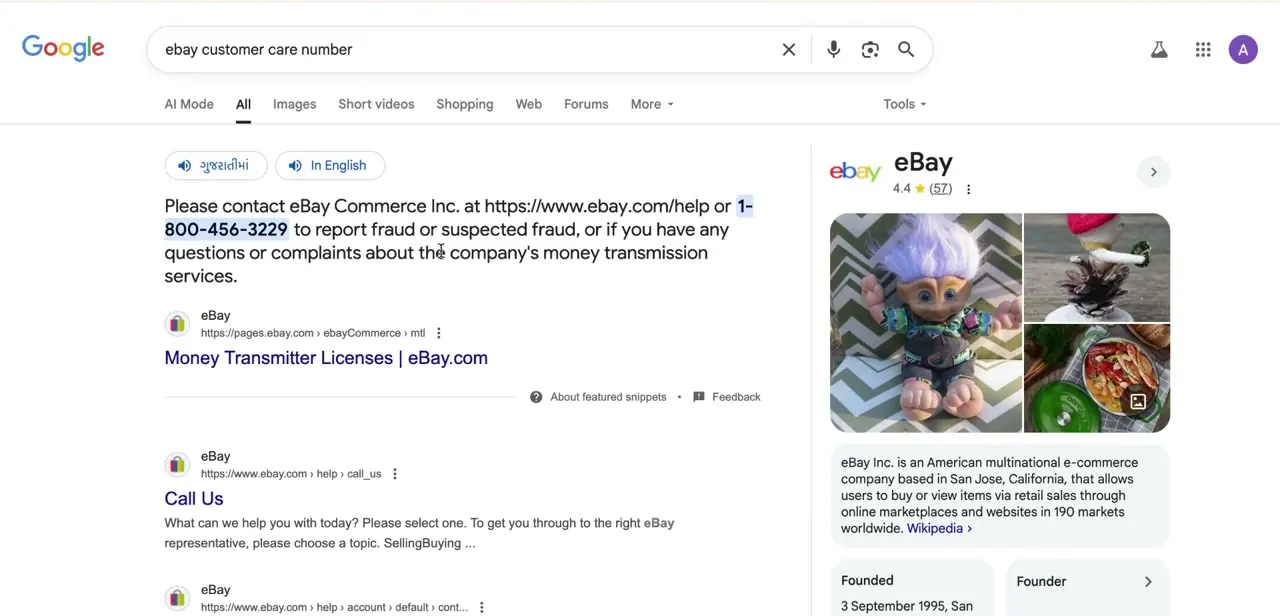
If Help & Contact doesn't offer a call option, a search for "eBay customer service number" will still surface numbers on third-party sites and old forum posts. Some of these are outdated; eBay has retired and reassigned support lines over the years, and forum posts referencing them don't get corrected. Use a search result to sanity-check a number you already have, never as your first source, and never dial one you haven't seen inside your own logged-in account first.
05Generate your one-time passcode when asked
For anything tied to your account, a suspension, a login problem, a payout issue, eBay typically asks you to verify identity with a one-time passcode sent to your registered email or phone before connecting you to an agent. Have access to that email or phone ready before you start, since the call or chat can stall if you're hunting for the code. This step exists to stop someone else from calling in and changing your account, so don't try to skip it.
06Use chat or the message center as the reliable fallback
Because phone access is inconsistent, chat support and the message center are, in practice, the channels most people end up using. They're available regardless of issue type, they create a written record automatically (useful if a dispute later needs evidence of what you were told), and for non-urgent questions they're often faster than waiting on hold for a line that may not be offered anyway.
When it doesn't work
No Call Us or callback option shows up anywhere in Help & Contact
Why: eBay scaled back phone support starting in 2023; on many accounts and for many issue types it's no longer offered at all, and reports suggest it's now weighted toward account-security and fraud cases.
Fix: Use chat or the message center instead. They're consistently available and leave a written record you can reference later.
A phone number found on Google rings out or reaches a disconnected line
Why: Third-party sites and old forum threads keep republishing numbers eBay has since retired.
Fix: Don't call a number you haven't first seen inside your own logged-in Help & Contact flow. Treat outside search results as a cross-check at most.
Support asks for a one-time passcode you can't receive
Why: The code goes to whichever email or phone number is currently registered on the account, which may be outdated.
Fix: Update your recovery email and phone before you need support. If you're already locked out, use eBay's account recovery process first instead of trying to talk your way past the OTP step.
Frequently asked questions
Does eBay publish a customer service phone number?
Not on its official Contact eBay page. It directs you to sign in and use Contact us, which routes you based on your issue; a phone option appears only sometimes.
Do I need to be logged in to reach eBay support?
For anything account-specific, yes, and eBay may ask for a one-time passcode to verify your identity before connecting you further.
Why can't I find a Call Us button anymore?
eBay reduced phone support significantly starting around 2023. Callback options now appear inconsistently and seem more common for security or fraud issues than general questions.
Is it safe to call a number I found through a search engine?
Use it only to double-check a number, not as your primary source. Third-party sites and forums often keep outdated eBay numbers listed long after eBay retires them.
What's the most reliable way to get help without calling?
Chat support and the message center. Both are consistently available, and unlike a phone call, they leave a written record you can point back to.
Sources and last check
Click path and screens come from a walkthrough recorded in July 2025. The claim that eBay publishes fixed regional phone numbers was re-checked against eBay's official Contact eBay page in September 2026, which lists no phone number and describes routing through Contact us instead. This guide previously implied stable per-country numbers; it's been corrected to reflect that call and callback availability is inconsistent, has narrowed since 2023 according to widespread seller and buyer reports, and isn't guaranteed for a given account or issue.
About the author

Impran M N
I've been hooked on technology for as long as I can remember — especially the new tools and AI apps that seem to land every other week. Easy Tech Tuts is where I write up whatever I've just worked out: I do the task in the real product, record the screen, and turn it into the guide I wish I'd found first.



