 Easy Tech Tuts
How to Add a Video to Your Ebay Listing 2026 Easily, Add to Existing or New in iPhone, Mobile Phone
By Impran M NLast checked against official docs
A single product video can do what a gallery of photos can't: show an item moving, spinning, or working the way it's supposed to, which matters most on used gear, collectibles, and anything where condition is hard to judge from a still image. eBay lets any seller attach a short video directly to a listing, but the upload lives inside the same Photos & Video panel used for pictures, and it behaves a little differently once it's in there. This guide covers where to find it, the format and size limits eBay enforces, and how long you should expect to wait before the clip shows up for buyers.
Before you start
- An eBay seller account with a listing already created or in draft, and not using variations (size, color, and so on). eBay doesn't support video on variation listings
- A video file in MP4 or MOV format, about a minute or under, no larger than 150MB
01Sign in and open the listing you want to edit
Whether you're starting a new listing or editing one that's already live, you'll land on the same Photos & Video panel. New listings show it during creation; existing ones show it once you click Edit.
On mobile this is the eBay app or your phone's browser; on desktop it's the same draft editor. Sign in first, since the upload option only appears once you're authenticated on the account that owns, or will own, the listing.
02Find the Photos & Video section
Scroll to the Photos & Video block on the listing form. eBay's own limits: up to 24 photos, plus one video per listing. The video tile sits alongside the photo grid instead of in a separate section, easy to miss the first time since it looks like just another photo slot until you look closely.
Two constraints matter before you upload: eBay accepts MP4 or MOV only, up to 150MB and about a minute long, and listings that use variations don't support video at all. The upload tile simply doesn't appear on those.
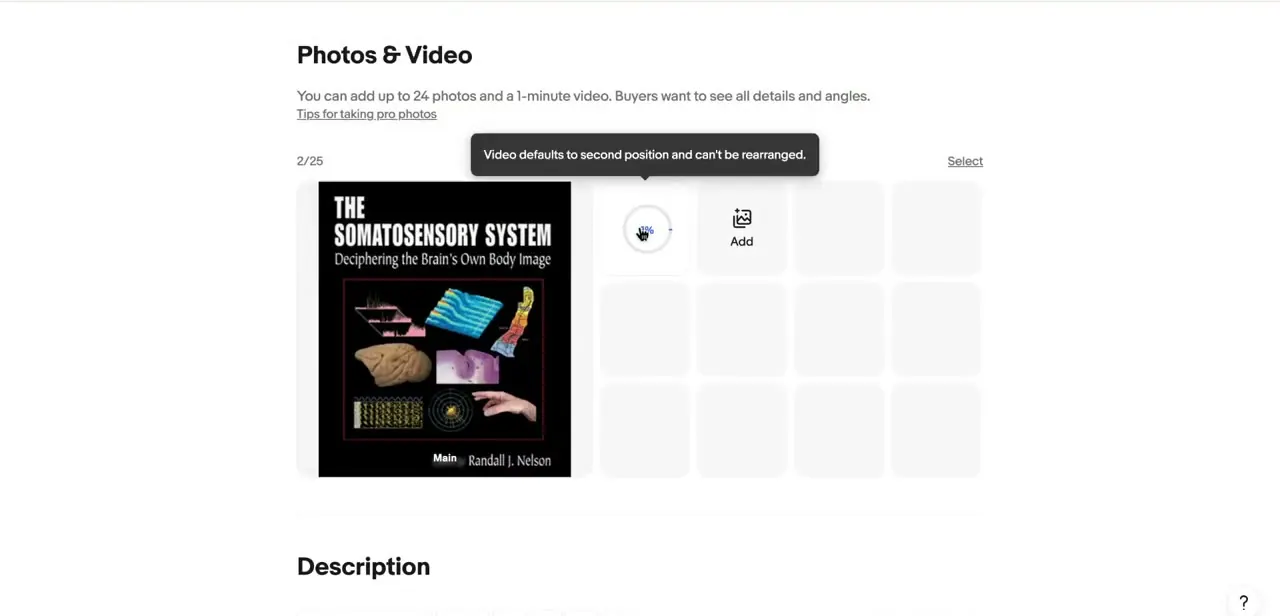
03Upload the video and note where it lands
Tap the video tile and select your file. eBay places the video in the second position in the gallery every time, right after your main photo, and it can't be dragged anywhere else. Plan around that before you upload: put your strongest, most representative photo in the first slot, since that's what buyers see before the video starts playing. Zoomed into the draft, the video sits in that second tile exactly as described, next to the main listing photo.
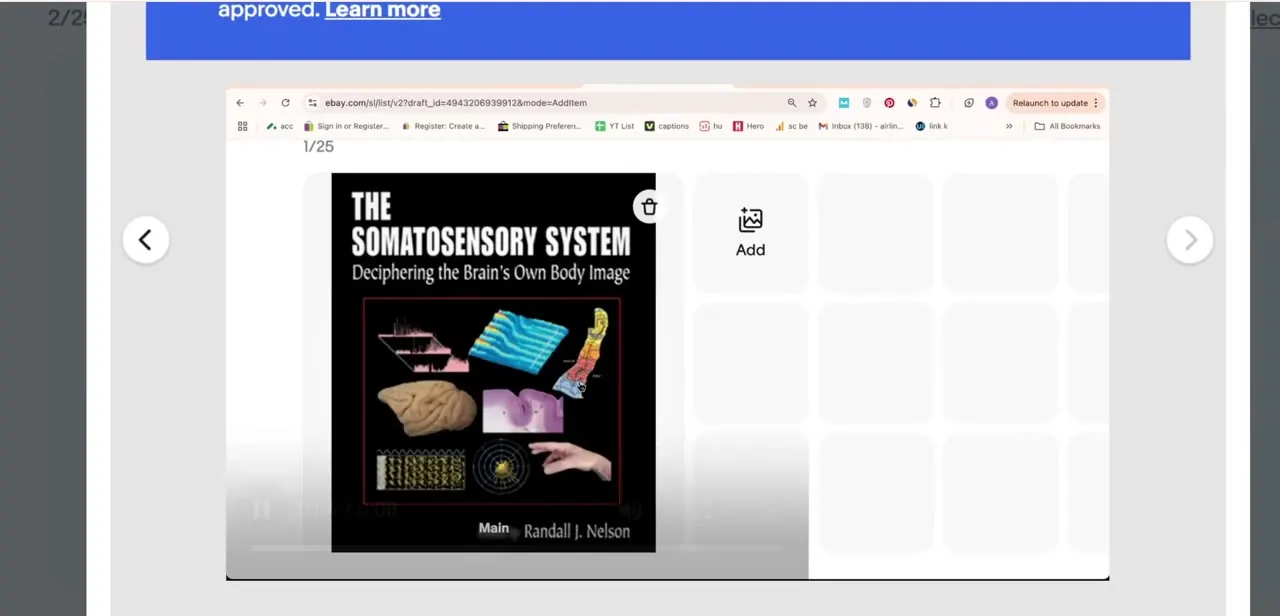
04Wait for eBay to review it
Once uploaded, the video doesn't go live immediately. It shows a running timer and an Under review label on the thumbnail while eBay processes it. eBay's help center puts the review window at within 48 hours, extending to as long as seven business days during peak periods. No action is needed from you beyond leaving it alone until the status changes; re-uploading the same file doesn't speed anything up.
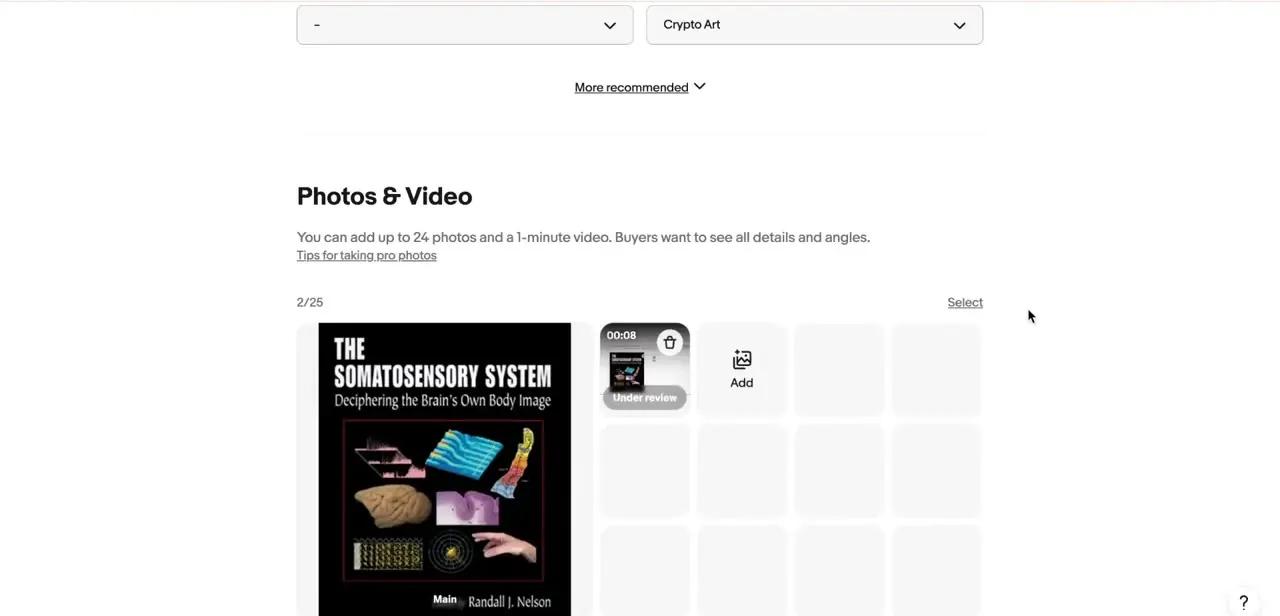
05Plan around the limits, and swap the video later if you need to
eBay caps video at about one minute and 150MB, so plan the shot list around that instead of filming a long walkthrough and trimming it down afterward. A short, well-lit clip that shows the item from a few angles, demonstrates it working, and calls out any wear does more for buyer confidence than a longer video padded with filler.
A video isn't permanent once it's attached: go back into the same Photos & Video panel, delete the existing clip, and upload a new one if the item's condition changes or you find better footage. The replacement goes through the same review process as the original, so treat it as a fresh upload, not an instant swap.
When it doesn't work
The video won't upload, or gets rejected outright
Why: eBay only accepts MP4 or MOV files up to 150MB; anything else, or a file over that size, is rejected at upload.
Fix: Re-export the clip as MP4 or MOV, confirm it's under 150MB, and upload again.
There's no video tile on this listing at all
Why: eBay doesn't support video on listings that use variations, such as size or color options.
Fix: Add the video to a single, non-variation listing, or drop the variations if the video matters more for that item.
Review is taking far longer than 48 hours
Why: eBay's stated window is within 48 hours, but it says peak periods can push review out to seven business days.
Fix: Wait out that window before assuming something's wrong. Re-uploading the same file doesn't move you up the queue.
A YouTube link was pasted in instead of a file
Why: External video links aren't supported. eBay only accepts files uploaded directly through the listing form.
Fix: Download the source file and upload it directly through the Photos & Video panel.
Frequently asked questions
Can I add video to an existing eBay listing, not just a new one?
Yes. Open the listing in edit mode and the same Photos & Video panel with the video upload tile appears, whether the listing is brand new or already live.
Where does the video show up in my listing's gallery?
eBay always places it in the second position, right after your main photo, and this can't be manually reordered. Choose your first photo carefully, since it's what buyers see before the video even starts playing.
What file format and size does eBay accept?
MP4 or MOV only, up to 150MB, at about one minute or less. Anything outside those limits is rejected at upload, not trimmed or converted for you.
How long does it take for a video to appear on my listing?
eBay's help center states within 48 hours under normal conditions, and up to seven business days during peak periods. There's no way to speed this up from your side.
Does video work on listings with variations?
No. eBay doesn't support video on listings that use variations like size or color, and the upload tile won't appear on those.
Can I use a YouTube link instead of uploading a file?
No. eBay doesn't support external video links. The file has to be uploaded directly through the Photos & Video panel.
Sources and last check
Click path and screenshots come from a screen recording of the listing draft editor. Format, size, length, gallery-position, review-timing and variation-listing rules were checked in September 2026 against eBay's official Help Center article "Adding a video to your listing" and the matching Seller Hub page. The original draft didn't state the 150MB file-size limit, the 48-hour-to-seven-business-day review window, or the variations restriction; those were added from eBay's documentation.
About the author

Impran M N
I've been hooked on technology for as long as I can remember — especially the new tools and AI apps that seem to land every other week. Easy Tech Tuts is where I write up whatever I've just worked out: I do the task in the real product, record the screen, and turn it into the guide I wish I'd found first.



