Easy Tech Tuts
How to Use Cloudflare SSL Certificate, Get & Install Free SSL Easily 2026
By Impran M NLast checked against official docs
Cloudflare issues a free Universal SSL certificate automatically for domains on its network, but the padlock in the browser bar only tells half the story. The encryption mode you choose determines whether the connection between Cloudflare and your actual hosting server is protected too, and Cloudflare offers five of those modes, not the three or four most guides mention. This guide follows the real dashboard path: from the account overview into the SSL/TLS panel, through the encryption-mode diagram, and into generating the Origin CA certificate that Full Strict mode depends on.
Before you start
- A domain already added to Cloudflare and proxied (orange-clouded)
- For Full (Strict) mode specifically: the ability to install a certificate on your origin server, whether that's a hosting control panel or a server you manage directly
01Start from your Cloudflare account home
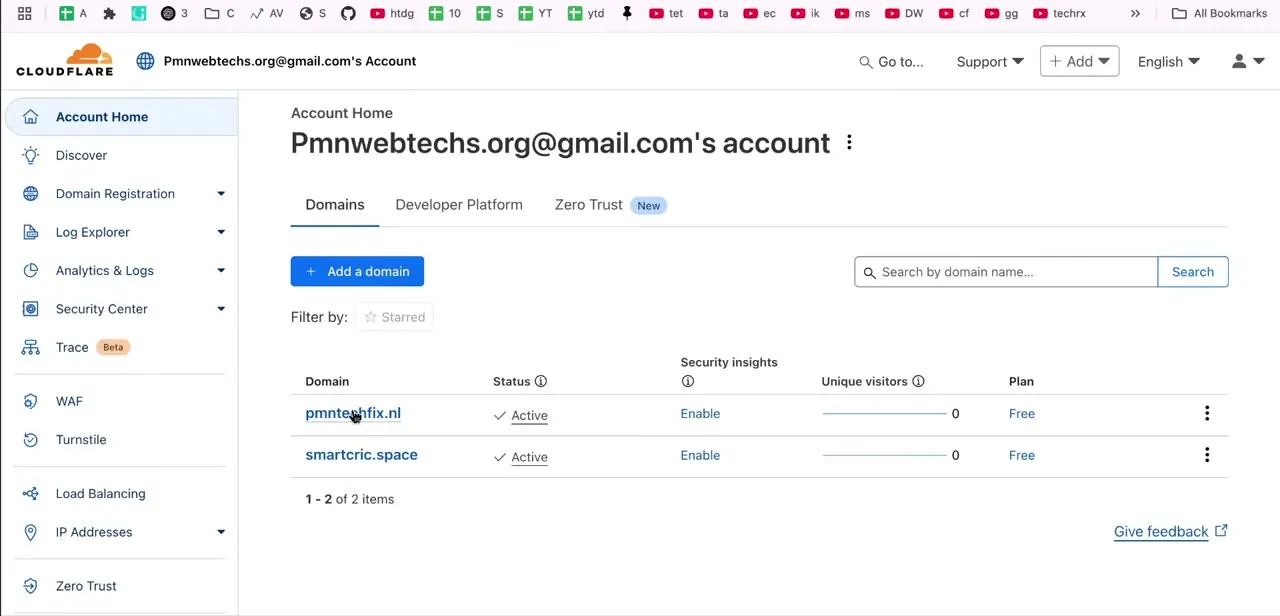
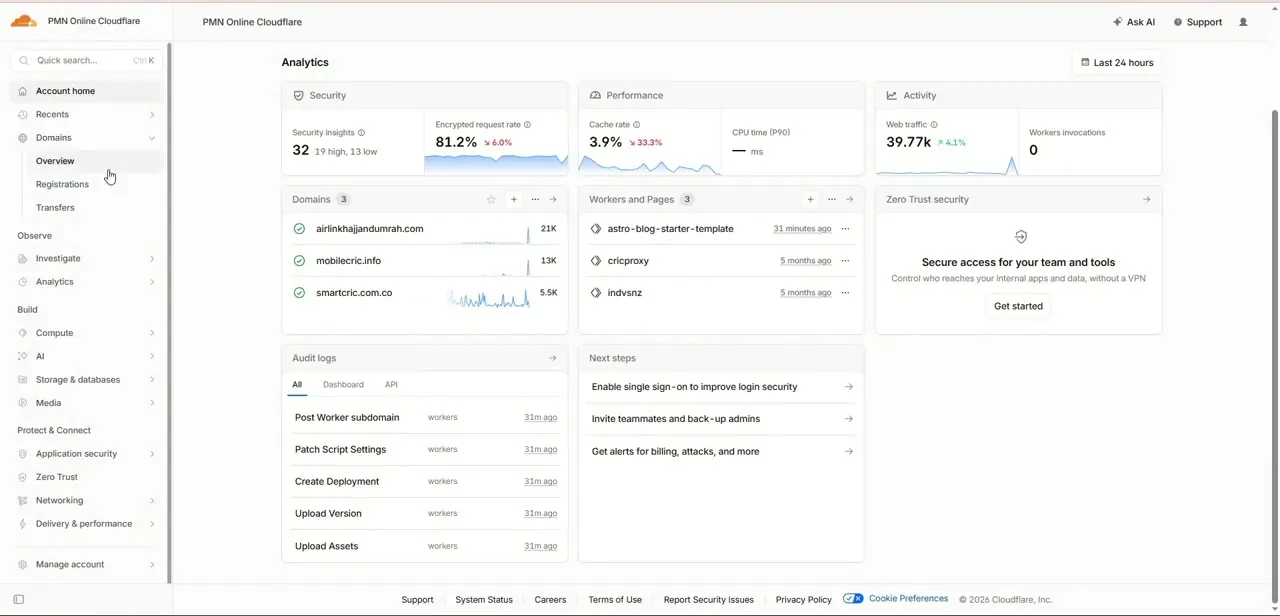
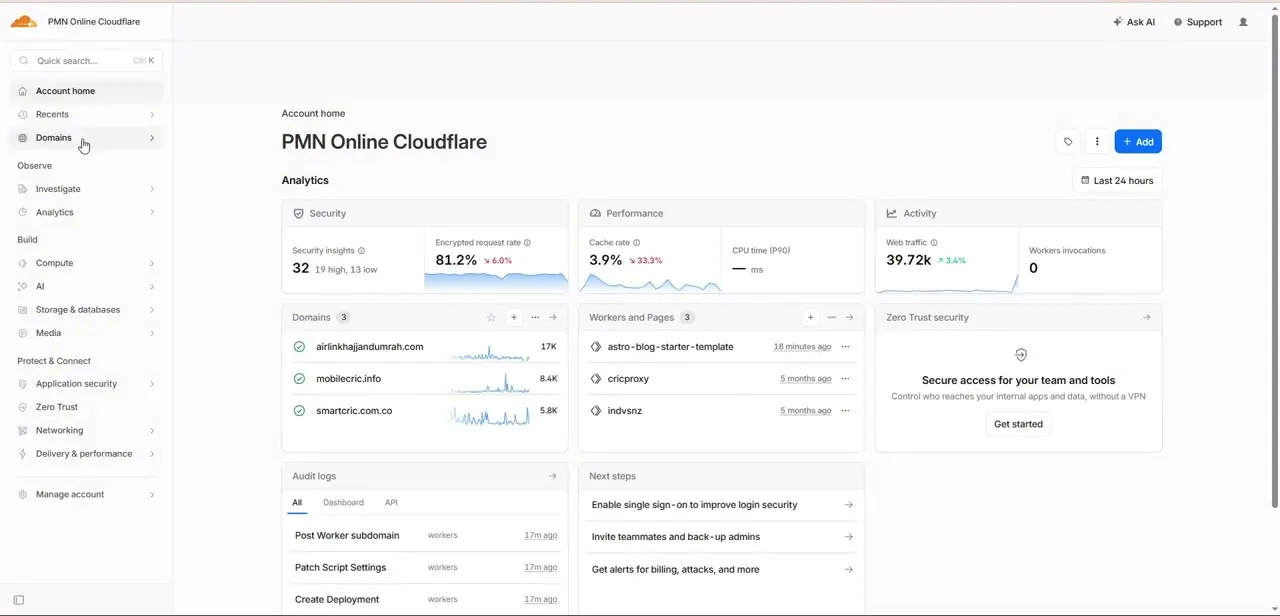
Logging in drops you on Account home, which lists every domain on the account under Domains along with quick analytics for security insights, cache rate, and web traffic. Each domain in that list is where you'll dig into SSL settings; clicking a domain name takes you into that zone's own dashboard rather than a shared account-wide SSL setting, since encryption is configured per domain.
02Open SSL/TLS and check your current encryption mode
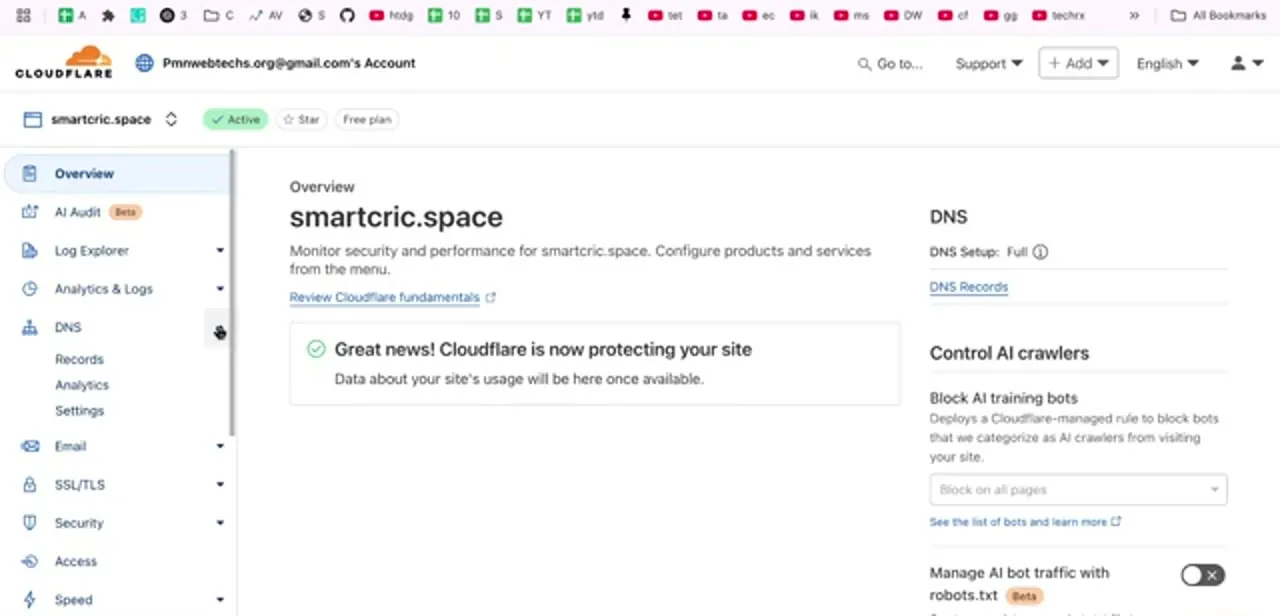
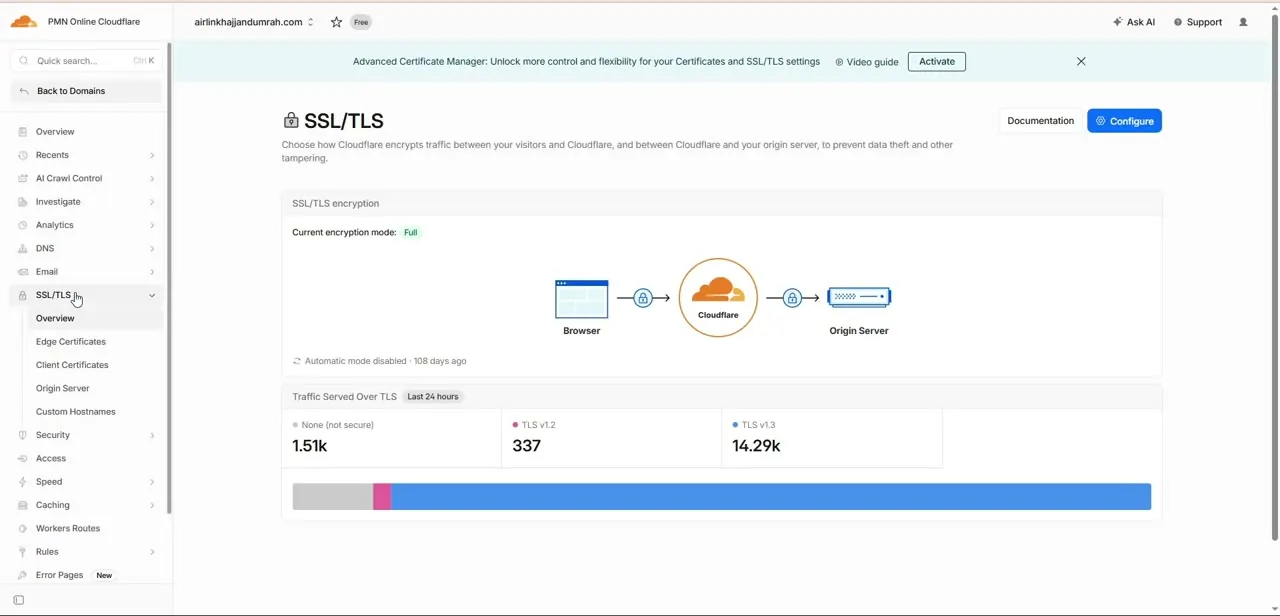
Inside a domain, the SSL/TLS section in the left sidebar expands into Overview, Edge Certificates, Client Certificates, Origin Server, and Custom Hostnames. The Overview page shows a diagram of the full connection path, browser to Cloudflare to origin server, with a padlock on each hop, and states your current encryption mode at the top. Cloudflare actually offers five modes, not the two or three most walkthroughs cover: Off, which encrypts nothing; Flexible; Full; Full (Strict); and a fifth mode, Strict (SSL-Only Origin Pull), that behaves a little differently from Full Strict even though the names invite confusion.
03Decide which mode you actually need
Flexible only encrypts the browser-to-Cloudflare leg and leaves the connection to your origin server unencrypted. It's a stopgap, not a long-term setting for anything handling real traffic.
Full encrypts both legs but accepts a self-signed or otherwise invalid certificate on the origin. Full (Strict) requires the origin to present a certificate Cloudflare actually trusts, matching whichever protocol the visitor used to reach Cloudflare in the first place.
Strict (SSL-Only Origin Pull) is the outlier: it always connects to the origin over HTTPS with certificate validation, regardless of whether the visitor's own request came in over HTTP or HTTPS. For most sites, Full (Strict) is the one worth aiming for if your host supports installing a certificate there.
04Generate an Origin CA certificate for your server
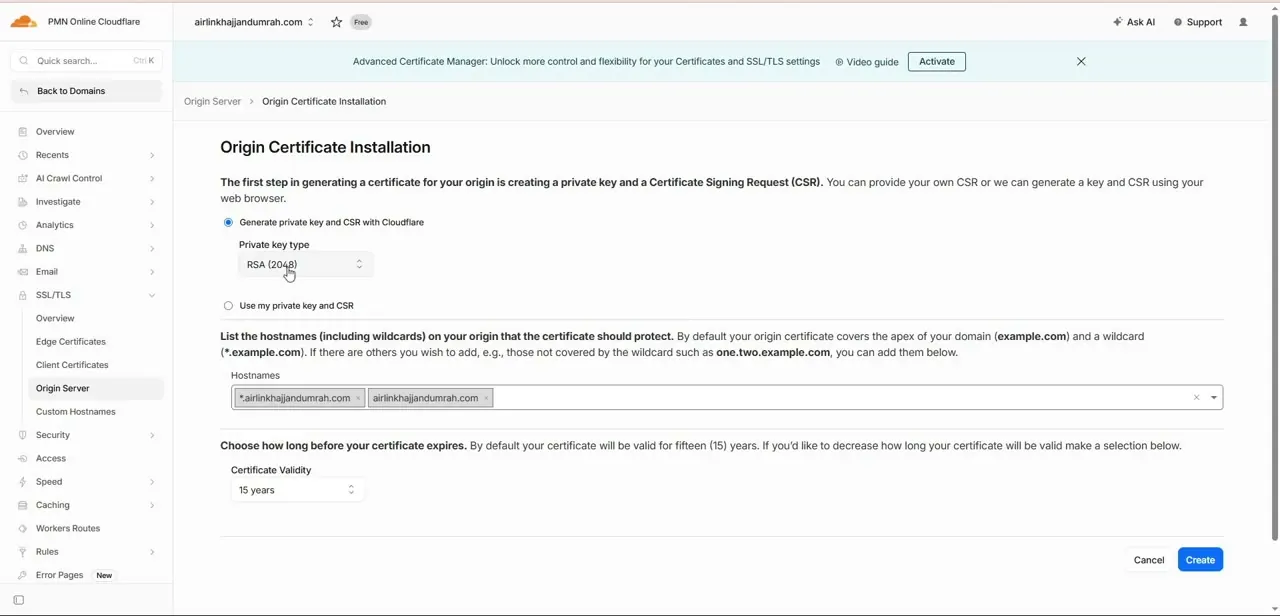
Under SSL/TLS → Origin Server, the Origin Certificate Installation page walks through creating a private key and Certificate Signing Request. You can let Cloudflare generate both in your browser, or supply your own CSR if your host requires it.
The form lets you choose RSA or ECC for the key type, lists the hostnames the certificate covers (your domain and its first-level wildcard, automatically), and lets you set a validity period of up to fifteen years. One gap worth knowing about before you set a long validity period: Cloudflare doesn't send expiration reminders for Origin CA certificates. Whatever date you pick is on you to track.
05Install the certificate on your origin server
Clicking Create generates the certificate and private key, shown once. Copy both immediately; the private key isn't stored anywhere for you to retrieve again.
Where you install them depends on your hosting stack: a control panel like cPanel usually has a dedicated SSL section to paste the certificate and key, while a server you manage directly means configuring Nginx or Apache to reference the certificate files. Once installed and the origin trusts that certificate, switch the encryption mode on the Overview page to Full (Strict).
06Enforce HTTPS and verify the padlock
With Strict mode in place, head to Edge Certificates to turn on Always Use HTTPS, which redirects any HTTP request to HTTPS automatically, and Automatic HTTPS Rewrites, which fixes links to your own resources that are hardcoded to load over HTTP. Load your live domain afterward and check for the padlock, then run it through an external SSL scanning tool for a second opinion; those tools catch configuration issues, like an incomplete certificate chain, that the padlock alone won't show.
| Mode | Browser to Cloudflare | Cloudflare to origin | Origin certificate needed |
|---|---|---|---|
| Off | Unencrypted | Unencrypted | No |
| Flexible | Encrypted | Unencrypted | No |
| Full | Encrypted | Encrypted | Any certificate, self-signed included |
| Full (Strict) | Encrypted | Encrypted | Valid, trusted certificate |
| Strict (SSL-Only Origin Pull) | Either | Always encrypted | Valid, trusted certificate |
Full and Full (Strict) match whatever protocol the visitor used; Strict (SSL-Only Origin Pull) always talks to the origin over HTTPS regardless.
When it doesn't work
The origin shows a certificate error right after switching to Full (Strict)
Why: Full (Strict) was turned on before the certificate was actually installed and trusted on the origin server, or the server is still serving its old certificate.
Fix: Install the Origin CA certificate first and confirm the origin serves it, then switch the encryption mode.
An Origin CA certificate expired with no warning
Why: Cloudflare doesn't send expiration notifications for Origin CA certificates, even with a validity period as long as fifteen years.
Fix: Set your own reminder for the expiry date you chose when creating the certificate.
Mixed content warnings persist after enabling SSL
Why: Some page resources still load over HTTP even though the site itself is served over HTTPS.
Fix: Turn on Automatic HTTPS Rewrites under Edge Certificates, or manually update any hardcoded http:// links.
Frequently asked questions
Is Cloudflare's SSL certificate really free?
Yes. Universal SSL is included on every Cloudflare plan, including the free tier, and so is the Origin CA certificate used for Full (Strict) mode.
Which encryption mode should I use?
Full (Strict) once your origin server has a certificate Cloudflare can validate; Cloudflare's own Origin CA certificate is the simplest way to get one. Use Flexible only as a temporary fix if the origin has no SSL at all.
What's the difference between Full (Strict) and Strict (SSL-Only Origin Pull)?
Full (Strict) matches whatever protocol the visitor used to reach Cloudflare. Strict (SSL-Only Origin Pull) always connects to the origin over HTTPS regardless of how the visitor connected.
Why am I seeing mixed content warnings after enabling SSL?
Usually because some page resources still load over HTTP. Automatic HTTPS Rewrites under Edge Certificates fixes most of these automatically.
Will Cloudflare warn me before my Origin CA certificate expires?
No. Cloudflare doesn't send expiration notifications for these certificates, so track the expiry date yourself, especially if you set a long validity period.
How long can an Origin CA certificate last?
Up to fifteen years, which is also the default. Shorter validity is available if your own security policy calls for more frequent rotation.
Sources and last check
Click path and screens come from a walkthrough recorded in 2025. Re-checked against Cloudflare's official developer documentation in September 2026, which corrected two omissions: Cloudflare offers five encryption modes, including Off and Strict (SSL-Only Origin Pull), not just the three this guide previously named, and Cloudflare does not send expiration notifications for Origin CA certificates. The fifteen-year default and maximum validity period was confirmed against the same documentation.
About the author

Impran M N
I've been hooked on technology for as long as I can remember — especially the new tools and AI apps that seem to land every other week. Easy Tech Tuts is where I write up whatever I've just worked out: I do the task in the real product, record the screen, and turn it into the guide I wish I'd found first.