Easy Tech Tuts
Cloudflare Email Setup Beginner Tutorial 2026 & Know How to use Email Routing for free
By Impran M NLast checked against official docs
Cloudflare's free Email Routing feature lets you create a custom email address on your own domain and forward it straight to an inbox you already use, like Gmail or Outlook, without paying for a separate email service. This beginner-friendly guide walks through the actual Cloudflare dashboard, from picking the right domain to filling out the custom address form, so you can see exactly where each setting lives. It's built for small business owners, bloggers, and anyone launching a website who wants a professional-looking email address without extra cost.
Before you start
- A domain added to Cloudflare using its full nameserver setup, not the partial CNAME option. Email Routing needs to manage the domain's DNS directly.
- No existing MX record on the domain pointing at another mail provider. Google Workspace, Microsoft 365, and similar services all set their own MX records, which conflict with Cloudflare's.
01Find the right domain in your Cloudflare account
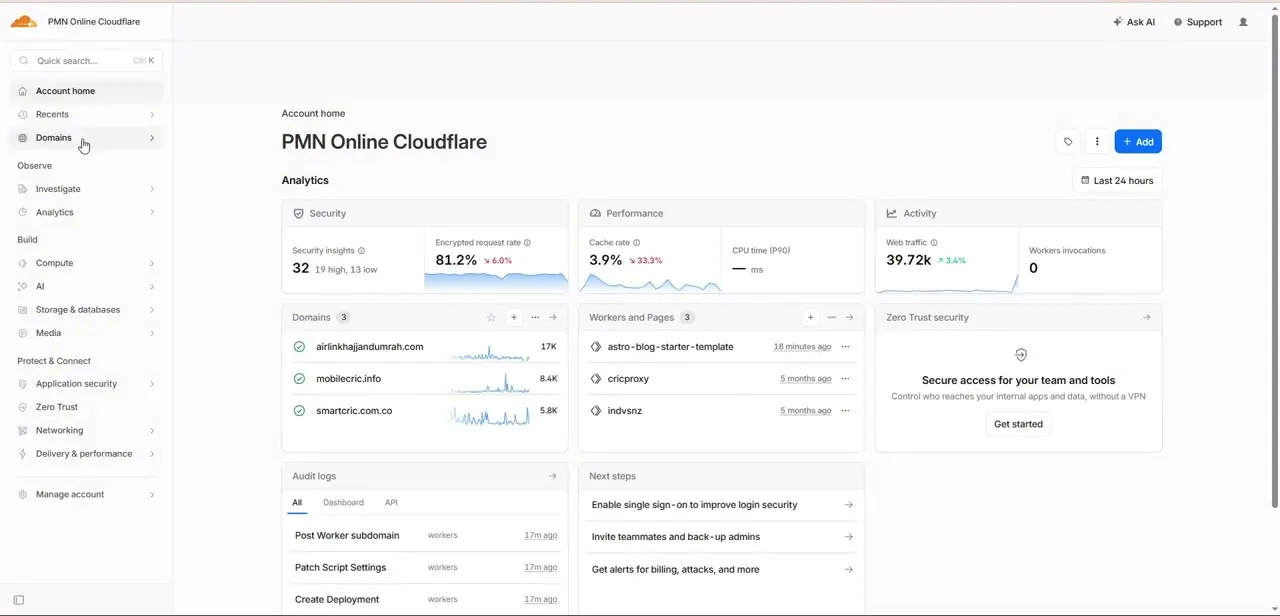
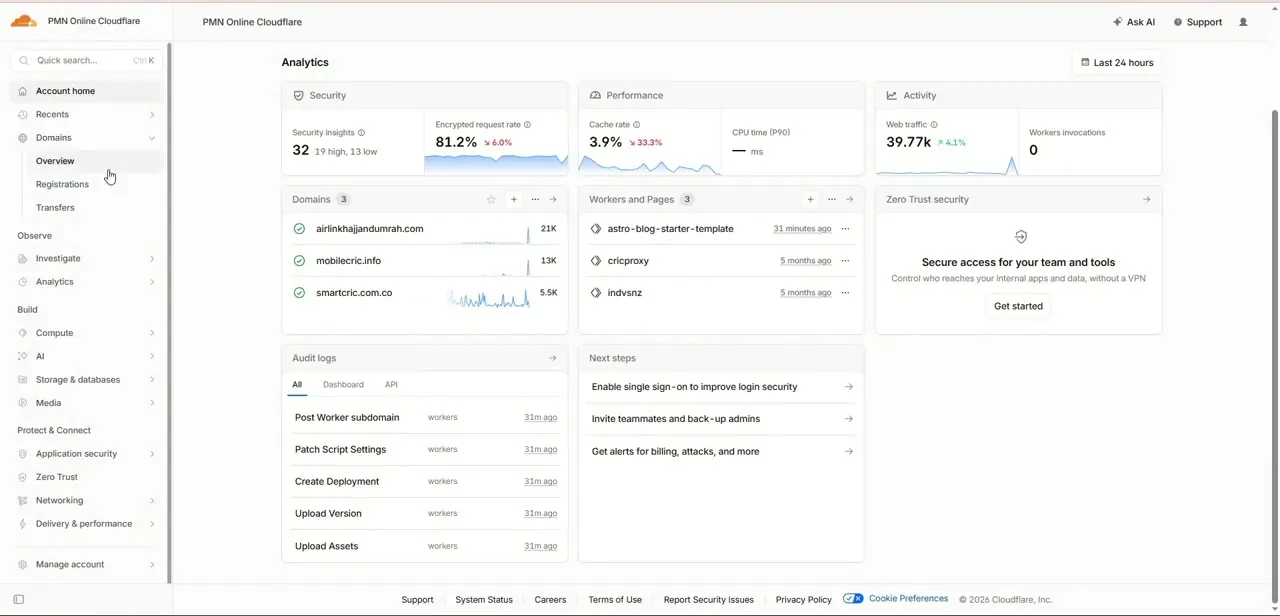
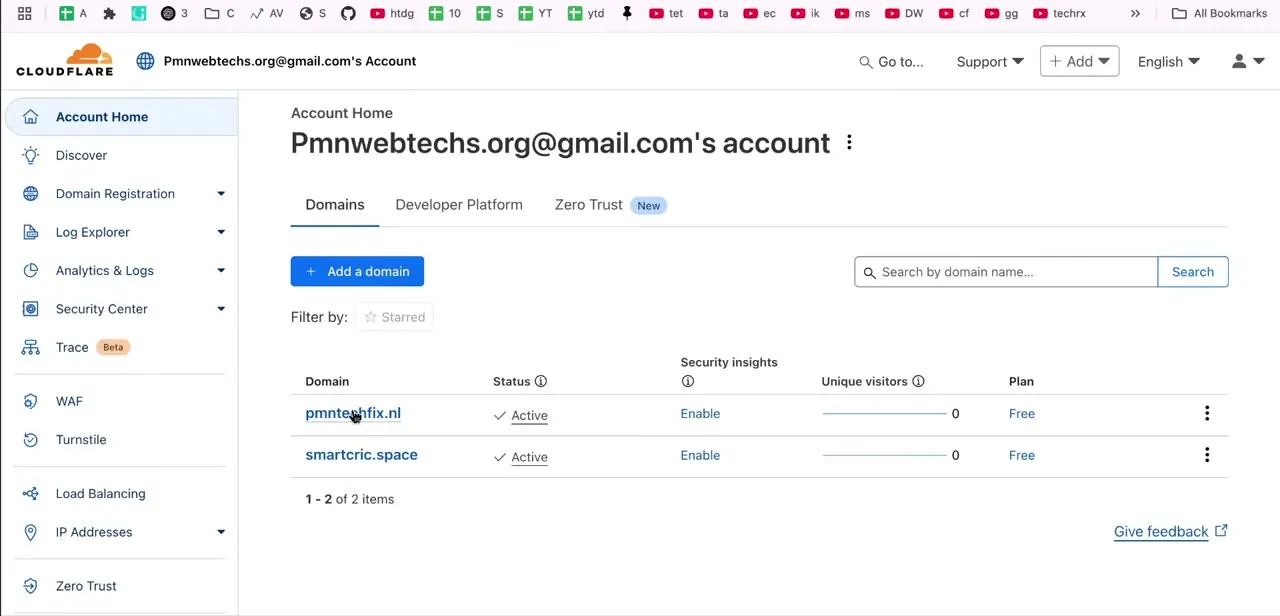
Log into Cloudflare and land on Account Home, where every domain you've added shows up in a list with its status, security insights, and plan. If you manage more than one site, double-check you're clicking into the right domain before you start. Email Routing is configured per domain, not account-wide, so setting it up on the wrong one means doing the whole thing again on the correct site.
02Find Email Routing in the dashboard
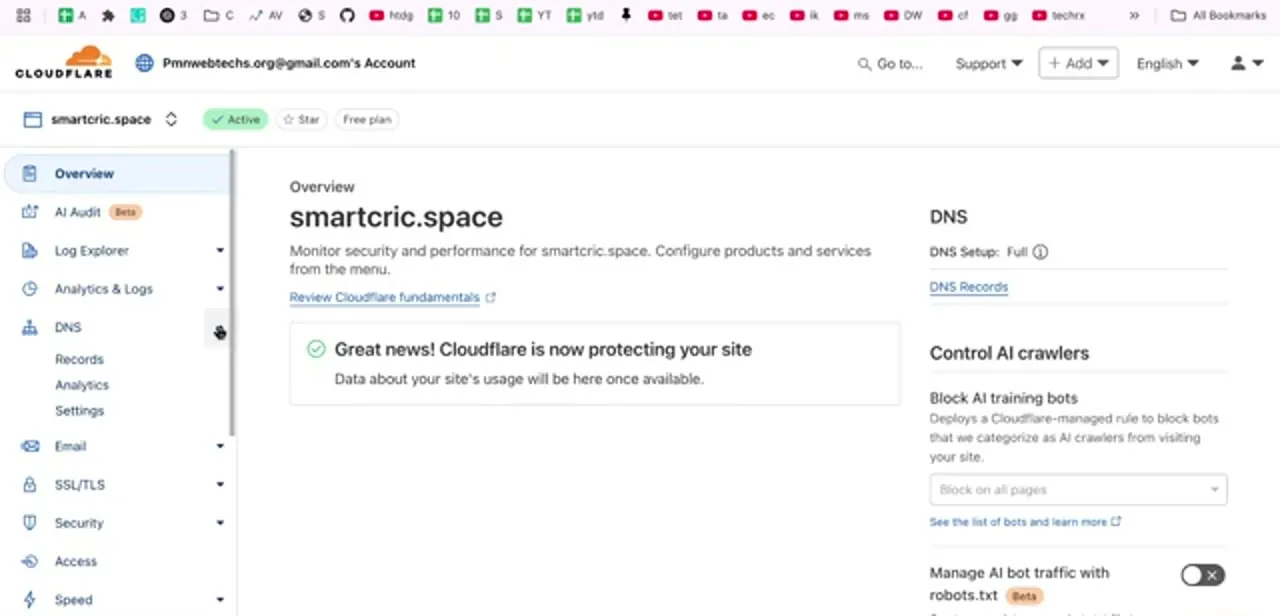
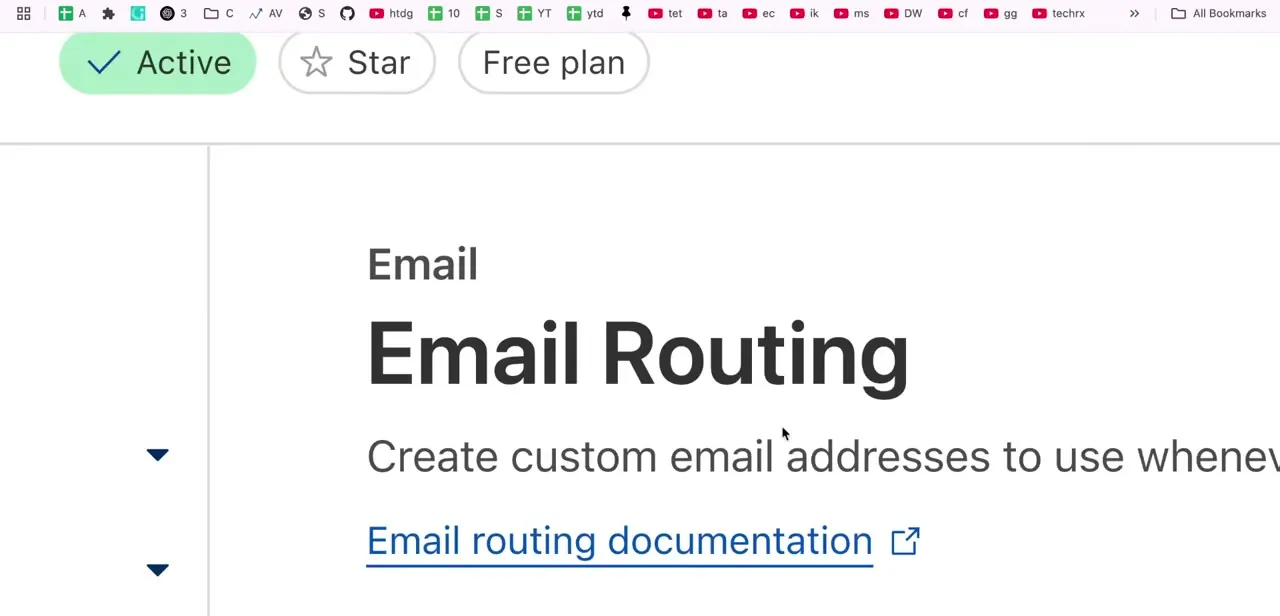
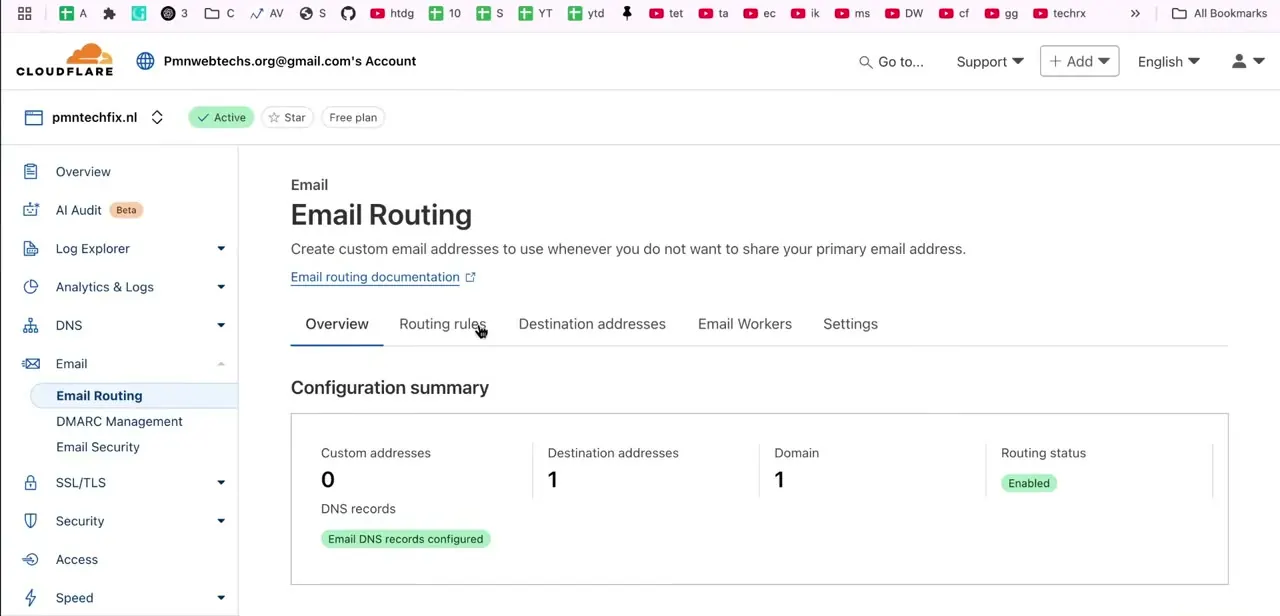
Cloudflare has since folded Email Routing into a broader Email Service product, and the current documentation points to Compute > Email Service > Email Routing in the main dashboard navigation, not a domain-level sidebar. That's different from the layout in this walkthrough's screenshots, which show Email Routing sitting under a domain-level Email section next to DMARC Management and Email Security.
Look for whichever one your account shows; the setup underneath is the same. Inside, three tabs run across the top: Overview, Routing Rules, and Destination Addresses.
03Check the configuration summary before adding anything
On the Overview tab, Cloudflare shows a configuration summary: custom addresses created, destination addresses verified, domains covered, and the routing status. A domain that's never been set up shows Enabled routing status with a note that the required DNS records are already in place.
Cloudflare adds an MX record and SPF and DKIM TXT records automatically when routing turns on, so there's no manual DNS step for a domain using Cloudflare's own nameservers. Routing doesn't work on a domain added with the partial CNAME setup; it needs full DNS management, and any existing MX record pointing at another mail provider has to come out first.
04Create your custom address and confirm the destination
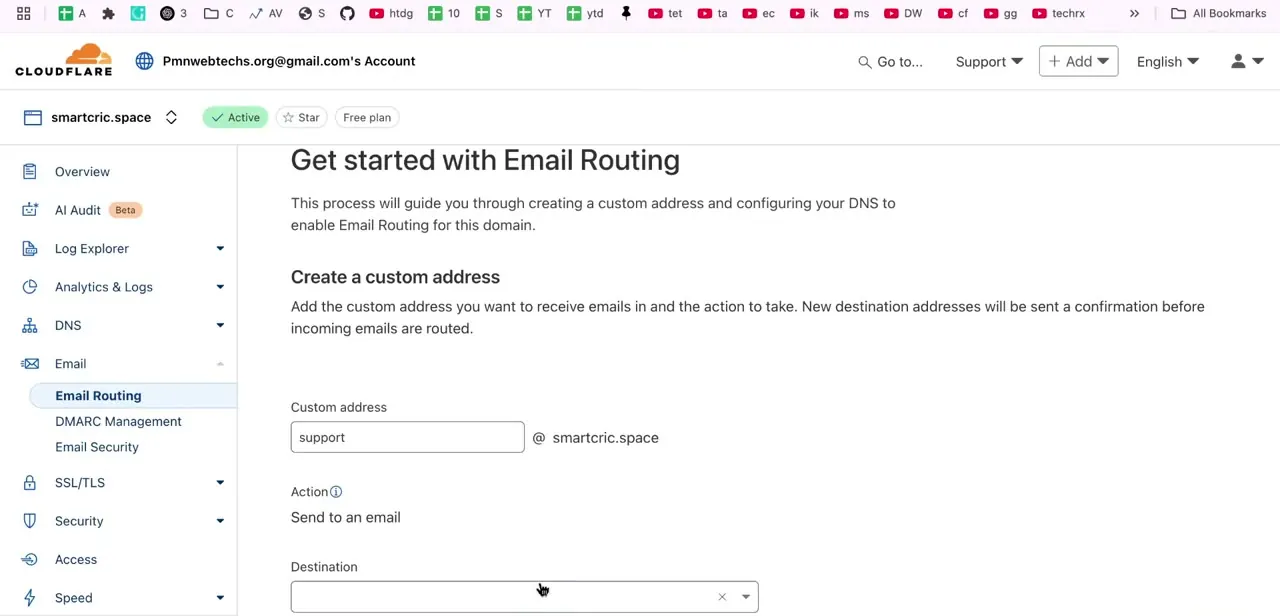
Selecting Get started (Create routing rule, on the newer layout) opens the setup form. It asks for a custom address, the part before the @ on your domain, like support or hello, and an action, almost always "Send to an email." Type the custom address, then enter the real inbox you want that mail forwarded to: Gmail, Outlook, or anywhere else.
Save the rule, then open that destination inbox. Cloudflare sends a confirmation email and won't route anything to it until you click the verification link inside.
That check exists so nobody can quietly route your domain's mail into an inbox they don't control. It only needs doing once per destination address: point five custom addresses at the same Gmail account and you confirm that Gmail address a single time, not five.
05Add the other addresses you need
With the first address confirmed, add the others one at a time: support, hello, billing, whatever the site needs. Cloudflare also offers a catch-all rule that forwards every address at the domain, including typos and spam probes, to one inbox.
It's convenient on a very small domain and noisy on anything bigger, since every misspelled address someone tries lands in the same inbox as real mail. The account-wide limits are generous either way: up to 200 routing rules and 200 destination addresses, well beyond what a small site will use.
| Limit | Value |
|---|---|
| Routing rules per domain | 200 |
| Destination addresses per account | 200 |
| Max inbound message size | 25 MiB |
| Domains per zone (Email Routing + Email Service combined) | 30 |
From Cloudflare's published Email Service limits. These are account-wide caps, not per-address.
When it doesn't work
Forwarded mail never arrives, not even in spam
Why: Since July 2025, Cloudflare only forwards a message if the sender's own domain has SPF or DKIM configured. An unauthenticated message is dropped: not delivered, not bounced.
Fix: This is a problem with the sender's domain, not yours, so there's nothing to change on your end. If you know them, ask them to check their SPF/DKIM setup, or have them resend from an address that already authenticates.
A new address doesn't seem to work
Why: The destination address hasn't been verified yet. Cloudflare disables a routing rule until someone clicks the confirmation link sent to its destination.
Fix: Check that inbox, including spam, for Cloudflare's verification email and click through. The rule activates right after.
Email Routing won't finish setting up on a domain
Why: The domain isn't fully on Cloudflare's nameservers, and a partial CNAME setup won't do it, or an existing MX record from another mail provider is still in place.
Fix: Switch the domain to Cloudflare's full nameserver setup and remove the conflicting MX record before turning routing on.
Forwarded mail lands in the destination's spam folder
Why: Usually a second SPF record on the domain. SPF allows only one record per domain, so if another service (a form tool, a marketing platform) added its own SPF entry after Cloudflare set up routing, the two conflict.
Fix: Check the domain's TXT records for more than one entry starting with v=spf1 and merge them into a single record. SPF also caps out at 10 DNS lookups, so a domain already near that limit can break when a new entry gets added.
Frequently asked questions
Is Cloudflare Email Routing really free?
Yes. Cloudflare's own pricing page lists inbound forwarding as unlimited on every plan, including Free, with no card required. A paid Workers plan is only needed for Cloudflare's separate Email Service feature, which sends mail out instead of forwarding it in.
Can I forward Cloudflare email to Gmail or Outlook?
Yes. The destination field for a routing rule accepts any inbox you can verify, including Gmail, Outlook, or a work address you already check.
Do I need to touch DNS myself?
No, as long as the domain uses Cloudflare's full nameserver setup. Cloudflare adds the MX, SPF, and DKIM records automatically when routing turns on. A domain added with the partial CNAME option can't use Email Routing at all.
Why does a forwarded email sometimes never arrive, not even in spam?
Since July 2025, Cloudflare has required the sender's domain to have SPF or DKIM configured before it will forward a message. Without that, the mail is dropped: not delivered, not bounced, nothing in spam either. That's a problem with the sender's setup, not yours.
Why is forwarded mail landing in spam?
Usually a duplicate SPF record on the domain. SPF permits one record per domain, so if a form plugin or marketing tool added its own SPF entry after Email Routing set up its own, the two conflict and authentication fails. Merge them into a single record.
Where do I find Email Routing in the Cloudflare dashboard now?
Cloudflare's current documentation lists it under Compute > Email Service > Email Routing. Older accounts may still show it under a domain-level Email section instead; both lead to the same setup.
Sources and last check
Click path and screens come from a recorded walkthrough. Navigation, DNS behaviour, account limits, pricing, and the SPF/DKIM requirement were re-checked against Cloudflare's official Email Service documentation and changelog in September 2026. Two corrections came from that check: Cloudflare now files Email Routing under Compute > Email Service > Email Routing, not the domain-level sidebar shown in the screenshots, and forwarding silently fails when a sender's domain lacks SPF or DKIM (a rule Cloudflare added in July 2025), which is a different and more serious problem than the spam-folder issue this guide originally described as the main risk.
About the author

Impran M N
I've been hooked on technology for as long as I can remember — especially the new tools and AI apps that seem to land every other week. Easy Tech Tuts is where I write up whatever I've just worked out: I do the task in the real product, record the screen, and turn it into the guide I wish I'd found first.