Easy Tech Tuts
How To Add PTR Record In Cloudflare 2026 | is it possible - Truth revealed
By Impran M NLast checked against official docs
Search for how to add a PTR record in Cloudflare and you get two contradictory answers: that it's impossible, and that it's right there in the record type dropdown. Both are half true, and that's what makes this so frustrating when you're trying to get a mail server past a spam filter.
Cloudflare does let you create a PTR record. The form exists, the fields validate, and the record saves.
It just won't do anything for reverse DNS on your server's IP, because reverse DNS is answered by whoever owns the IP block, not by whoever hosts your domain's forward zone. This guide shows the form, explains exactly where the chain breaks, and then points you at the place the record needs to go instead.
01Know what a PTR record is for
Every DNS record you normally deal with is a forward lookup: a name in, an address out. A PTR record runs the other way: an IP address in, a hostname out.
The main reason anyone needs one is email. Receiving mail servers check whether the IP that just connected to them resolves back to a sensible hostname, and whether that hostname resolves forward to the same IP.
This pair, called forward-confirmed reverse DNS, is one of the cheapest spam signals in existence. A mail server without it gets marked down or rejected outright, no matter how good its SPF and DKIM setup is. If you're here because your outbound mail is landing in spam, a missing PTR record is a genuinely likely cause.
02Understand why Cloudflare isn't where rDNS lives
Reverse DNS doesn't live in your domain's zone at all. It lives in a separate namespace, under in-addr.arpa for IPv4 and ip6.arpa for IPv6, and authority over a chunk of that namespace is delegated to whoever was allocated the IP block: your VPS host, your cloud provider, or your ISP.
Cloudflare is authoritative for example.com. It is not authoritative for the reverse zone covering your server's address, unless you own the IP prefix yourself and have delegated a matching reverse zone to Cloudflare, which is a narrow case covered below.
So a PTR record sitting in your forward zone is a record nobody ever queries. The resolver asking 'who is 203.0.113.45?' goes to the reverse zone's nameservers, which belong to your host, and never touches your Cloudflare zone.
03Open the DNS records page for your domain
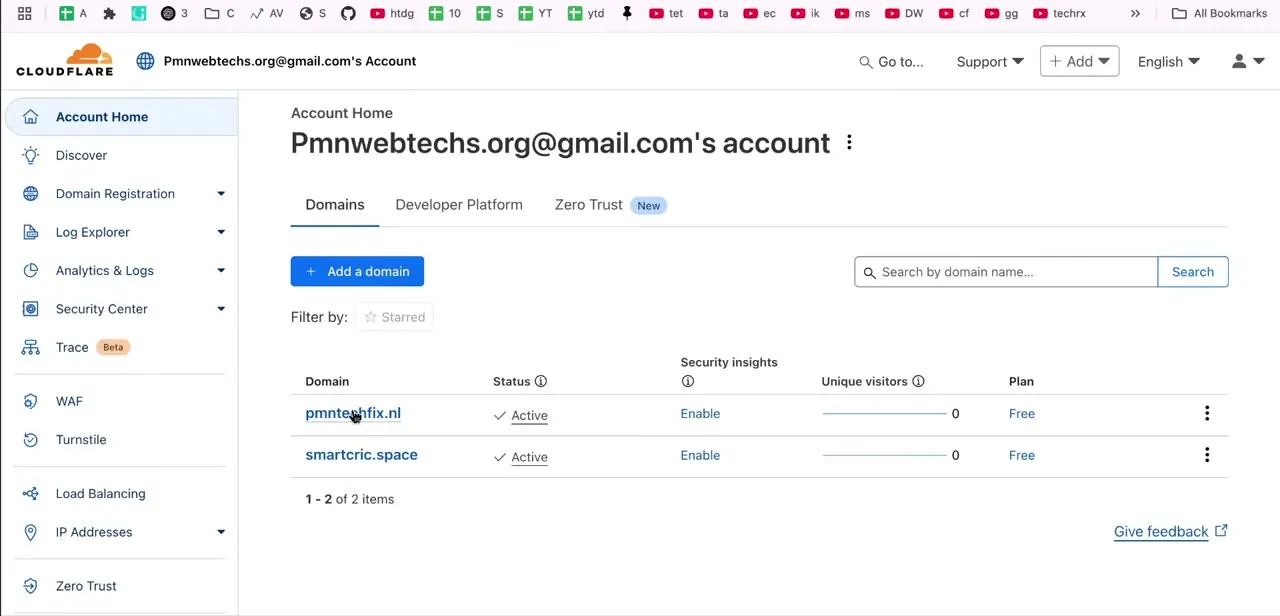
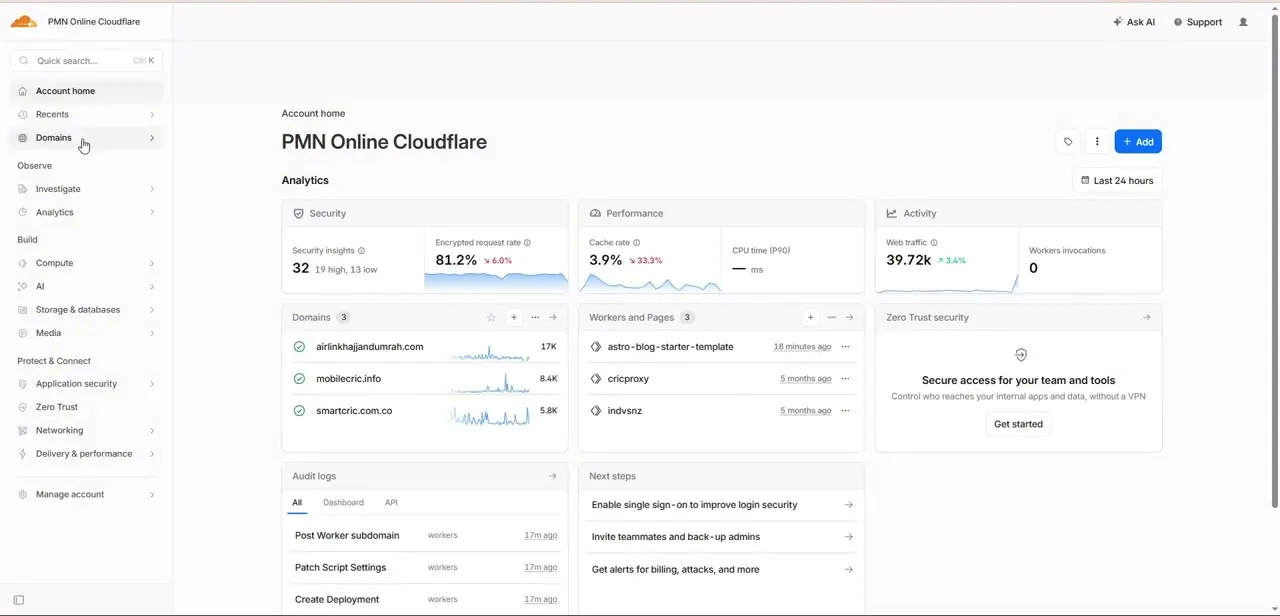
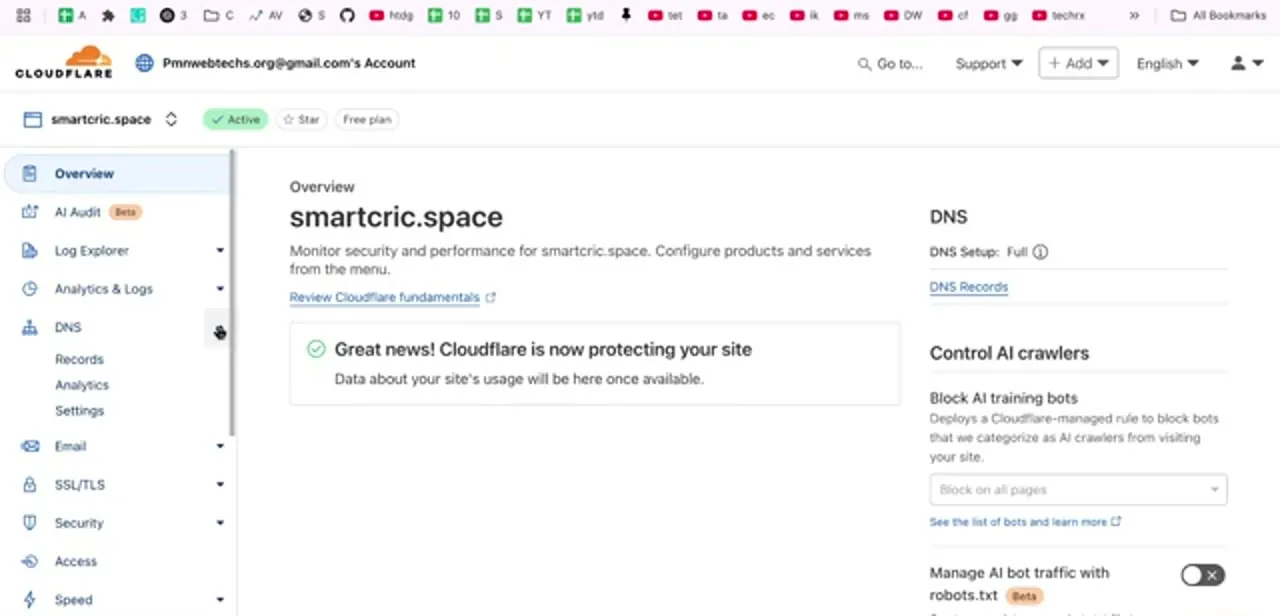
Even knowing that, it helps to see the form, since seeing it is what convinces most people the feature works. Log in to Cloudflare and select the domain from your account.
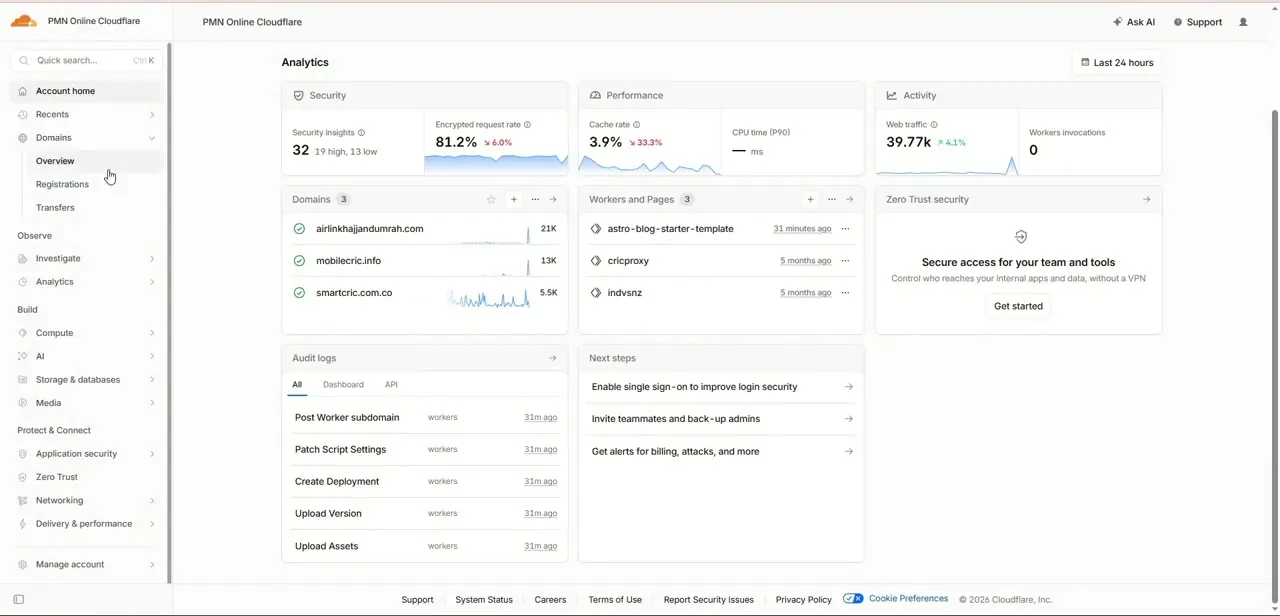
The zone overview shows its status, its plan, and a DNS panel on the right with a link straight to DNS Records. In the left sidebar, DNS expands into Records, Analytics and Settings; Records is the full editor for the zone.
Note the DNS Setup line on this page too. Full means Cloudflare is authoritative for the whole zone, which is the setup where people most reasonably assume every record type here is functional.
04Add a record and choose the PTR type
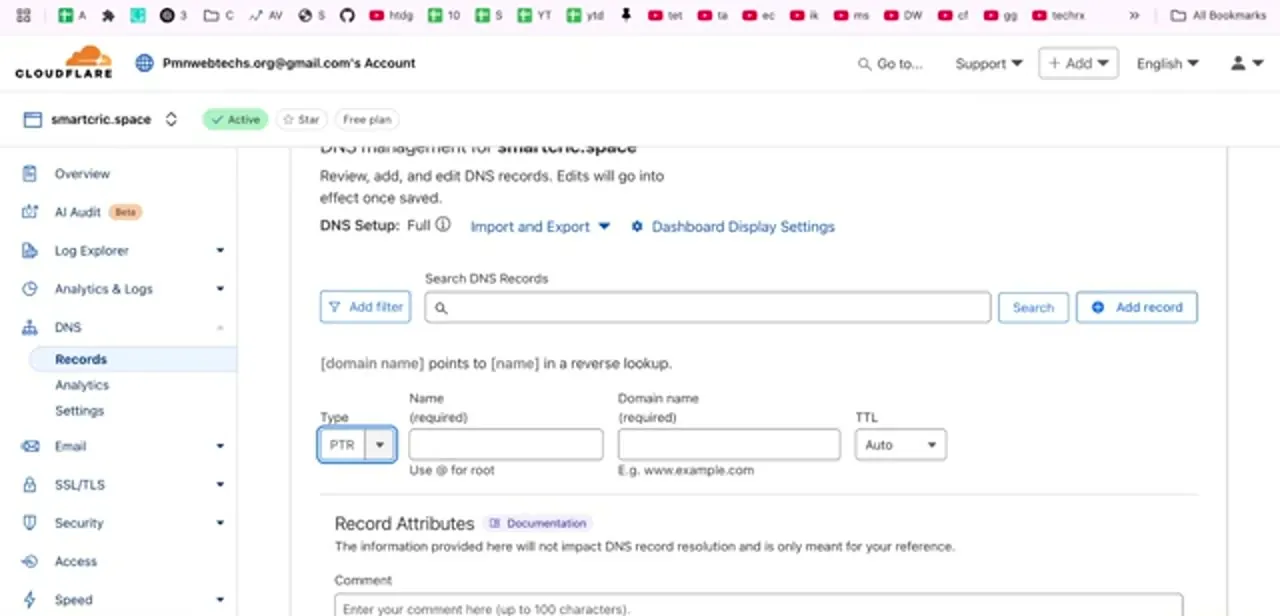
Click Add record and open the Type dropdown. PTR is there, alongside A, AAAA, CNAME, MX, TXT and the rest.
Select it and the form rewrites itself with a plain-language hint above the fields: [domain name] points to [name] in a reverse lookup. You get three inputs.
Name is the reverse-notation address: the four octets of your IP written backwards with .in-addr.arpa appended, so 203.0.113.45 becomes 45.113.0.203.in-addr.arpa. Domain name is the hostname you want that address to resolve to, such as mail.example.com.
TTL can stay on Auto. There is also a Record Attributes section with a comment field, which Cloudflare notes does not affect resolution and is purely for your own reference.
05Understand what saving it does and doesn't do
Save that record and Cloudflare accepts it happily. It appears in your records list, and you can even query it directly against Cloudflare's nameservers and get an answer back.
What you cannot do is get the rest of the internet to see it, because no resolver on earth asks your domain's nameservers about 45.113.0.203.in-addr.arpa. It asks the nameservers that the ARIN, RIPE or APNIC delegation chain points to for that block instead.
The mail server rejecting your messages will keep rejecting them. The one legitimate case for a PTR record living in a Cloudflare-facing zone is when you own the IP block yourself, have set up a proper reverse zone for it in Cloudflare, and have delegated your Regional Internet Registry's reverse DNS pointer to Cloudflare's nameservers.
Cloudflare restricts that setup to customers who own IP address space in their own right, plus enterprise DNS Firewall customers who arrange it with their account team. That's a narrow, deliberate case, and if it applied to you, you'd already know. For everyone else, delete the record you just added here so it doesn't confuse you in six months.
06Set reverse DNS where it belongs
The real fix is with whoever assigned your IP. Most VPS and cloud providers expose this as a field in their own panel: Hetzner, DigitalOcean, Linode, Vultr, OVH, AWS and Google Cloud all have a reverse DNS or PTR setting attached to the server or elastic IP, sometimes editable directly and sometimes gated behind a support request.
On AWS you request the removal of outbound mail restrictions and set rDNS through a form; on shared hosting you generally cannot set it at all, which is a real argument for sending mail through a dedicated provider instead. Before you request it, create the matching forward record in Cloudflare: an A record for mail.example.com pointing at the same IP. Reverse and forward must agree, and providers will often refuse a PTR request whose target doesn't already resolve back to the address.
07Verify it, and do the rest of your email DNS in Cloudflare
Once the provider has applied it, check from a machine outside your network with dig -x 203.0.113.45 on macOS or Linux, or nslookup on Windows, and confirm the hostname that comes back matches the one that resolves forward to that IP. Propagation for rDNS is usually quick but can take a few hours.
Then use Cloudflare for everything it genuinely is authoritative over, which is most of your email setup: MX records pointing at your mail host, a TXT record with your SPF policy, the CNAME or TXT records your provider gives you for DKIM, and a DMARC TXT record at _dmarc. Those four plus a working PTR record make up the full deliverability checklist, and four of the five genuinely belong in the record editor you just opened.
Frequently asked questions
Can you add a PTR record in Cloudflare?
You can create one. PTR is in the record type dropdown and the record saves without error, but it won't function as reverse DNS for your server: resolvers query the reverse zone held by your IP's owner, not your domain's zone.
Where do you set a working PTR record?
With whoever assigned the IP address: your VPS host, cloud provider or ISP. Most expose a reverse DNS field on the server or IP in their control panel; some require a support ticket. Shared hosting usually offers no control at all.
What do I put in Cloudflare's PTR Name field?
The reverse-notation form of the address: the octets backwards with .in-addr.arpa on the end, so 203.0.113.45 becomes 45.113.0.203.in-addr.arpa. The Domain name field takes the hostname it should resolve to, like mail.example.com.
Why does my email go to spam without a PTR record?
Receiving servers check that the connecting IP resolves back to a hostname, and that the hostname resolves forward to the same IP. Failing that check is a strong spam signal, and correct SPF or DKIM doesn't fully make up for it.
How do I check whether my PTR record is working?
Run dig -x YOUR.IP.ADDRESS from a machine outside your network, or nslookup on Windows. If it returns your mail hostname and that hostname resolves forward to the same IP, reverse DNS is set correctly.
Can a regular Cloudflare customer ever make Cloudflare's PTR record work?
Only if you own the IP address space yourself and set up a proper reverse zone for it, or you're an enterprise DNS Firewall customer who has arranged this directly with Cloudflare. Cloudflare's own documentation restricts reverse zones to those two cases, so if neither applies, the record you save will never be queried.
Which email records should I add in Cloudflare then?
MX for mail routing, a TXT record for SPF, the DKIM records your mail provider supplies, and a DMARC TXT record at _dmarc. Those all live in your forward zone and Cloudflare is genuinely authoritative for them.
Sources and last check
Click path and field behavior come from a walkthrough recorded in 2025. Re-checked against Cloudflare's own developer documentation on reverse DNS zones and supported record types in September 2026, which confirmed the article's core claim (the record saves but resolves nothing) and sharpened it: Cloudflare only lets a PTR record function for reverse DNS when you own the IP address space yourself, or are an enterprise DNS Firewall customer who has arranged it with Cloudflare directly. That eligibility rule wasn't stated plainly in the earlier version and has been added, with a new FAQ entry and citations to the pages it was checked against.
About the author

Impran M N
I've been hooked on technology for as long as I can remember — especially the new tools and AI apps that seem to land every other week. Easy Tech Tuts is where I write up whatever I've just worked out: I do the task in the real product, record the screen, and turn it into the guide I wish I'd found first.