Easy Tech Tuts
How to Integrate Clickup to Google Docs Easily 2026
By Impran M NLast checked against official docs
ClickUp and Google Docs connect through ClickUp's own Google Drive integration, set up from the App Center inside ClickUp. You won't find it in the Google Docs Extensions menu, which is why many people conclude it doesn't exist.
Once it's connected you can paste Doc links that render as live previews, attach Drive files to tasks, and create a brand-new Google Doc from a task's Attachments section. This guide covers four ways to join the two tools, from the free one (pasting a link) up to automations that create a Doc every time a task is made.
Which one you can use depends heavily on your ClickUp plan. The table below sorts that out before you start clicking.
01Open the task you want to connect
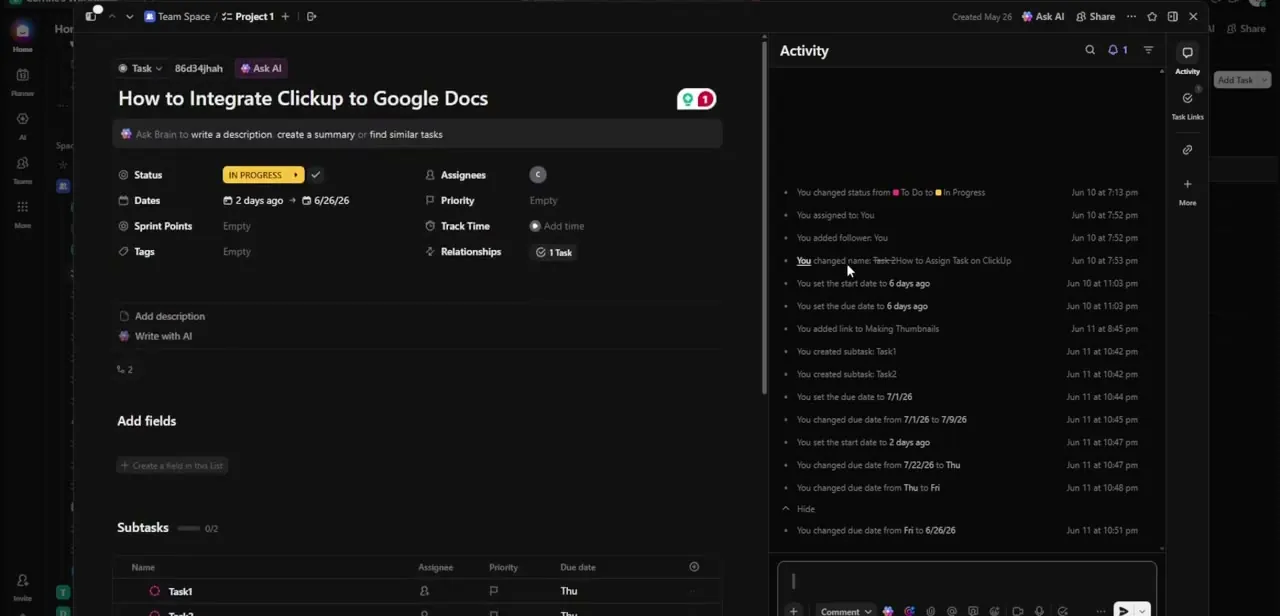
Everything in this guide starts from the ClickUp task, not from Google Docs. Open the task detail panel: status, assignees, dates and subtasks sit on the left, with the Activity feed on the right logging every change.
ClickUp treats the task as the hub. Documents get pulled into it as links, previews or attachments.
02Paste the Google Doc link into the task
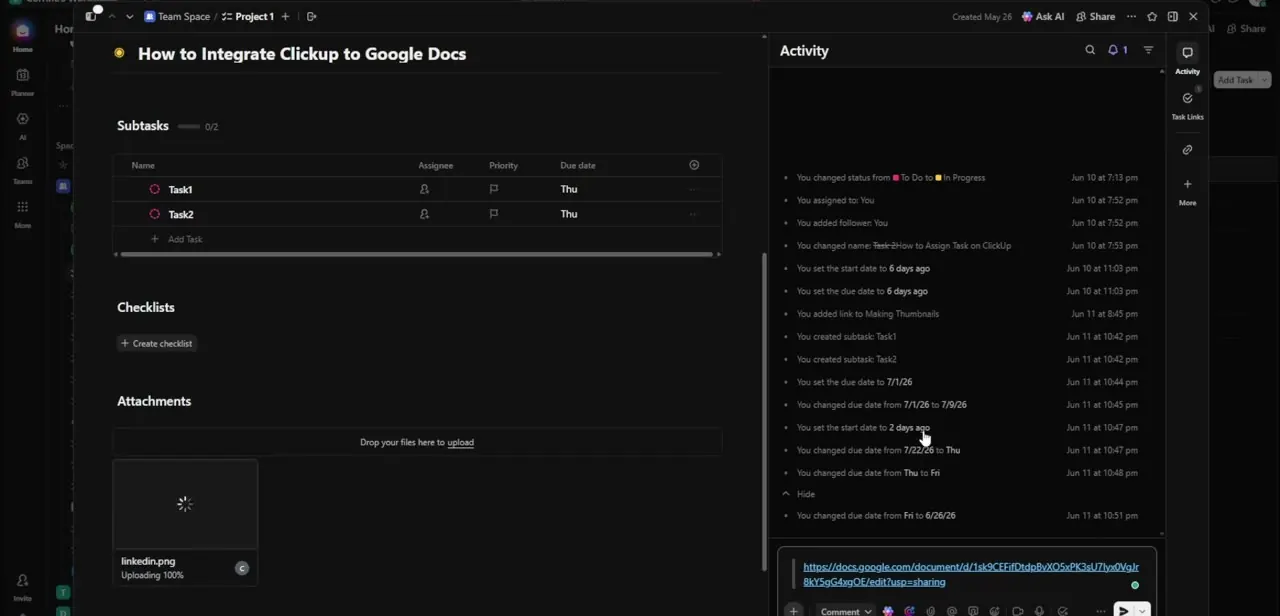
Copy the Doc's sharing URL and paste it into the task description or the comment box. This works on any plan and needs no setup.
If you paste the link on its own line, ClickUp asks how to display it: inline, as a live Preview, or as a plain URL. A Mention gives a more compact chip.
The first time you paste a Drive link, ClickUp also offers to connect your Google account. Preview content only shows for teammates who have connected their own Google Drive, so anyone who hasn't will see a plainer link. Either way, clicking it opens the current version of the Doc, because it's a link and not a copy.
03Connect Google Drive and create a Doc from the task
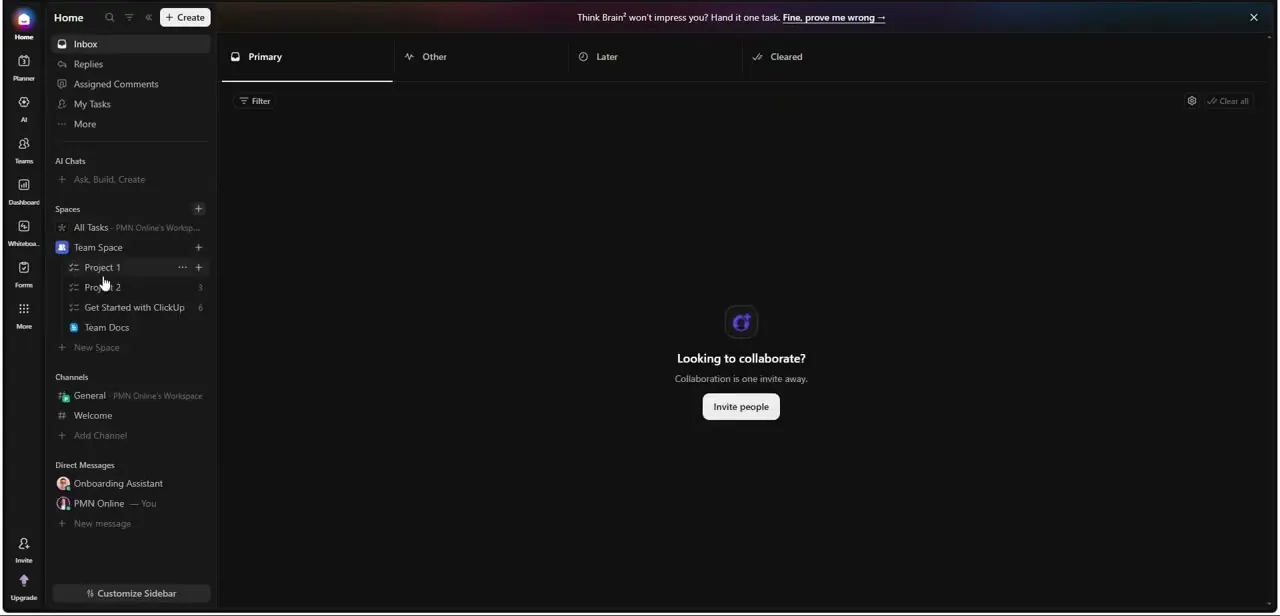
For attachments and new Docs, connect the integration first. Open the App Center, find Google Drive, and connect your account.
Each user connects one Google account per Workspace, and your Drive files stay private to you unless you share them. To attach files to tasks, an owner or admin also needs to open the Google Drive settings in the App Center (under Cloud Storage) and turn on Create Attachments.
Cloud storage is an Unlimited-plan feature and above. With that done, open the task, scroll to the Attachments section, hover over it and click the plus icon.
Choose New Google Doc, then Create Doc. ClickUp creates the file in your Google Drive and links it to the task in one move, which avoids the copy-paste of the previous step. You can also type /em gdrive in a task comment to attach an existing Drive file.
04Or keep the document inside ClickUp
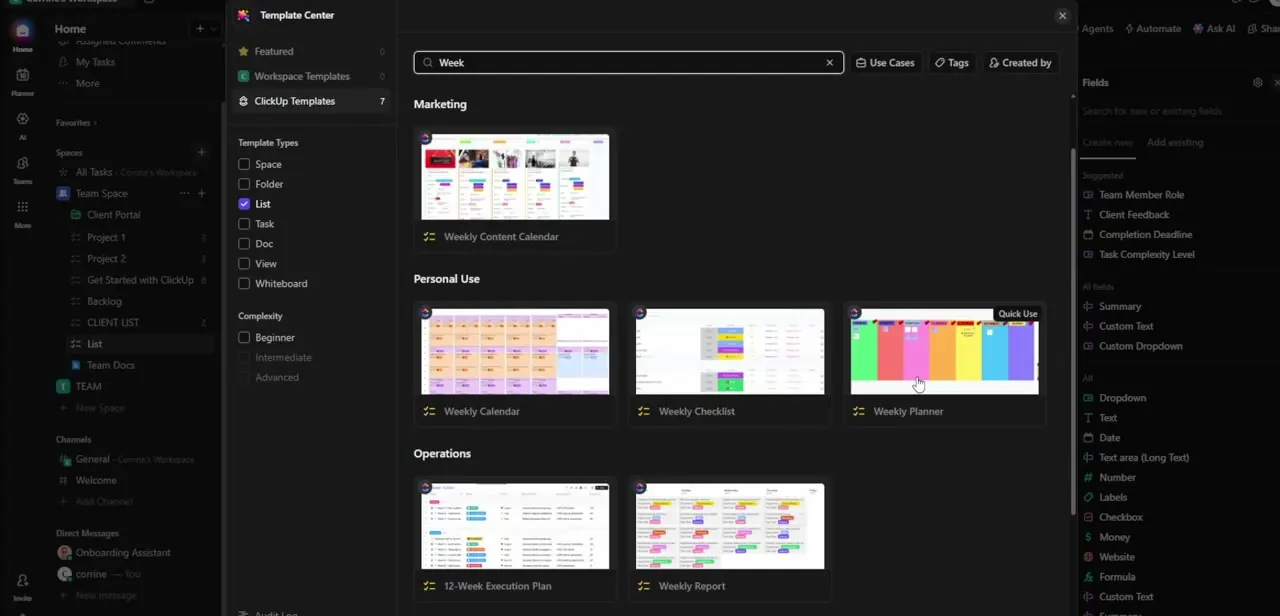
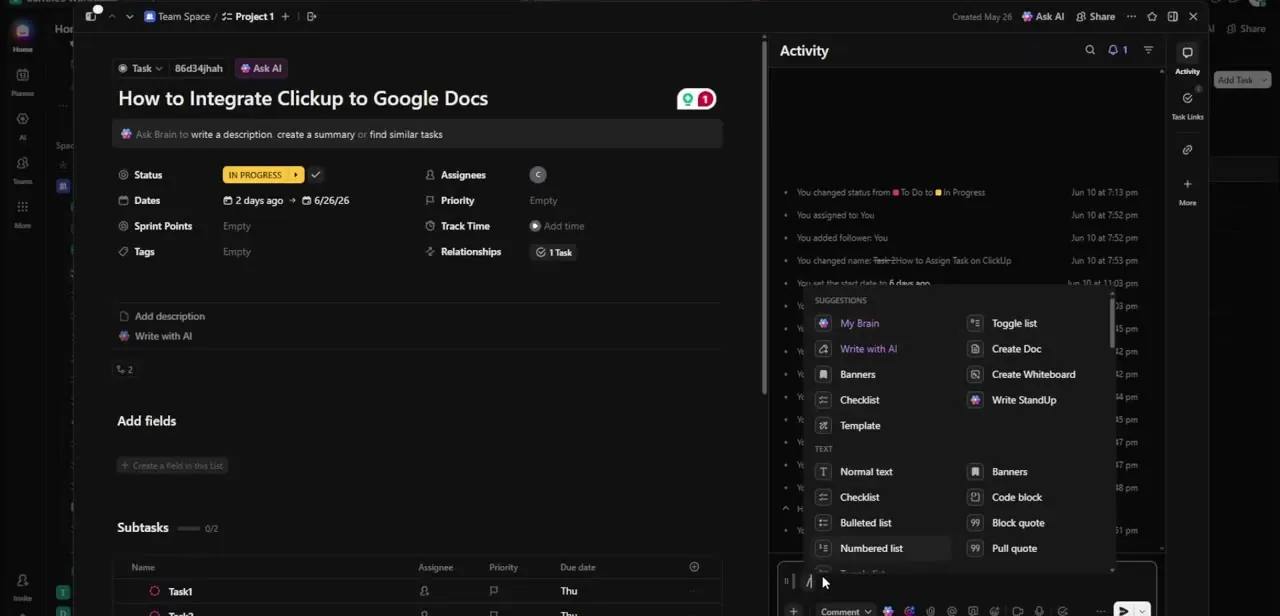
If the file doesn't have to be a Google Doc, ClickUp's own Docs may suit you better. Type a forward slash in a comment or description to open the slash-command menu, which lists Create Doc next to Create Whiteboard, Checklist and Template.
A ClickUp Doc lives in the Workspace and is tied to the task from the start. The trade-off is that people outside ClickUp can't open it the way they could a shared Google Doc.
05Automate Doc creation inside ClickUp (Business plan)
On the Business plan or above, ClickUp can create Google Docs for you without a third party. From a List, Folder or Space, click the robot icon in the upper right, then Create Automation, and pick Google Drive in the left sidebar.
The Create Document action takes a document name and content, and both can include dynamic ClickUp fields such as the task name. Pair it with a ClickUp trigger (a new task in the List, say) and every task gets its own Doc.
Two conditions: the automation only works with a personal Google Drive connection, and an owner or admin must switch on the Automation ClickApp. Guests can't set up Automations.
06Or automate it with Zapier
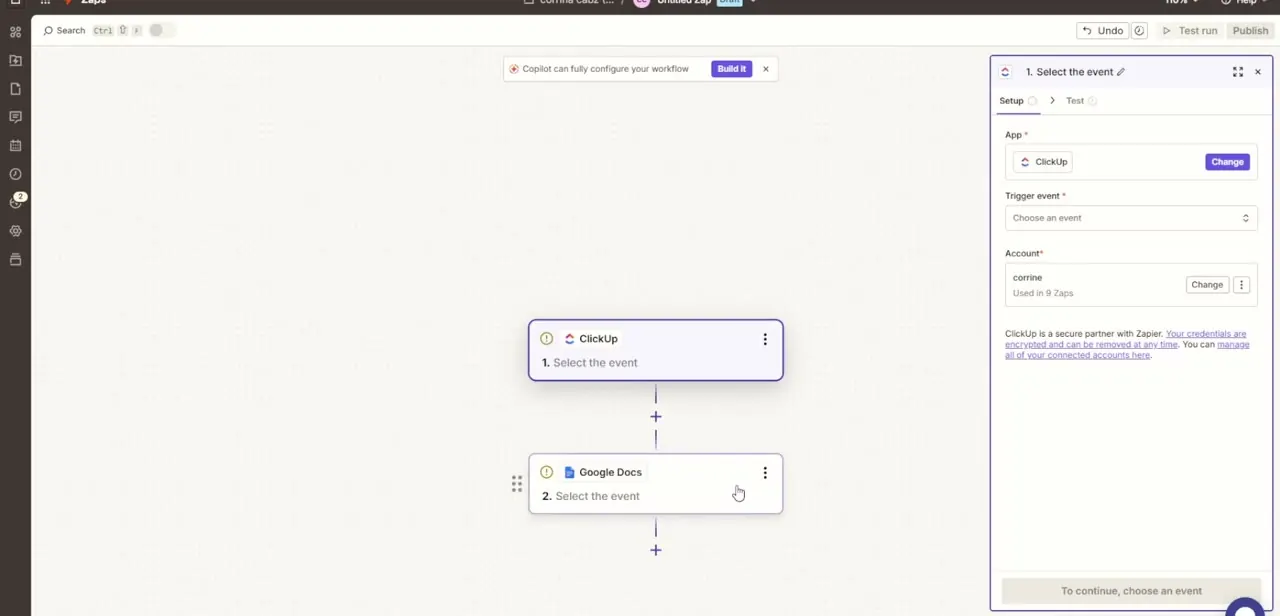
On lower plans, Zapier is the usual route. In the Zap builder, set ClickUp as the trigger app with an event such as New Task or Task Changes, then add Google Docs as the action, for example Create Document From Template or Append Text to Document.
Zapier asks you to choose or connect a ClickUp account first; reuse an existing connection if one is listed. Each step shows a warning icon until its event is chosen. Run Test step before publishing so one sample run proves the Doc lands where you expect.
| Method | What it does | ClickUp plan needed |
|---|---|---|
| Paste the Doc link | Adds a clickable link, preview or mention in a task, comment, Doc or Chat message | Any plan |
| Attach from Google Drive | Attaches existing Drive files to a task, or creates a new Google Doc linked to it | Unlimited or above (cloud storage) |
| Google Drive Automation | Creates a Google Doc or folder automatically when a ClickUp trigger fires | Business or above |
| Zapier | Connects ClickUp triggers (new task, task changes, new comment) to Google Docs actions | Any ClickUp plan; Zapier limits apply |
Plan requirements taken from ClickUp's help center in September 2026. ClickUp changes plan gating fairly often, so check the App Center if something is missing.
When it doesn't work
Google Drive doesn't appear when attaching a file to a task
Why: Cloud storage isn't enabled for Google Drive, or the Workspace is below the Unlimited plan. ClickUp only lists apps that have cloud storage switched on.
Fix: In the App Center, select Cloud Storage, open Google Drive, click Settings and enable Create Attachments. If the option isn't there, check the Workspace plan.
Teammates see a plain link where you see a preview
Why: Google Drive link previews only display for members who have connected their own Google Drive account to ClickUp.
Fix: Ask them to connect Google Drive from the prompt shown when they paste a Drive link, or from the App Center.
An automation says it ran but the new Google Doc can't be found
Why: You don't have edit access to the Drive folder chosen in the automation, or that folder was moved or deleted in Google Drive.
Fix: Confirm edit access to the parent folder and that it still exists, then check the Google Drive connection is still active in the App Center.
Frequently asked questions
Does ClickUp have an official Google Docs integration?
Yes, through its Google Drive integration in the App Center. It covers Docs, Sheets and Slides: link previews, attachments, creating a new Google Doc from a task, and (on Business and above) automations. There is no add-on to install inside Google Docs itself.
Can I create a Google Doc from inside a ClickUp task?
Yes. With Google Drive connected and cloud storage enabled, hover over the task's Attachments section, click the plus icon, choose New Google Doc and click Create Doc. The file is saved to your Drive and linked to the task.
Do pasted Google Docs links stay up to date?
Yes. A link or preview points at the live file in Google Drive, so anyone opening it sees the current version.
Can other people in my Workspace see my Google Drive files?
Not through a personal connection. ClickUp keeps each user's Drive data private. An admin can add a Workspace connection for shared search, but it only surfaces files already shared with everyone in your organization.
Do I need a paid Zapier plan?
Not for a simple ClickUp-to-Google-Docs Zap. Zapier's Free plan allows two-step Zaps (one trigger, one action) and 100 tasks a month. Multi-step Zaps or higher volume need a paid plan.
Sources and last check
Screens and the Zapier click path come from a walkthrough recorded in June 2026. Re-checked against ClickUp's help center and Zapier's integration and pricing pages in September 2026. That check corrected this guide's earlier claim that no official connection exists: ClickUp's Google Drive integration can create and attach Google Docs from a task, and the plan requirements (Unlimited for cloud storage, Business for native automations) were added from the same docs.
About the author

Impran M N
I've been hooked on technology for as long as I can remember — especially the new tools and AI apps that seem to land every other week. Easy Tech Tuts is where I write up whatever I've just worked out: I do the task in the real product, record the screen, and turn it into the guide I wish I'd found first.