Easy Tech Tuts
How to Enter Your IRS IP PIN in TurboTax (Identity Protection) Easily 2026
By Impran M NLast checked against official docs
If the IRS has issued an Identity Protection PIN, either because of a past identity theft case or because of opting into the program voluntarily, entering it correctly in TurboTax isn't optional. A missing or wrong IP PIN can get an e-filed return rejected outright.
TurboTax doesn't put this field somewhere obvious like the main info screen; it's a few clicks into the federal section under a heading most filers skip past. This guide shows exactly where that question lives, what TurboTax asks before showing the entry field, and where to check it afterward.
Before you start
- An IRS-issued 6-digit Identity Protection PIN for the current tax year, from a CP01A notice or the IRS's online account
01Sign in and open Tax home
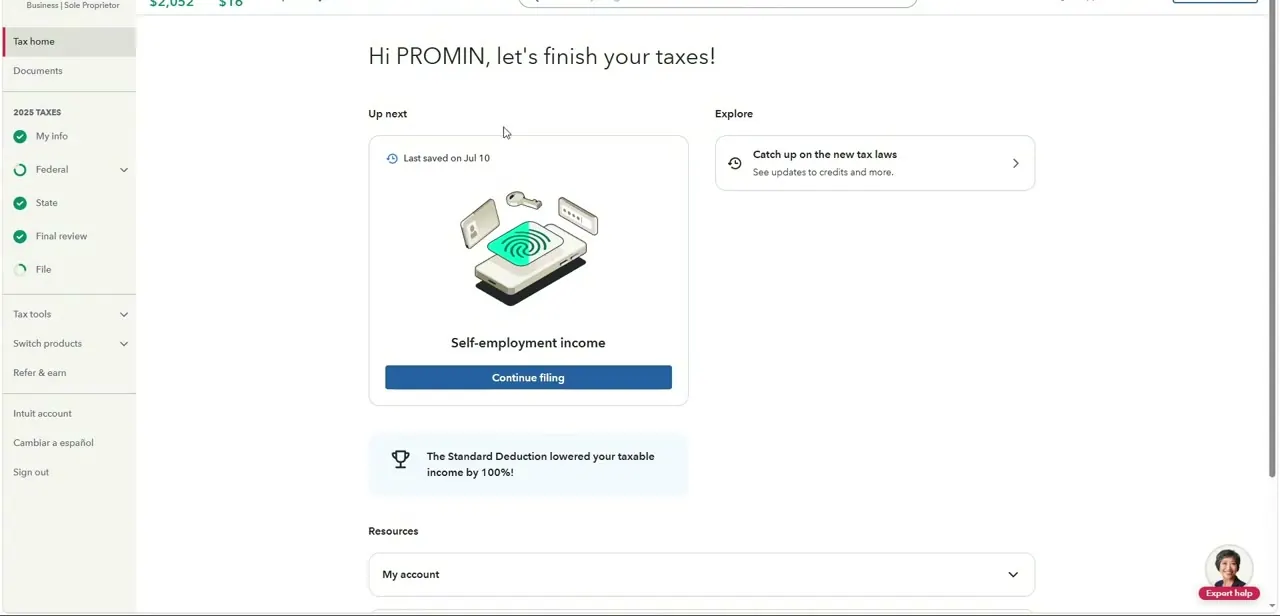
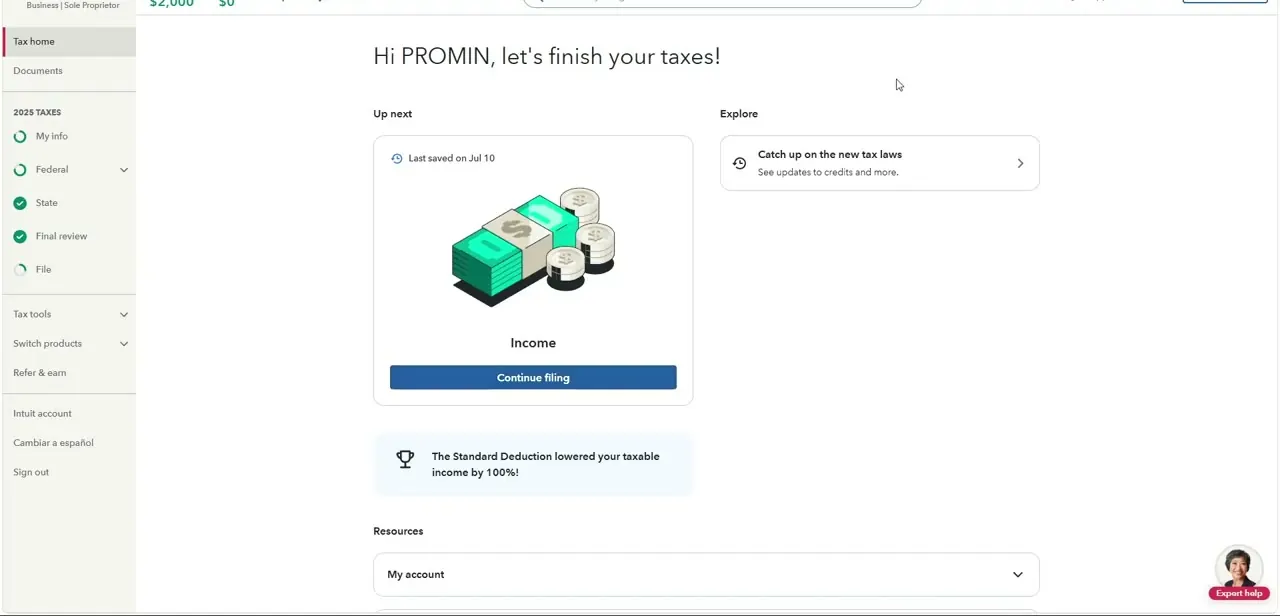
Sign in to TurboTax with a phone number, email, or user ID from the "Let's get you in to TurboTax" card. Once signed in, Tax home greets by name with a status checklist running down the left side: My info, Federal, State, Final review, and File, each marked with a green check once complete. The IP PIN question lives inside Federal, so head there next instead of looking for it on this landing screen.

02Go into Federal from Tax home
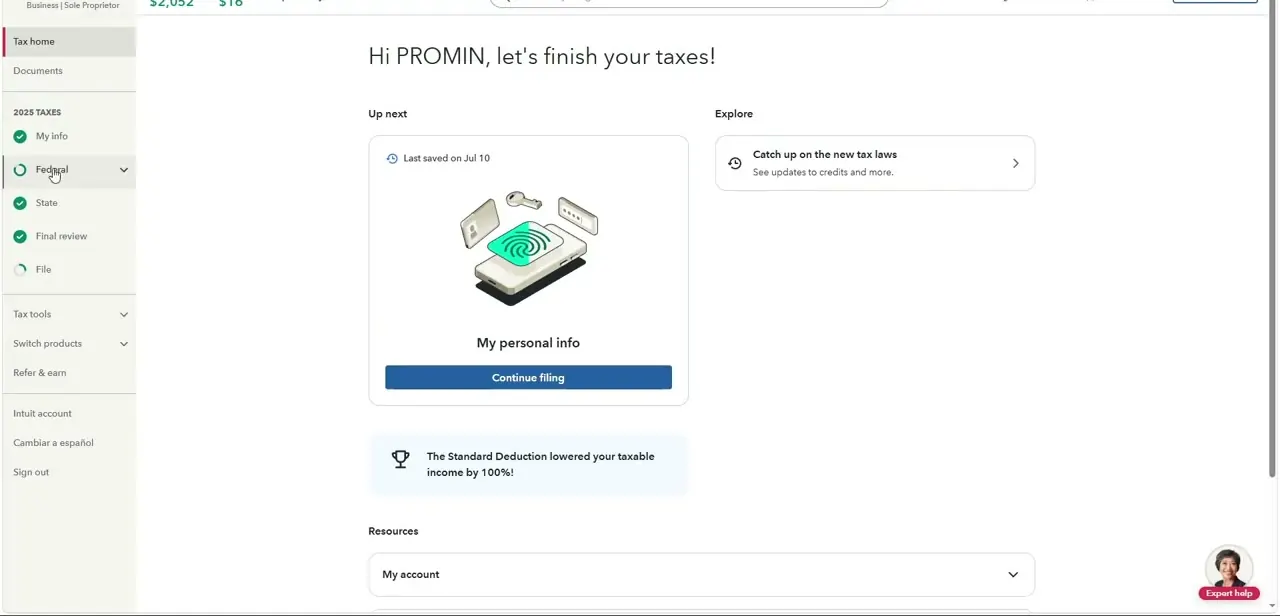
From Tax home, click into Federal in the left-hand checklist, which expands into sub-sections: Income, Deductions & credits, Other tax situations, and Federal review. The IP PIN field is not under Income or Deductions, which trips people up since a PIN feels like a personal-info item. It's filed under Other tax situations, TurboTax's catch-all for less common items like estimated tax penalties and identity-related forms.
03Answer "Were you assigned an Identity Protection PIN?"
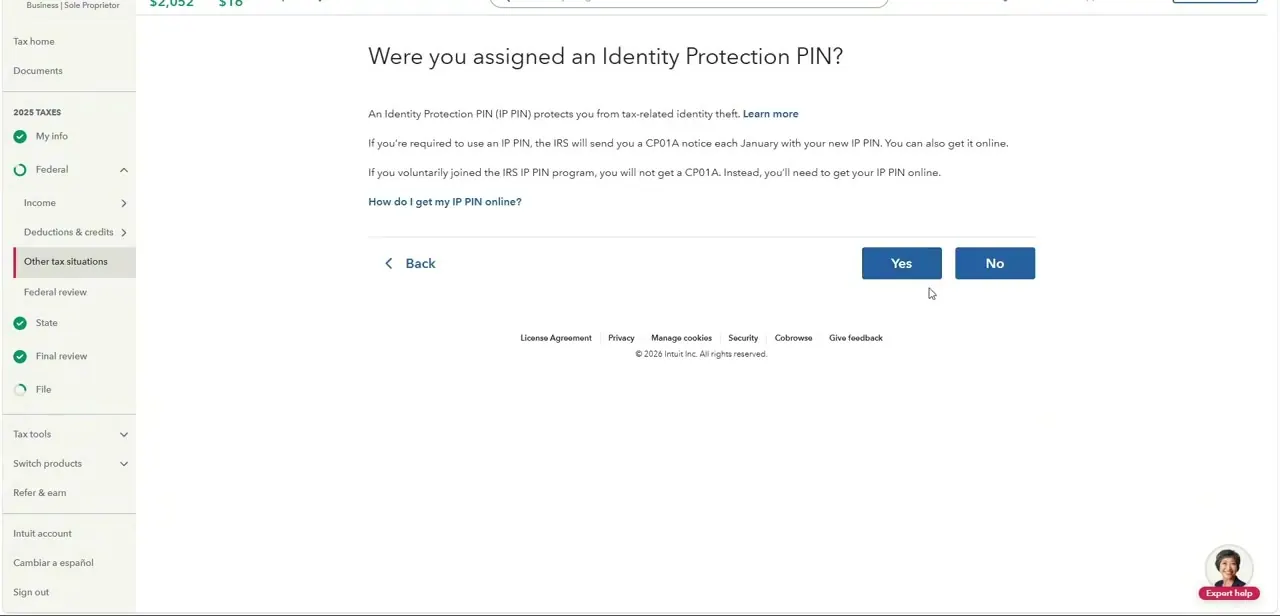
Inside Other tax situations, under a group called Other Return Info, TurboTax asks directly: "Were you assigned an Identity Protection PIN?" with a short explanation that an IP PIN protects against tax-related identity theft, and a note about two ways to have one: the IRS mailed a CP01A notice each January with a new PIN, or, for voluntary program participants, the PIN needs retrieving online since no CP01A is mailed for opt-in participants. Click Yes if either applies, or No otherwise.
04Select Add and enter the PIN exactly as issued
Answering Yes surfaces an Add option; selecting it opens the entry field for the six-digit IP PIN itself. Type it exactly as it appears on the CP01A notice or in the IRS online account.
IP PINs reset every year, so a PIN from a prior tax season will not work, and TurboTax should flag it as invalid if an old one is reused. Select Continue, then Done, to save it. Double-check each digit before continuing: a single wrong digit here is enough to trigger an e-file rejection later even though the rest of the return is correct.
05Revisit the entry from the tax situations list if you need to check it
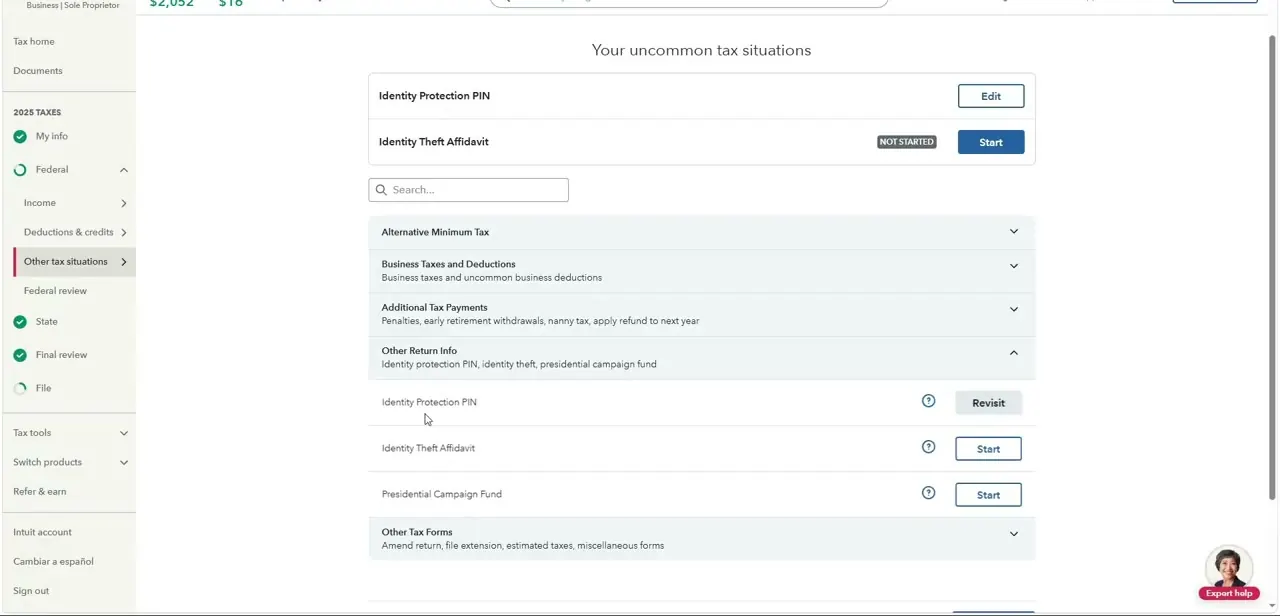
Once entered, the Identity Protection PIN row appears in Your uncommon tax situations with an Edit button instead of Start, confirming the entry saved. This is also where Identity Theft Affidavit and other less-common forms live if any apply.
To update the PIN later, whether a corrected one arrived from the IRS or a typo needs fixing, come back to this screen and click Edit. To remove a PIN entered by mistake, TurboTax's own instructions point to a trash icon on the entry screen itself instead of the Edit link.
06Know what happens if you skip it
If the IRS has a taxpayer on record as needing an IP PIN and the return is filed without one, expect an e-file rejection instead of a quiet acceptance: the IRS uses the PIN specifically to block returns filed under that Social Security number without it. TurboTax also asks about the IP PIN again at Step 3 of Finish & File, so a skipped entry gets one more chance before submission, though entering it earlier under Other tax situations is the more reliable route.
Anyone who has lost their PIN and can't find the CP01A notice should use the IRS's online Get an IP PIN tool, or call the IRS at 1-800-908-4490, instead of guessing or reusing an old number. Neither TurboTax nor the IRS can override this check.
When it doesn't work
The e-filed return gets rejected after submission.
Why: The IRS uses the IP PIN to verify the Social Security number on a return; a missing or incorrect PIN is one of the specific reasons TurboTax's own support documents separately from other e-file errors.
Fix: Go back to Federal, then Other tax situations, then Other Return Info, confirm the current year's PIN digit by digit, and resubmit.
TurboTax says the PIN entered is invalid.
Why: IP PINs reset every filing season, so a PIN from a prior year, or a dependent's PIN entered on the wrong person's line, won't validate.
Fix: Retrieve the current year's PIN from the CP01A notice or the IRS's online account, and enter it under the correct person's line, including any dependent who also has one.
A previously entered PIN needs to be removed, not edited.
Why: The row's Edit link reopens the interview questions, but TurboTax's own instructions point to a separate trash icon on the entry screen for deleting the PIN outright.
Fix: Open the Identity Protection PIN entry and use the trash icon instead of trying to blank out the field through Edit.
Frequently asked questions
Where exactly is the IP PIN field in TurboTax?
Under Federal, then Other tax situations, then the Other Return Info group. TurboTax asks whether an IP PIN was assigned, and selecting Add reveals the entry field once the answer is Yes.
What happens if I don't enter my IP PIN?
A missing IP PIN when one is required typically causes the e-filed return to be rejected, since the IRS uses it specifically to verify returns filed under that Social Security number.
Where do I get my IRS IP PIN if I've lost it?
Check the CP01A notice mailed each January for assigned participants, use the IRS's online Get an IP PIN tool, or call the IRS at 1-800-908-4490. No notice is mailed for voluntary opt-in participants.
Can I reuse last year's IP PIN?
No. IP PINs reset every filing season, so entering a prior year's PIN will not work and should be flagged as invalid when filing.
What if I skip the IP PIN question and remember it later?
TurboTax asks again at Step 3 of Finish & File, giving a second chance to add it before the return goes out. Entering it earlier under Other tax situations is still more reliable than depending on that final check.
Sources and last check
Screens and click path come from a recorded TurboTax Online walkthrough. The entry sequence (selecting Add, then Continue and Done), the trash-icon removal method, the Finish & File re-prompt, and the IRS phone line were re-checked against TurboTax's official support article in September 2026. The previous version omitted the Add step and the Finish & File fallback; both are added here.
About the author

Impran M N
I've been hooked on technology for as long as I can remember — especially the new tools and AI apps that seem to land every other week. Easy Tech Tuts is where I write up whatever I've just worked out: I do the task in the real product, record the screen, and turn it into the guide I wish I'd found first.