Easy Tech Tuts
How to Activate TurboTax Online Product Easily 2026
By Impran M NLast checked against official docs
TurboTax Online is browser-based, so there is nothing to install. There is still an activation step, though, if you paid for the product up front.
Intuit issues a 16-character activation code for retail purchases and for Do It Yourself products bought directly from Intuit, and that code has to be entered against your Intuit Account before the paid product unlocks. This guide covers where to find the code, the sign-in screens you pass through (as they appear in the recording), and the one rule that causes most activation errors: each Intuit Account can only take one TurboTax Online code per tax year. If you chose Start for free on the homepage and plan to pay when you file, you have no code to enter and can skip straight to signing in.
Before you start
- Your 16-character activation code: on the receipt or confirmation email for a retail purchase, or under Products & billing in your Intuit Account if you bought directly from Intuit
- Access to the email address and phone number on your Intuit Account, for the verification code
01Sign in with the right Intuit Account
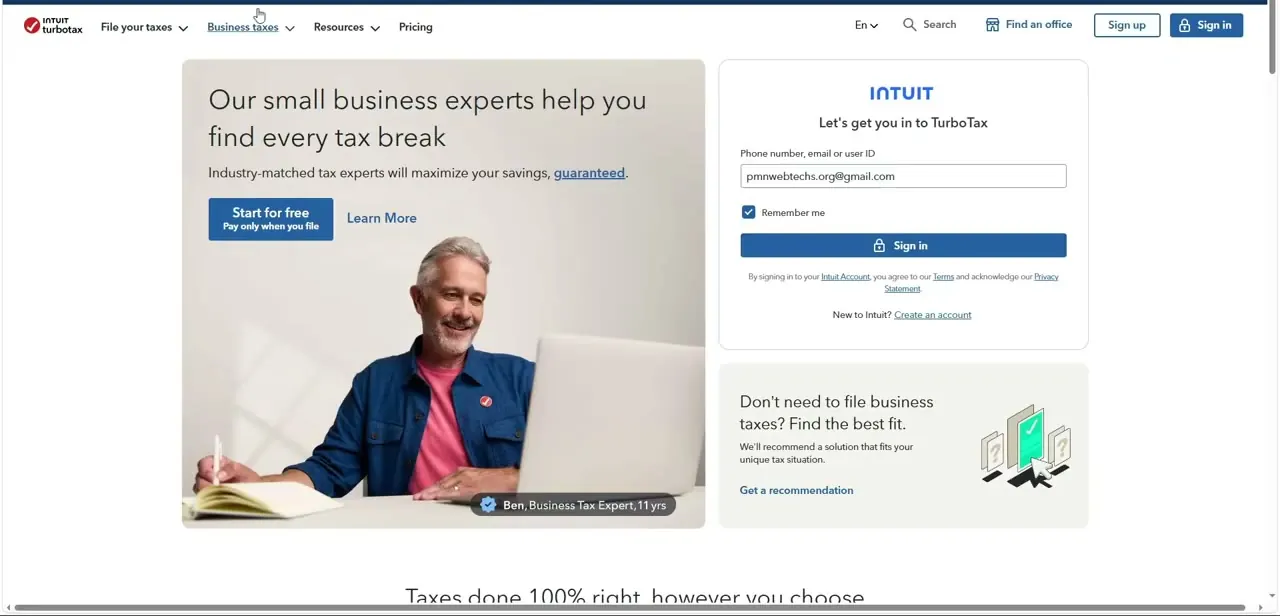
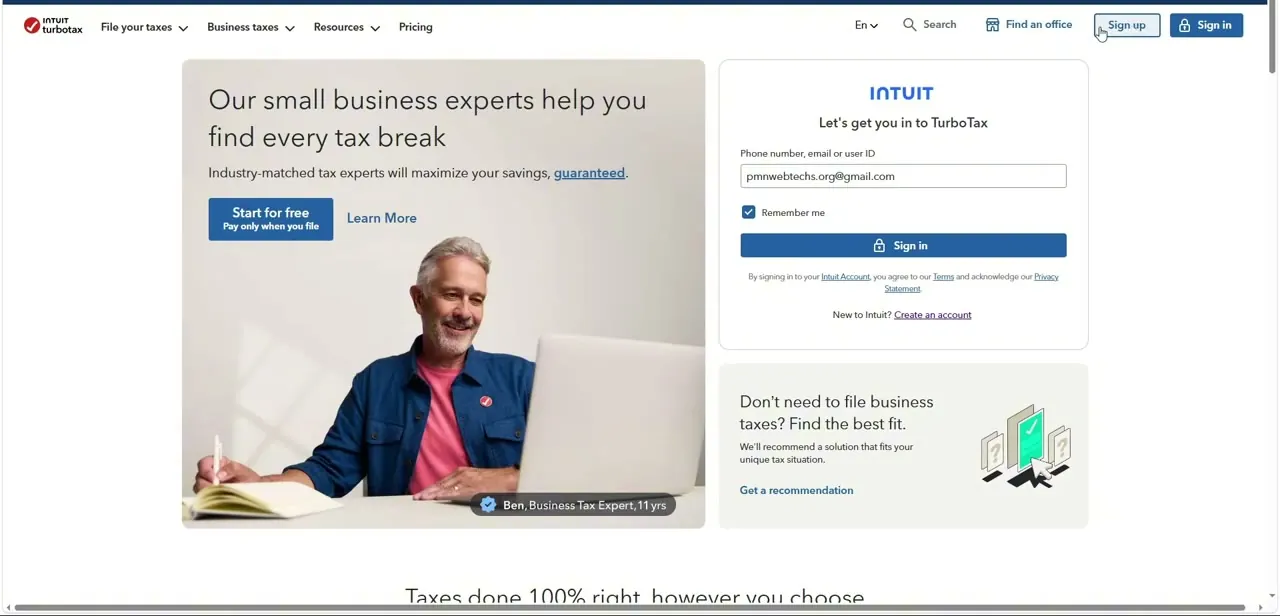
Go to TurboTax.com/activate and choose I have an account or Create an account. The recording signs in from the TurboTax homepage instead, where Sign up and Sign in sit at the top right and a Let's get you in to TurboTax panel appears on the right with your last-used email filled in.
Either route ends at the same Intuit sign-in. The account matters more than the route.
TurboTax shares one Intuit Account with QuickBooks, Credit Karma and Mailchimp, so if you have used any of them, sign in with that account. A second, accidental account is the usual reason a paid product seems to have vanished.
02Create an account only if you've never had one
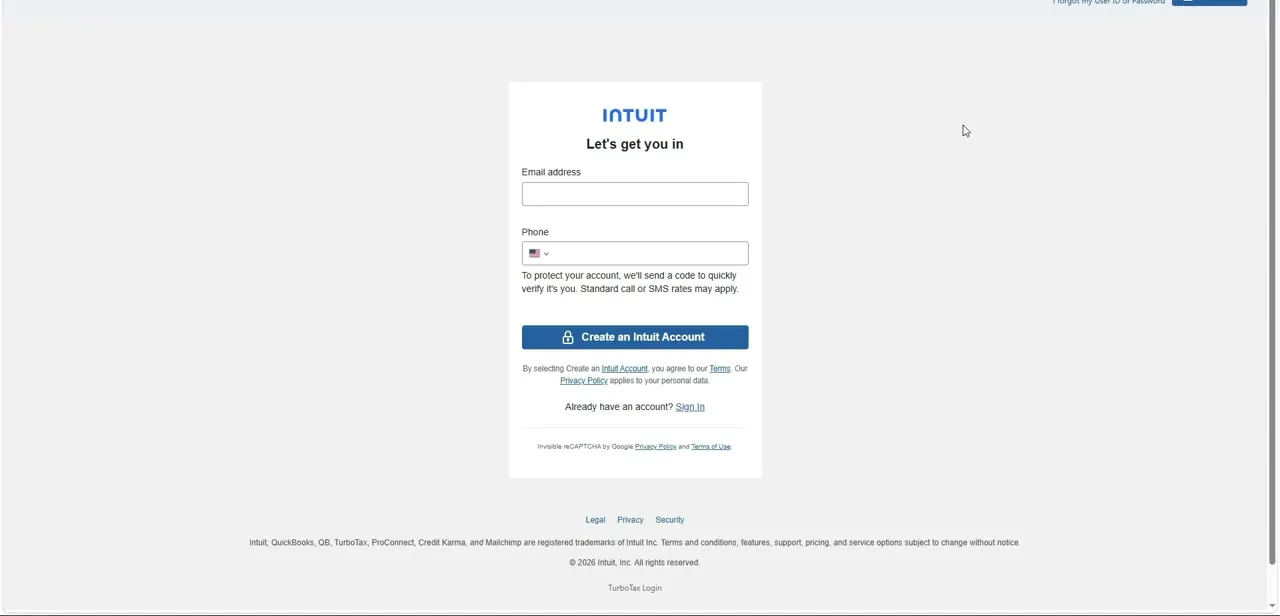
New users land on a Let's get you in screen asking for an email address and a phone number, with a Create an Intuit Account button. Intuit uses the phone to send a verification code by text or call, and the screen notes that standard call or SMS rates may apply.
If you already have an account, don't fill this in. Use the Sign In link under the button.
03Pick the saved account, or switch to another
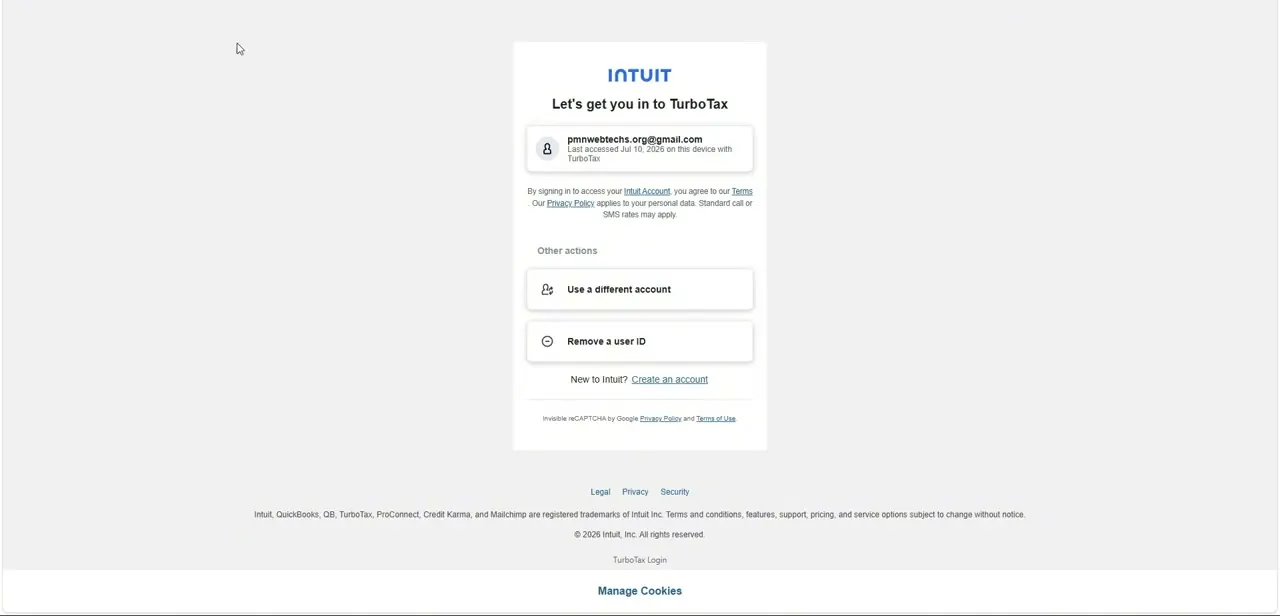
On a browser you've used before, Intuit shows the account it remembers along with when and where it was last accessed. Click it to continue.
If it's the wrong one, the Other actions section offers Use a different account and Remove a user ID. Enter the one-time code Intuit sends to finish signing in.
04Enter the activation code
After sign-in you reach a screen titled Welcome to TurboTax--let's get started. Type your 16-character code into the field under 2.
Activate your purchase and select Continue. Then select Finish activation, and Start my taxes to open your return.
If you bought from Intuit directly, you can start from your Intuit Account instead. Open Products & billing, copy the license number, and select Activate online, which takes you to TurboTax.com/activate.
05Check the product matches what you paid for
Once inside your return, confirm the product tier shown is the one you bought. To move to a cheaper product, open Switch Products in the left menu and select Downgrade. Clear & Start Over (under Tax Tools > Tools, or from Switch Products) also changes product, but it erases everything you've entered, and it's only available if you haven't paid, deducted the fee from your refund, or registered the product.
| How you got TurboTax Online | Where the code is | What to do |
|---|---|---|
| Bought from a retailer | Receipt or email confirmation from the retailer | Go to TurboTax.com/activate and enter it |
| Bought Do It Yourself directly from Intuit | Intuit Account, under Products & billing | Copy it, select Activate online, and enter it at TurboTax.com/activate |
| Started free, paying when you file | No code | Sign in and continue your return; payment happens at filing |
Code locations and the activation path are from Intuit's TurboTax support articles, checked September 2026.
When it doesn't work
TurboTax shows an error when you enter your activation code
Why: Intuit allows one TurboTax Online code per Intuit Account per tax year. If a code was already activated on this account, a second one is rejected.
Fix: Check whether this account already has an activated product for the year. If the new code was meant for someone else's return, activate it under that person's own Intuit Account.
You bought directly from Intuit and can't find a code anywhere
Why: Direct purchases don't come with a code on a receipt. Intuit keeps it in your account.
Fix: Sign in to your Intuit Account, open Products & billing, and copy the license number shown there.
Clear & Start Over isn't available
Why: Intuit blocks it once you've paid, chosen to deduct the TurboTax fee from your refund, or registered the product.
Fix: Use Switch Products > Downgrade if you only need a different tier, or edit the return manually.
Frequently asked questions
Do I need an activation code for TurboTax Online?
Only if you paid up front. Retail purchases and Do It Yourself products bought directly from Intuit come with a 16-character code. If you started for free and pay when you file, there's no code.
Where do I enter the code?
At TurboTax.com/activate. After you sign in, enter it under 2. Activate your purchase on the Welcome to TurboTax screen, then select Continue and Finish activation.
Can I use two TurboTax Online codes on one account?
No. Intuit allows one TurboTax Online code per Intuit Account per tax year, and a second code triggers an error.
Can I use TurboTax Online on more than one device?
Yes. The return is stored with your Intuit Account, so signing in from another browser opens it where you left off.
Why does Intuit keep sending me a verification code?
It's a security check sent to the phone on your account. Ticking Remember me on the sign-in panel of a private device cuts down how often you see it.
Sources and last check
Sign-in screens (the homepage panel, the Create an Intuit Account form and the account picker) come from the original screen recording, made in July 2026. The activation path, code format and location, the one-code-per-account rule, and the Switch Products and Clear & Start Over conditions were re-checked against Intuit's TurboTax support articles in September 2026. That check corrected this guide's earlier claim that TurboTax Online has no activation code; paid purchases do.
About the author

Impran M N
I've been hooked on technology for as long as I can remember — especially the new tools and AI apps that seem to land every other week. Easy Tech Tuts is where I write up whatever I've just worked out: I do the task in the real product, record the screen, and turn it into the guide I wish I'd found first.