Easy Tech Tuts
What Is the Relationship Between Logic Apps and Power Automate, See the Differences Easily 2026
By Impran M NLast checked against official docs
Ask five people how Logic Apps and Power Automate relate and you'll get five different answers. Microsoft ships them as two separate products, with separate icons, price lists and portals, which makes the confusion fair.
Under the hood they run on the same workflow engine, use the same connector model, and can even open each other's flow definitions. This guide untangles what's shared, what's genuinely different, and how to tell which one you're looking at when a screen recording labeled "Logic Apps" turns out to be Power Automate doing the work.
01One engine, two front doors
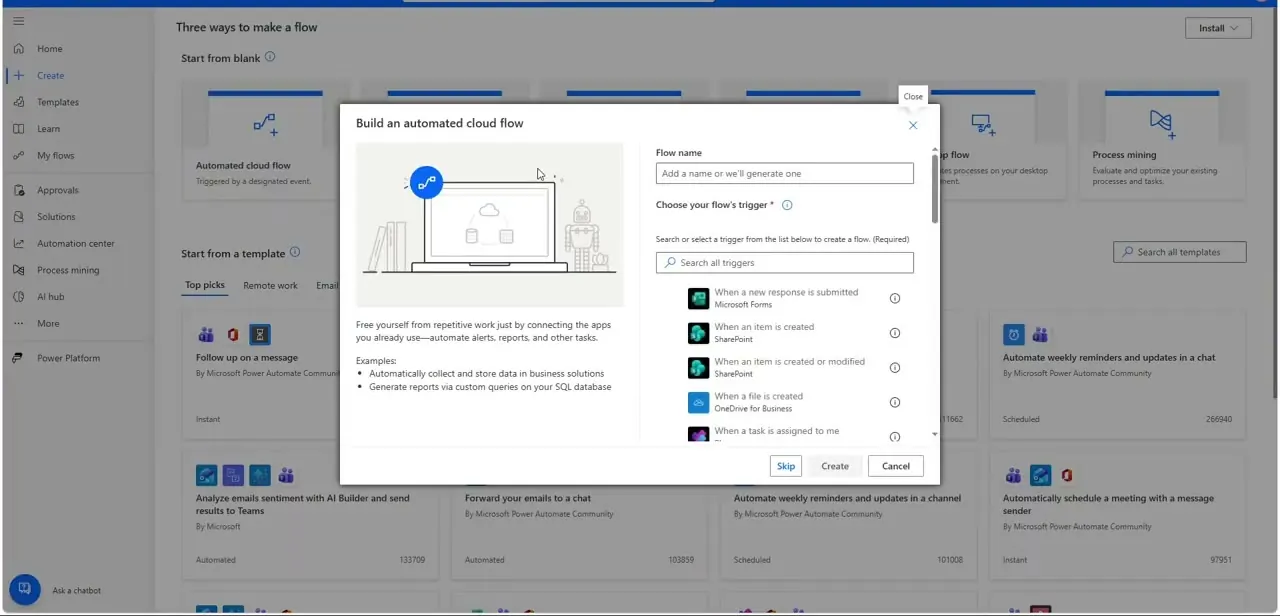
Power Automate and Azure Logic Apps are both built on Microsoft's Workflow Definition Language, the same trigger-condition-action runtime under the surface. Power Automate is that engine wrapped in a business-user-friendly maker portal at make.powerautomate.com, licensed per user or per flow through Microsoft 365 or standalone Power Platform plans.
Logic Apps is the same engine exposed as an Azure resource, created and billed inside the Azure portal alongside your other cloud infrastructure. If a flow can be built in one, it can almost always be rebuilt in the other; the difference is who's meant to build it and where it lives afterward.
02Power Automate leans on templates and a maker-first UI
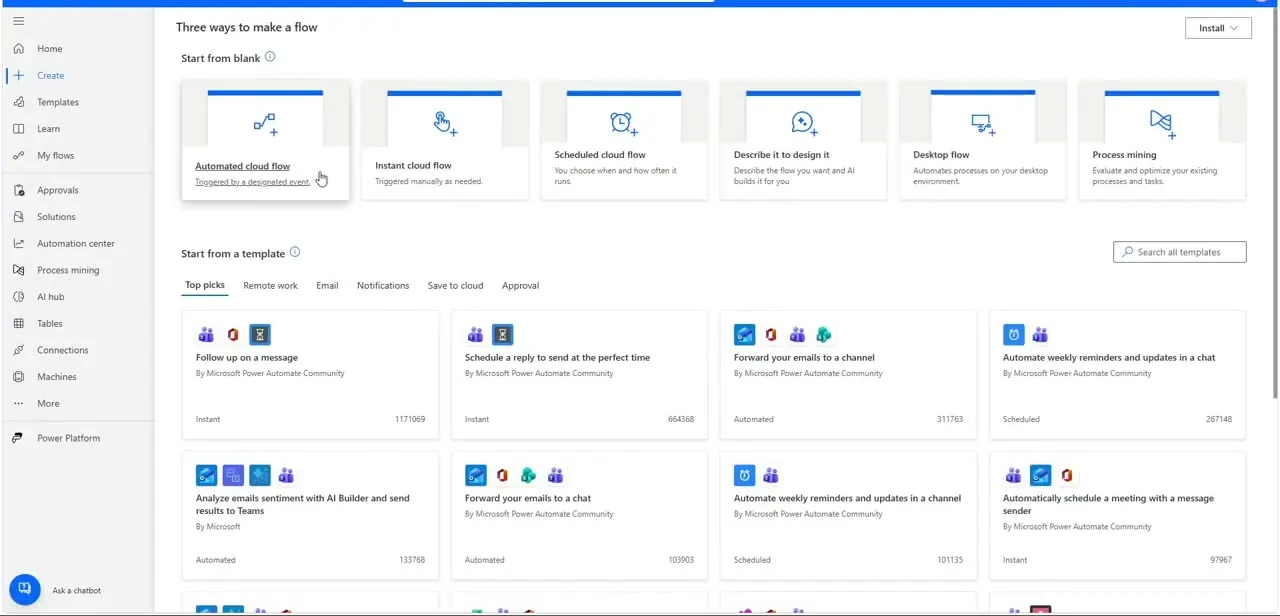
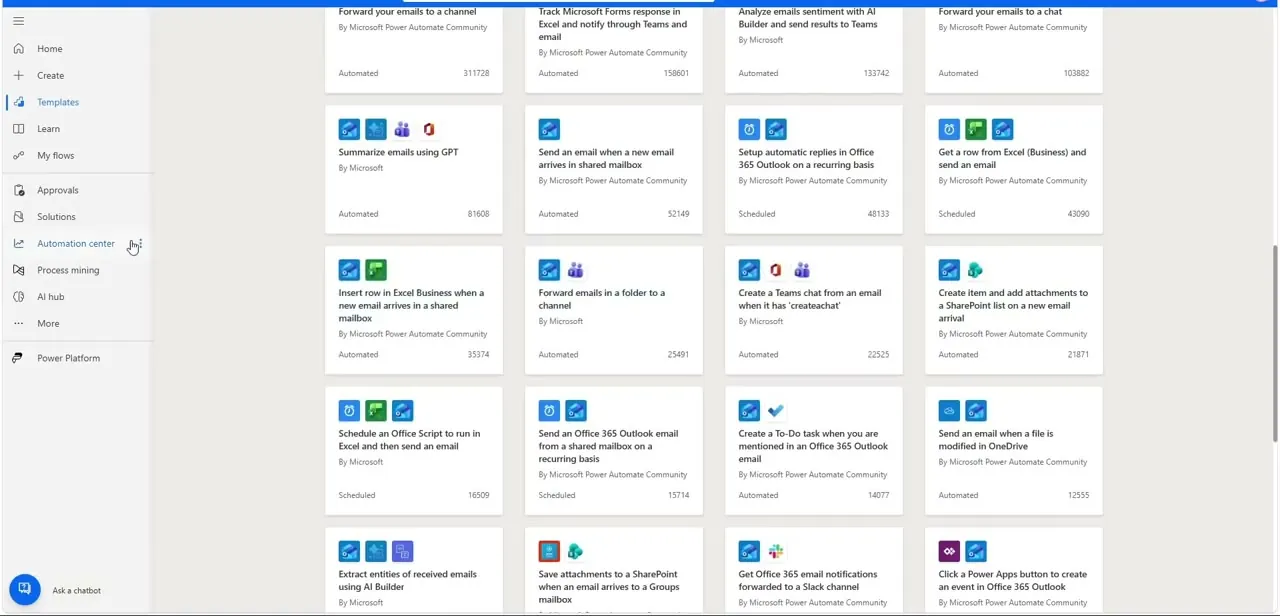
Open Power Automate's template gallery and the sheer volume tells you who it's for: hundreds of pre-built flows like "Send an Office 365 Outlook email from a shared mailbox," "Save attachments to a SharePoint mailbox," or "Extract entities of received emails using AI Builder," each ready to clone and adapt with a couple of clicks. This is the core of Power Automate's pitch: a business user with no development background can find something close enough to their need and adjust the details instead of starting from a blank canvas. Logic Apps has connectors and starter templates too, but it doesn't lead with a browsing experience like this; it assumes you're arriving with a specific integration already in mind.
03Where Logic Apps pulls away technically
The gap opens once you need enterprise integration features: source control and CI/CD through Azure DevOps or GitHub, authoring in VS Code with the Azure Logic Apps extension, and virtual network integration for calling internal systems securely. None of that is on offer in Power Automate's maker portal, which is deliberately simplified.
Logic Apps also splits into two pricing plans, and the two get conflated often enough to be worth separating here. The Consumption plan is multi-tenant and billed per action execution, the same pay-as-you-go model most comparisons describe.
The Standard plan is single-tenant, runs on a fixed hosting tier with dedicated vCPU and memory capacity you pay for whether you use it or not, and is the one that supports VNet integration and running inside your own infrastructure for compliance. If your workflow needs to sit behind a firewall, deploy through a release pipeline, or integrate with Azure-native services like Service Bus or Event Grid at scale, that's the signal you've outgrown Power Automate's audience and landed in Logic Apps' Standard territory.
04The shared building blocks look identical once you're inside a flow
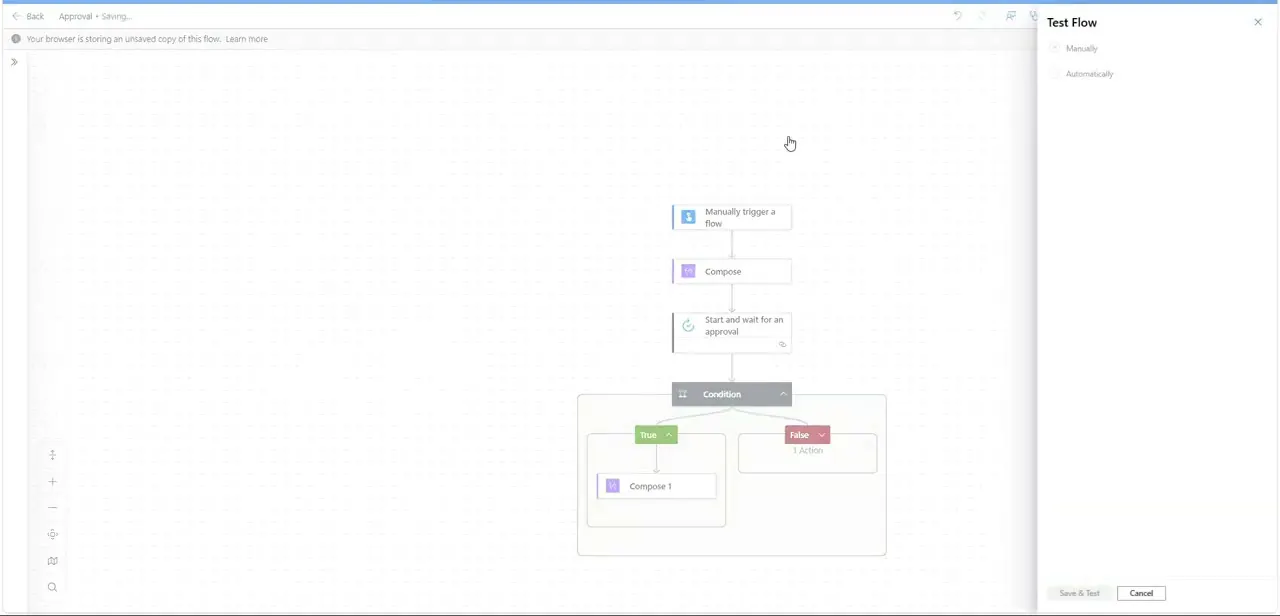
Whichever front door you use, the actual flow looks the same: a trigger at the top, actions chained beneath it, and a Condition step that splits into a green True branch and a red False branch, each holding its own independent set of follow-up actions. An approval-and-condition pattern built in Power Automate's designer, complete with a live Test Flow panel for running it manually or automatically, is structurally the same object Logic Apps would produce from its own designer: same shape, same underlying JSON definition, different authoring surface.
That's the clearest proof the "relationship" isn't marketing language. It's one engine wearing two outfits.
05Match the platform to who's building and who's paying
For a departmental automation, routing approvals, syncing a form to SharePoint, summarizing emails, Power Automate's per-user licensing and template-driven portal gets a non-developer to a working flow fastest. For an integration that's part of a larger application, needs to scale to thousands of executions per minute, or has to live inside an existing Azure DevOps release process, Logic Apps' Azure-native tooling and whichever pricing plan fits the workload (Consumption for pay-per-use, Standard for dedicated capacity) are the better fit, even though the learning curve is steeper. Plenty of organizations run both side by side: Power Automate for business teams, Logic Apps for the platform team's integration layer, each occasionally calling into the other when a business flow needs something the integration layer owns.
| Power Automate | Logic Apps (Consumption) | Logic Apps (Standard) | |
|---|---|---|---|
| Billing | Per user or per flow | Per action execution | Fixed, dedicated hosting capacity (vCPU/memory tier) |
| Built for | Business users, citizen developers | Cloud integrations with variable volume | Enterprise integrations needing VNet access, on-premises connectivity, or steady heavy volume |
| Authoring | make.powerautomate.com maker portal | Azure portal designer | Azure portal designer, or VS Code with the Logic Apps extension |
Both Logic Apps plans share the same connector model and flow designer described in this guide; the split is about hosting and billing, not capability.
Frequently asked questions
Are Logic Apps and Power Automate the same product?
No, but they run on the same underlying Workflow Definition Language engine. Power Automate wraps it in a business-user maker portal with per-user licensing. Logic Apps exposes it as an Azure resource with two separate pricing plans: Consumption (pay per action) and Standard (fixed capacity).
Can Logic Apps and Power Automate work together?
Yes. It's common for a Power Automate flow to call a Logic App for a heavier integration step, or for both to sit side by side, with Power Automate handling business-team automations while Logic Apps handles the platform team's Azure-native integrations.
Which one is cheaper?
It depends entirely on usage. Power Automate's per-user or per-flow licensing suits steady, moderate-volume business automations. Logic Apps' Consumption plan bills per action execution, which can be cheaper at high volume but adds up quickly for chatty, high-frequency flows; its Standard plan trades that variability for a fixed cost regardless of how much you run.
What's the difference between the Consumption and Standard plans in Logic Apps?
Consumption is multi-tenant and billed per action execution. Standard is single-tenant, billed for reserved vCPU and memory capacity whether you use it or not, and is the one that supports VNet integration and running inside your own Azure infrastructure.
Do I need coding skills to use Logic Apps?
Not strictly. Logic Apps has a visual designer too, but its ecosystem assumes more Azure familiarity: resource groups, VS Code authoring, DevOps pipelines. Power Automate is the one explicitly designed so a non-developer never has to touch any of that.
If I build a flow in Power Automate, can I move it to Logic Apps later?
There's no one-click migration, but because both share the same trigger-condition-action model and connector concepts, a flow built in Power Automate can typically be recreated in Logic Apps by an Azure developer without redesigning the logic from scratch.
Sources and last check
Re-checked against Microsoft's own community comparison doc and the official Azure Logic Apps pricing documentation in September 2026. That check corrected a conflation in this guide's earlier draft, which described Logic Apps' Standard tier as "consumption-based." It isn't: Standard bills for reserved vCPU and memory capacity regardless of usage, while Consumption bills per action execution. The two-plan breakdown and the comparison table are new since that check.
About the author

Impran M N
I've been hooked on technology for as long as I can remember — especially the new tools and AI apps that seem to land every other week. Easy Tech Tuts is where I write up whatever I've just worked out: I do the task in the real product, record the screen, and turn it into the guide I wish I'd found first.