Easy Tech Tuts
How to Recover Unsaved Draft Emails in Outlook Easily 2026
By Impran M N
A sudden crash or an accidentally closed window shouldn't mean rewriting a long email from scratch. Outlook keeps several layers of backup for unsaved drafts, from the standard Drafts folder to hidden local caches. This guide walks through each recovery path and how to shorten your auto-save interval to prevent future loss.
01Check the Drafts folder first
Open your Drafts folder in the left navigation panel and sort by newest to find recently closed messages.
02Check Deleted Items
If you accidentally discarded the draft, open Deleted Items or Trash and move the message back to your Inbox.
03Look in Sync Issues and Conflicts
Click the three dots at the bottom of your folder directory, select Folders view, and open Sync Issues, then Conflicts for local caches.
04Use crash recovery on relaunch
Reopen Outlook after a crash to trigger the automated Document Recovery pane, then click the listed item to reload your preserved text.
05Check the web fallback
If using Outlook Web, check your browser's cache or use the Undo option on the lower banner immediately after a mistake.
06Shorten your auto-save interval
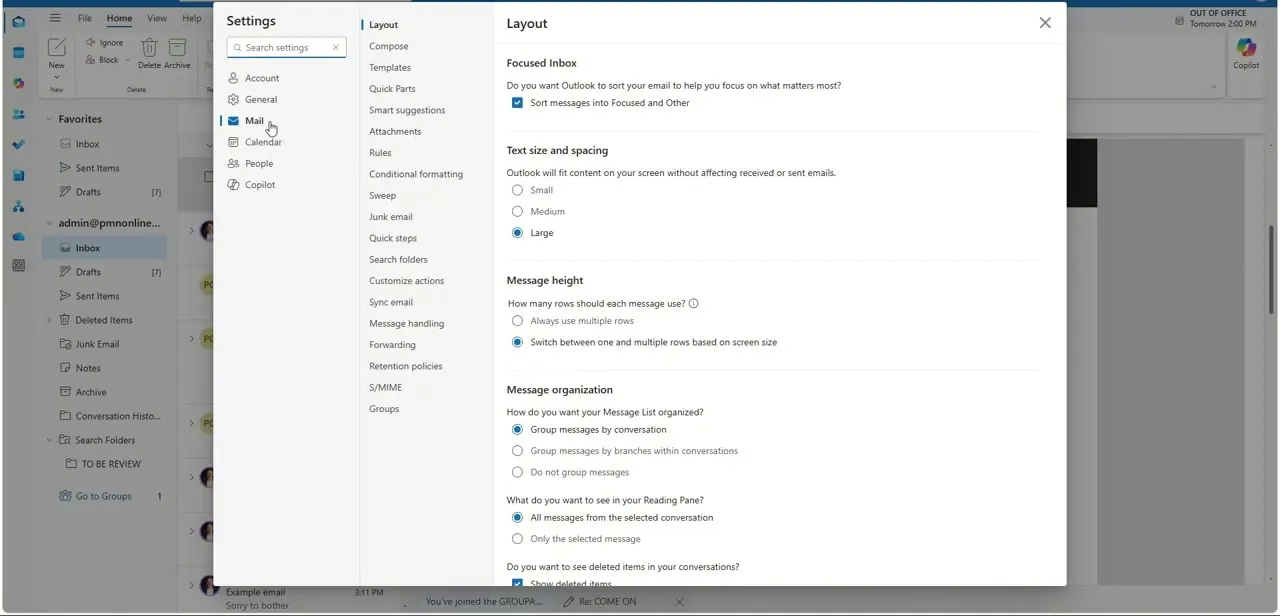
Go to File, Options, Mail, scroll to Save Messages, and reduce the auto-save interval to prevent future losses.
Frequently asked questions
Where does Outlook store drafts if my computer crashes?
A local app data recovery folder holds temporary copies that the Document Recovery pane can restore on relaunch.
Can I recover a draft I deleted on purpose?
Check the Deleted Items or Trash folder, since discarded drafts often land there before being permanently removed.
How often does Outlook auto-save by default?
The default interval can be longer than ideal, so shortening it to about one minute in Mail Options reduces potential data loss.
Does this work the same way for Outlook Web as desktop?
Not exactly — the web version relies more on browser cache and the Undo banner rather than a Document Recovery pane.
Watch the full walkthrough
The same steps, demonstrated on screen from start to finish.