Easy Tech Tuts
How to Add Outlook Calendar to Notion, Link & Insert Microsoft Calendar Easily 2025
By Impran M NLast checked against official docs
If your team runs on Outlook for scheduling but Notion for project work, linking the two keeps everything in one place instead of forcing you to check two apps. This guide covers the actual path from Outlook's calendar settings, where the shareable links live, into a Notion page where that calendar shows up as an embedded view alongside your other workspace pages. It also corrects a mix-up that trips up most guides on this topic: Outlook publishes two different links, and only one of them works in Notion.
Before you start
- An Outlook or Microsoft 365 calendar with permission to publish a calendar — work and school accounts sometimes have this restricted by an admin (see troubleshooting)
- Edit access to the Notion page where you want the calendar to appear
01Open your Outlook calendar
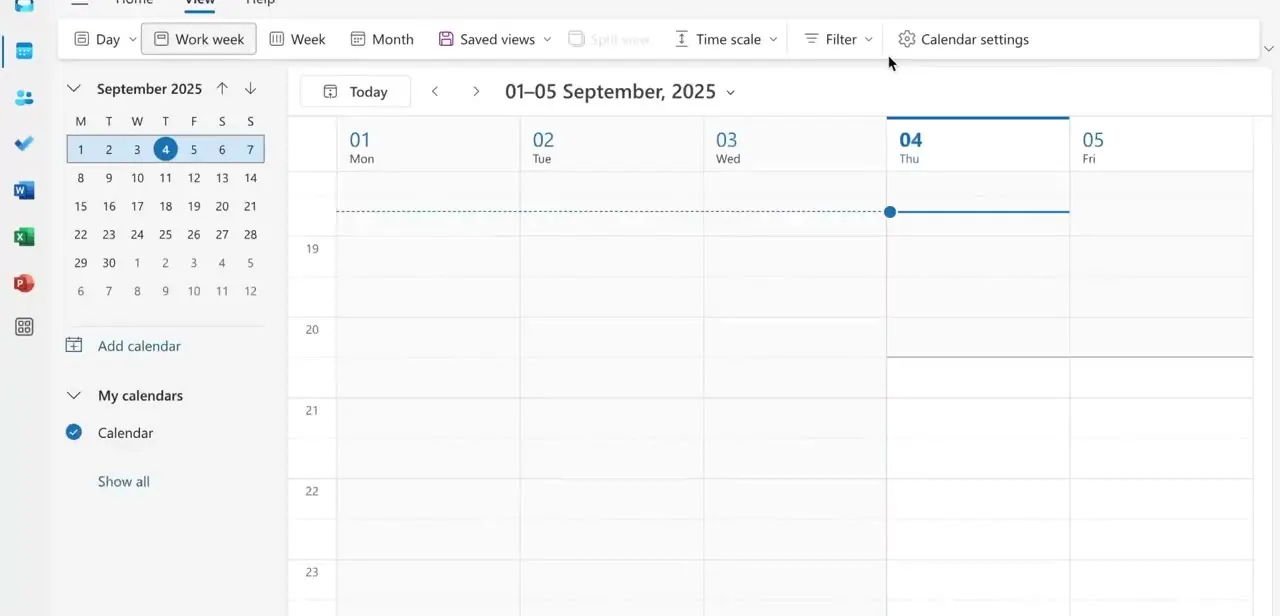
Start in Outlook's calendar view, where you can switch between Day, Work week, Week, and Month layouts along the top toolbar. The left panel shows a mini month picker and your list of calendars under "My calendars." This is also where you'd add a second calendar if you're tracking more than one, but for a basic Outlook-to-Notion link you just need the calendar already selected here.
02Publish the calendar and copy the HTML link
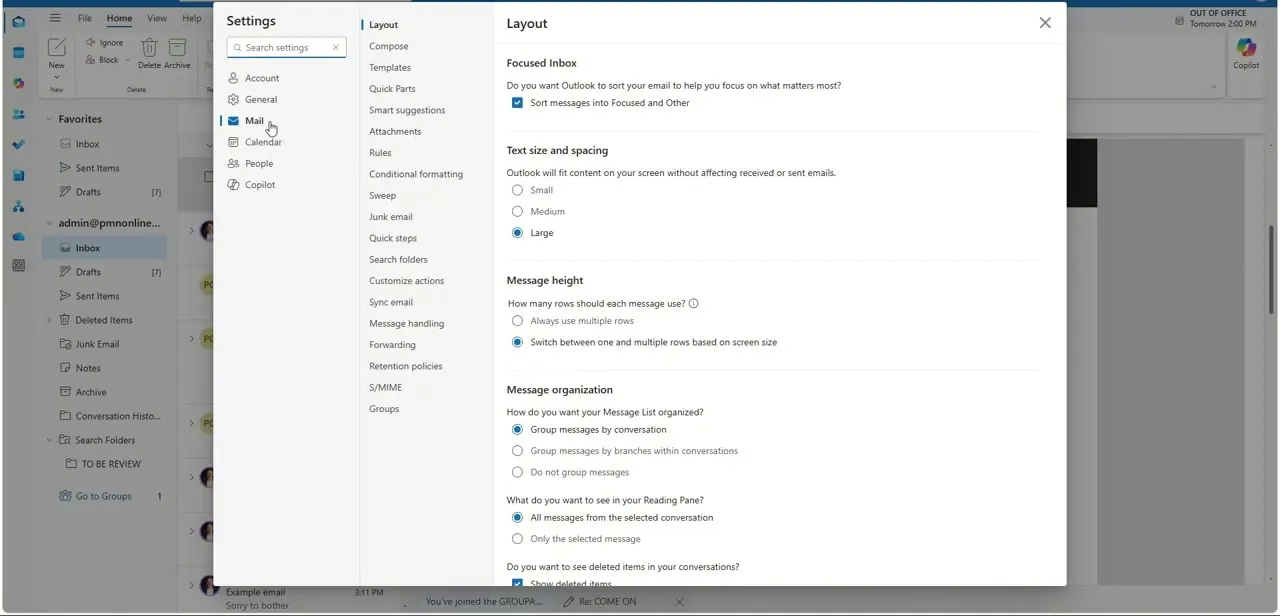
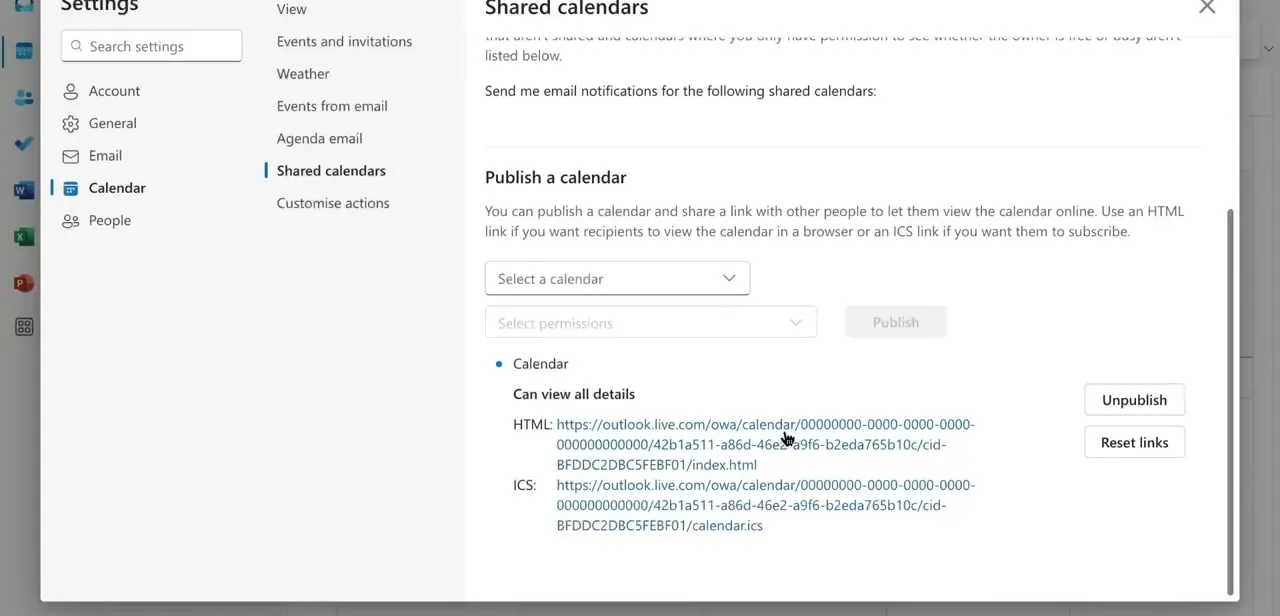
Open Settings, go to Calendar, then Shared calendars, and scroll to "Publish a calendar." Select the calendar you want to share and choose a permission level: Can view all details if the goal is a fully populated embedded view, instead of just free/busy times. Click Publish, and Outlook generates two links.
Copy the HTML link, the one Microsoft describes as being for viewing the calendar in a browser. The ICS link next to it is for subscribing to the calendar from another calendar app, such as Outlook or Google Calendar, and it is not the one Notion's embed block can render.
03Create a page in Notion and embed the link
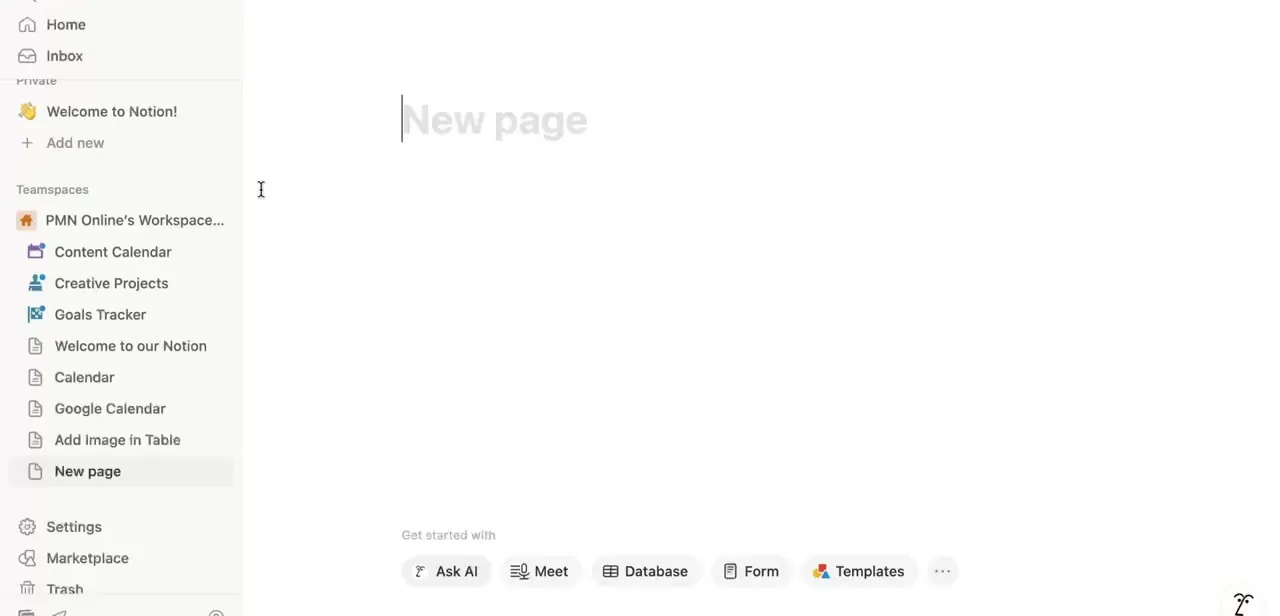
Switch to Notion and add a new page from the sidebar, either at the top level or nested under an existing teamspace. Give it a clear name, something like "Outlook Calendar," so it's obvious what the page holds later.
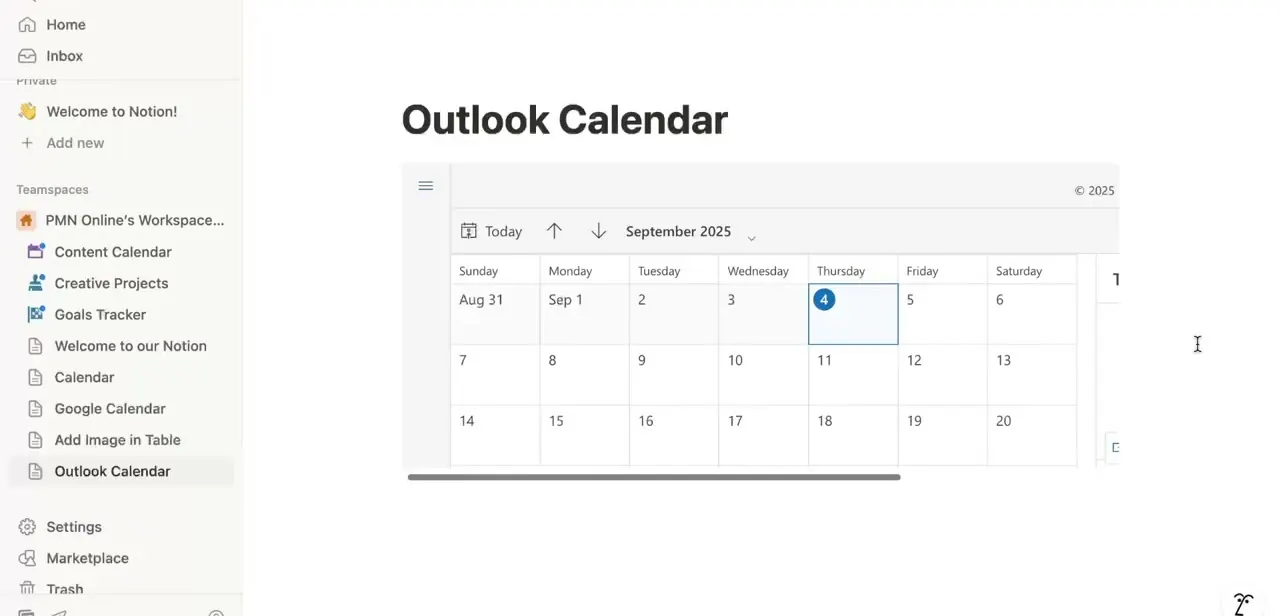
On that page, type /embed and paste the HTML link. Notion builds its own frame around the page and loads your published calendar inside it, using the same view Outlook shows anyone who opens that link in a browser. Anyone with access to the Notion page can now see your Outlook schedule without an Outlook login of their own.
04Keep editing events in Outlook
The embed is read-only: you can't create or drag events on the Notion page itself. Keep adding, moving, and deleting events inside Outlook, and Notion picks up changes to the source page when it re-fetches the embed, not instantly. If an update doesn't appear right away, reload the Notion page before assuming something's broken.
| Link | What Microsoft says it's for | Use it in Notion? |
|---|---|---|
| HTML link | Viewing the calendar in a browser window | Yes — paste this into /embed |
| ICS link | Subscribing from another calendar app (Outlook, Google Calendar, Apple Calendar) | No — Notion's embed block can't render a raw .ics file |
Both links come from the same Publish a calendar screen in Outlook's settings.
When it doesn't work
There's no Publish a calendar option in Outlook's Shared calendars settings
Why: On work or school Microsoft 365 accounts, this usually means the mailbox's sharing policy doesn't have the Anonymous domain enabled, which Microsoft's own troubleshooting docs list as the cause of the option being missing entirely.
Fix: Ask an IT admin to add the Anonymous domain to your sharing policy in the Exchange admin center. Personal Outlook.com accounts don't have this restriction.
The Notion embed shows "Failed to Load"
Why: Most often the ICS link was pasted instead of the HTML link. Notion's embed block needs a URL it can load as a page; an .ics file isn't one.
Fix: Go back to Outlook's Publish a calendar screen and copy the HTML link instead.
A new or edited Outlook event isn't showing up in Notion
Why: Notion re-fetches embedded content on its own schedule rather than watching it live.
Fix: Reload the Notion page. If it still hasn't appeared after a few minutes, confirm the event was saved on the calendar you actually published.
Frequently asked questions
Should I use the HTML link or the ICS link when embedding in Notion?
Use the HTML link. Microsoft describes it as the one for viewing the calendar in a browser, which is what Notion's /embed block needs. The ICS link is built for subscribing from another calendar app and won't render inside Notion.
Can I edit Outlook events from inside Notion?
No. The embed only displays your calendar; edits still need to happen in Outlook or Microsoft 365 directly.
Do I need a Microsoft 365 subscription for this to work?
You need an Outlook or Microsoft 365 calendar with the ability to publish a calendar, which exists on personal Outlook.com accounts too. Some work or school accounts have it restricted by an admin — see the troubleshooting section.
Will the embedded calendar refresh with new events automatically?
It will, but not instantly. Notion re-fetches the published page on its own schedule rather than watching it in real time, so a fresh edit in Outlook can take a reload of the Notion page to show up.
Can I add both Outlook and Google Calendar to the same Notion page?
Yes. Add a separate /embed block for each calendar's published link so both schedules show up on one page.
Sources and last check
Click path and screens come from a walkthrough recorded in 2025. Re-checked against Microsoft's and Notion's official documentation in September 2026, which corrected this guide's previous instruction to use the ICS link for the Notion embed: Microsoft's own support page scopes the ICS link to subscribing from other calendar apps, and the HTML link to browser viewing, which is what Notion's Iframely-based /embed block actually loads. The refresh-timing and admin-restriction notes come from the same pass, not from testing a live sync.
About the author

Impran M N
I've been hooked on technology for as long as I can remember — especially the new tools and AI apps that seem to land every other week. Easy Tech Tuts is where I write up whatever I've just worked out: I do the task in the real product, record the screen, and turn it into the guide I wish I'd found first.