Easy Tech Tuts
How to Find Your Freshdesk URL
By Impran M N
Your Freshdesk URL is the unique web address for your account, and you'll need it for logging in or configuring integrations. This guide shows how to find it.
01Check your welcome email
Your Freshdesk account URL was typically included in the welcome email sent when the account was first created.
02Look at your browser address bar
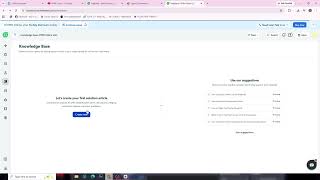
When logged in to Freshdesk, your account's unique domain appears directly in the browser's address bar.
03Check your admin settings
Your account URL or domain is also usually listed within the general account settings page.
04Save it for future reference
Note the URL down somewhere safe since you'll need it any time you log in or set up an integration.
Frequently asked questions
What does a Freshdesk URL look like?
It typically follows the format of your chosen subdomain followed by freshdesk.com.
Can I change my Freshdesk URL?
Changing your account's subdomain may be possible through support, though it's not always a simple self-service change.
Why do I need my Freshdesk URL for integrations?
Many integrations require your specific account URL to know where to send or retrieve data.
What if I forgot my Freshdesk URL?
You can typically recover it by checking your original welcome email or using Freshdesk's account recovery options.
Watch the full walkthrough
The same steps, demonstrated on screen from start to finish.