Easy Tech Tuts
How To Implement Work Breakdown Structure In Smartsheet Easily 2026
By Impran M N
A Work Breakdown Structure organizes a project into manageable phases, deliverables, and work packages, and Smartsheet can automate much of the numbering and rollups involved. This guide covers setting up your hierarchy, generating WBS codes with formulas, and rolling up budgets and durations to parent rows.
01Set up your master WBS sheet
Structure your primary columns: Task Name, WBS Code, Duration, and Assignee.
02Build deep parent-child hierarchies
Use indentation tools to represent project phases, deliverables, and work packages as nested levels.
03Generate WBS codes automatically
Use formulas like PARENT and COUNTANCESTORS to auto-generate multi-level codes, such as 1.1 or 1.1.1, based on row position.
04Set up data rollups
Configure child-row rollups so parent rows automatically calculate total durations, budgets, and completion percentages.
05Visualize across multiple views
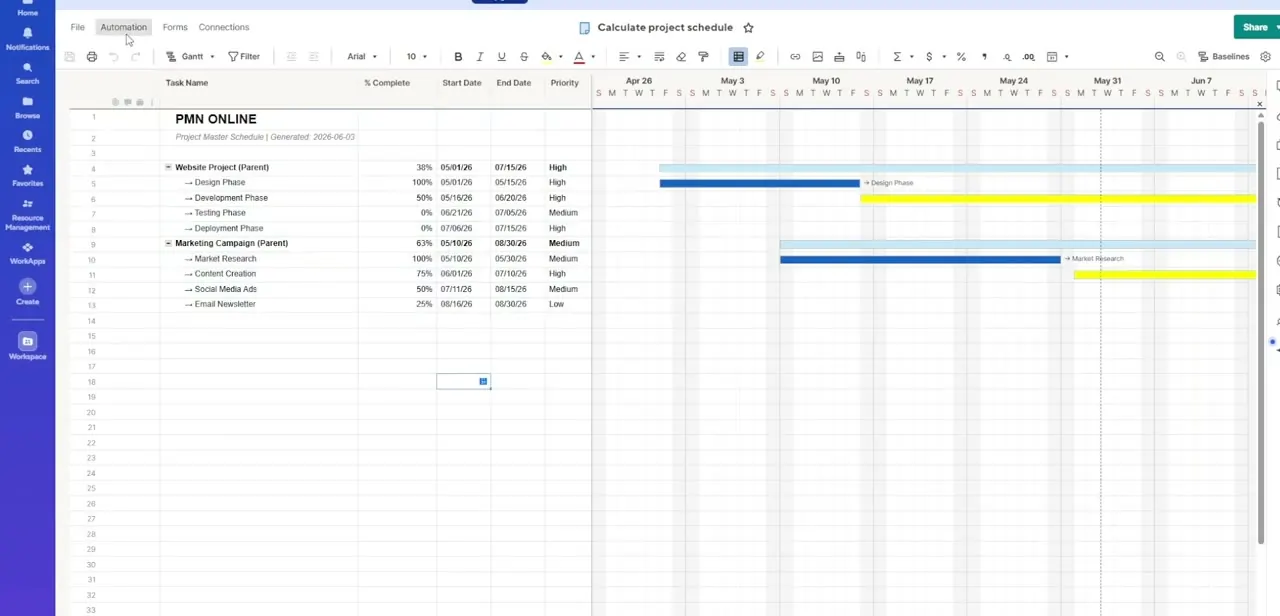
Shift your WBS between Grid View, Gantt Charts, and Card Views, and format summary rows with bold fonts and background colors.
Frequently asked questions
Can Smartsheet generate WBS codes automatically?
Yes, formulas like PARENT and COUNTANCESTORS can generate multi-level codes such as 1.1 or 1.1.1 based on each row's position.
How do I roll up costs to the phase level?
Setting up child-row data rollups lets parent rows automatically calculate total durations, budgets, and completion percentages.
Can I view my WBS as a Gantt chart?
Yes, your WBS structure can shift seamlessly between Grid View, Gantt Charts, and Card Views.
Will the WBS codes update if I reorder tasks?
Yes, since the codes are formula-generated, they recalculate automatically when the scope or row order changes.
Watch the full walkthrough
The same steps, demonstrated on screen from start to finish.