Easy Tech Tuts
How to Write Off an Outstanding Invoice in QuickBooks Online Easily 2026
By Impran M NLast checked against official docs
Not every invoice gets paid. A customer closes their account, a debt goes stale, or collections simply aren't worth pursuing, and when that happens, leaving the invoice sitting open overstates your accounts receivable and skews your profit and loss.
QuickBooks Online doesn't have a single "write off" button. It uses a credit memo tied to a dedicated Bad Debt item to zero out the balance while keeping a clean paper trail. This guide walks through that exact process, including the account and item setup QuickBooks requires before the credit memo will work.
Before you start
- An invoice you're certain is uncollectible
- Permission to create new accounts and products/services in QuickBooks Online
01Find the invoices worth writing off
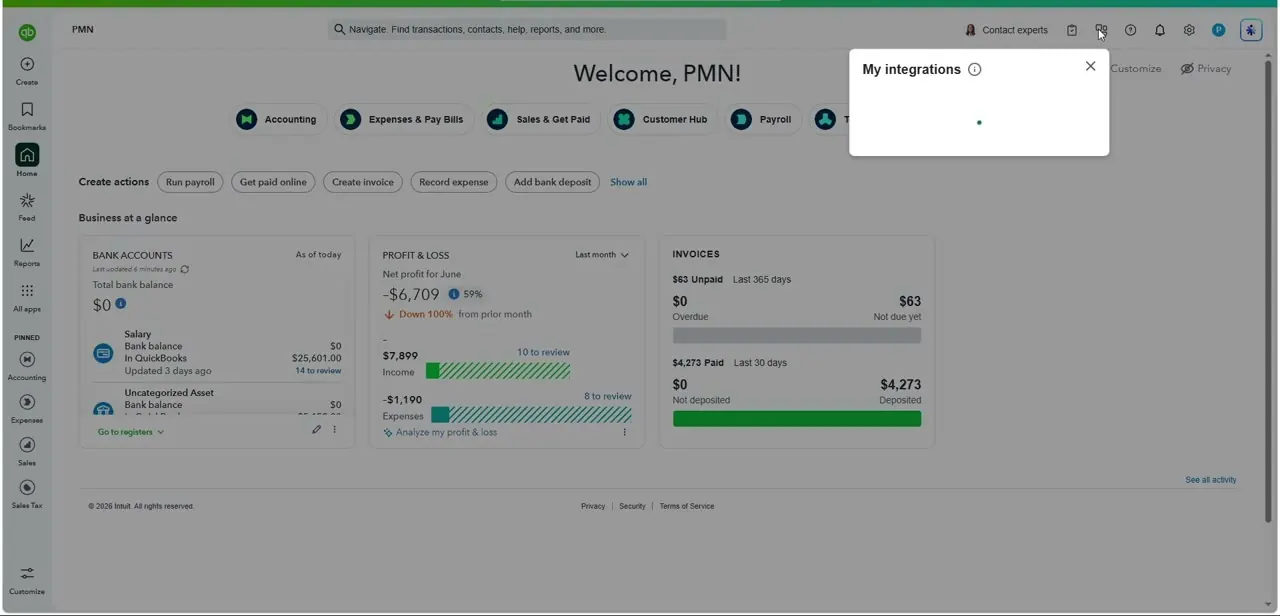
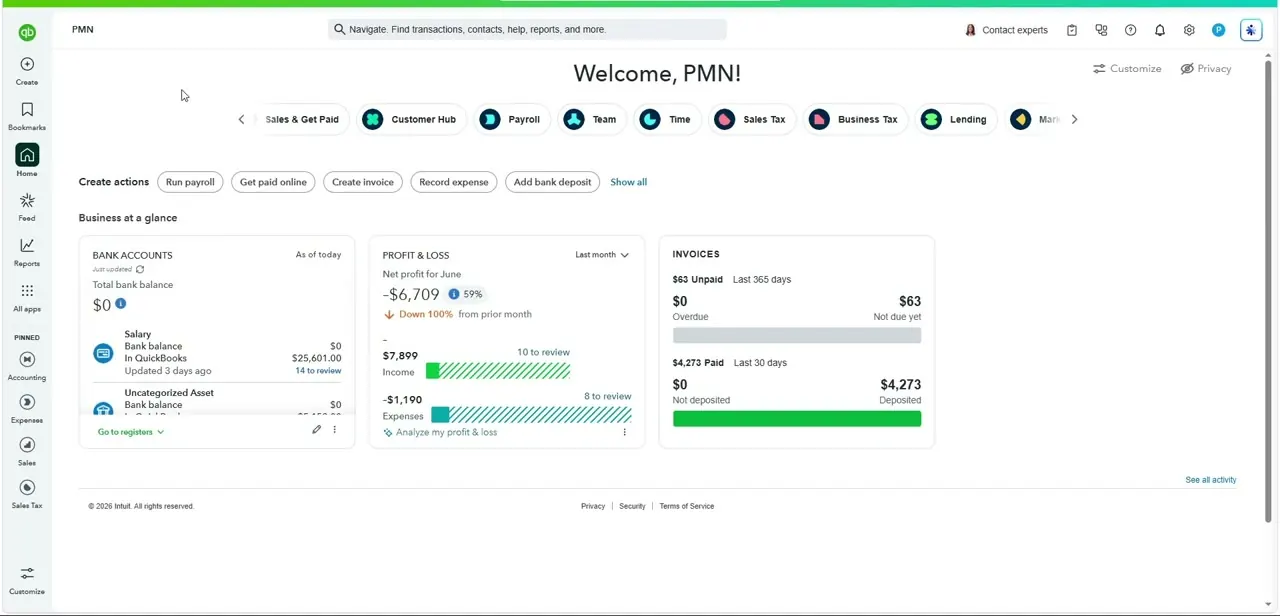
Log into QuickBooks Online and check the Business overview, where bank balances, profit and loss, and unpaid invoices are summarized on the dashboard. For a fuller picture, run Reports > Standard reports > Accounts Receivable Aging Detail, which lists every open invoice by how overdue it is. Before writing anything off, this report tells you whether you're dealing with one stray invoice or a pattern worth addressing with a customer directly.
02Create a Bad Debts expense account
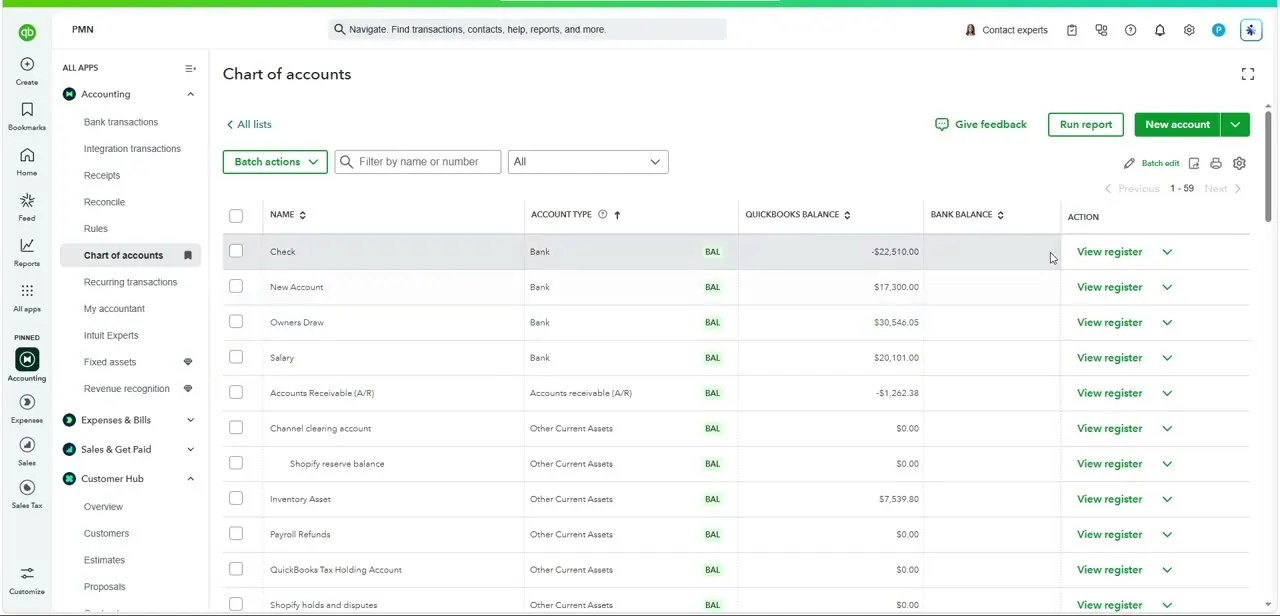
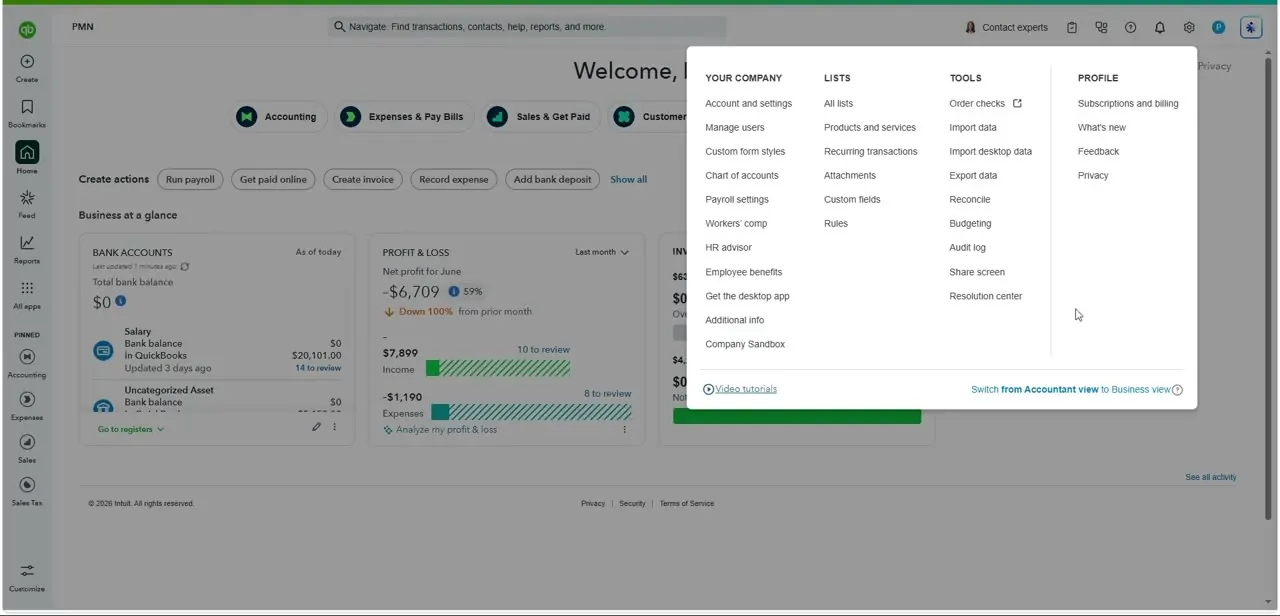
QuickBooks treats a write-off as a credit applied against an open invoice, not a deletion, which keeps the original sale on the books for your accountant and any audit trail. Before you can do that, go to Chart of accounts and select New.
Set Account Type to Expenses and Detail Type to Bad debts, and name it "Bad debts". This is the account the write-off's cost lands in.
03Create a Bad Debts product/service item
Go to Products & services (under Sales, or Get Paid & Pay in some accounts) and select New > Non-inventory. Name it "Bad debts" and set its income account to the Bad debts expense account you just created, not a regular income account.
Enable "I sell this product/service to my customers" so it's selectable on a credit memo. This item is what turns a credit memo into a genuine write-off instead of a discount or refund.
04Create a credit memo for the invoice amount
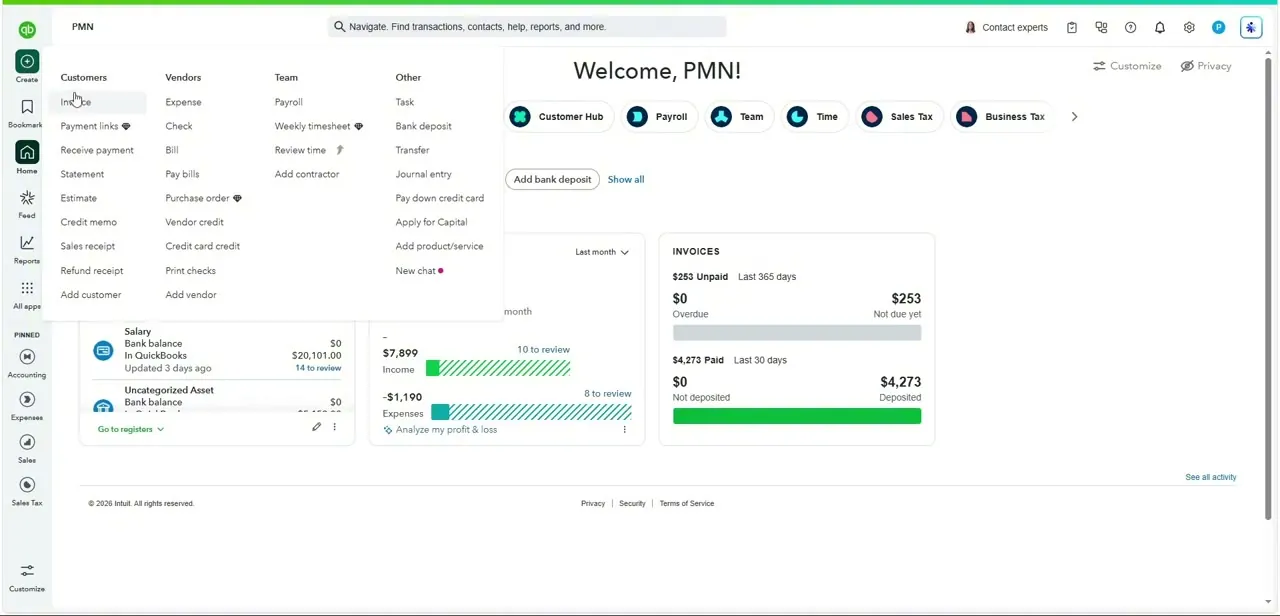
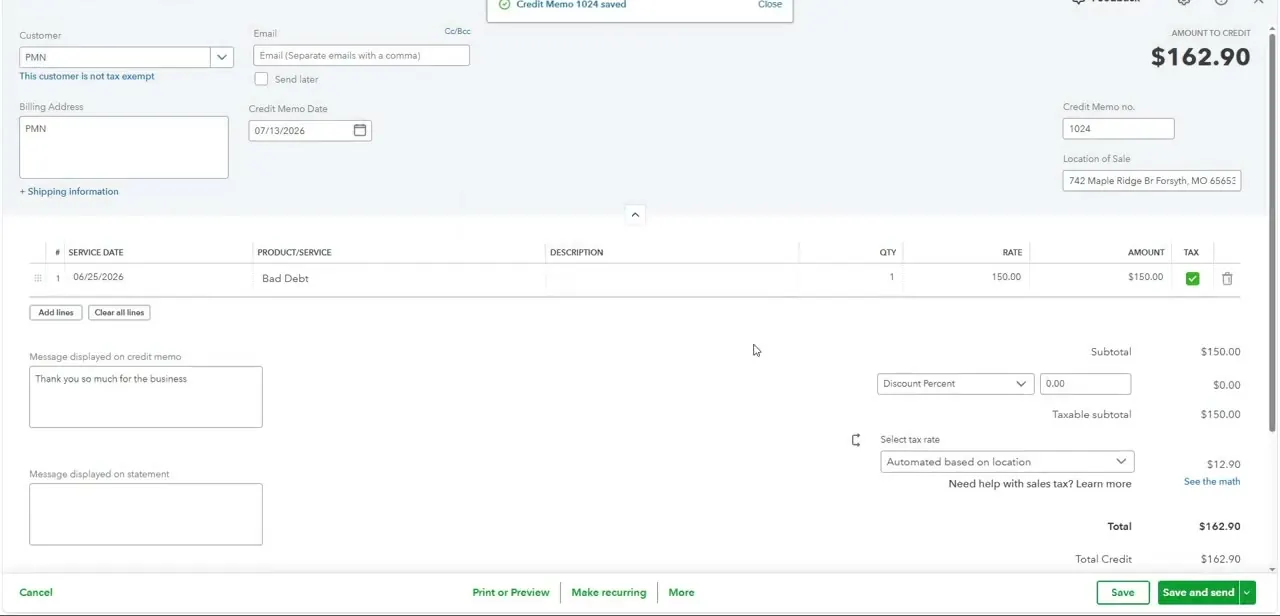
Start a new credit memo and select the customer tied to the outstanding invoice. In the line items, choose the Bad debts item and enter the amount, either the full remaining balance or a partial figure if you're only writing off part of it.
QuickBooks' own instructions suggest adding "Bad Debt" in the message field for your records, since "why was this written off" is exactly the question you'll get asked later. Save the credit memo once the amount matches what you intend to forgive.
05Apply the credit through Receive Payment
Saving the credit memo creates an available credit on the customer's account, but it doesn't clear the invoice on its own. Open Receive payment, select the customer and the outstanding invoice, then select the credit memo from the Credits section before saving. Once applied, the invoice's remaining balance drops by the credited amount: a full write-off brings it to zero, and a partial one leaves the rest still owing.
06Confirm the write-off in your reports
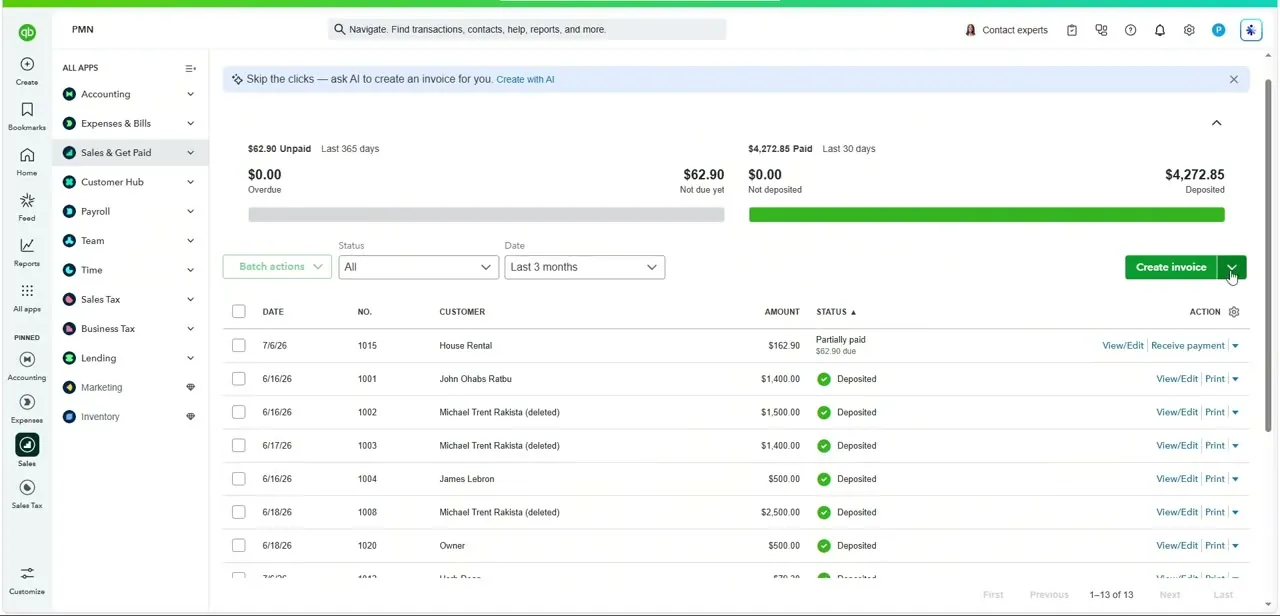
Head back to Sales, then Invoices, to confirm the change took effect: a written-off invoice should now show a reduced or zeroed balance instead of sitting in the unpaid column. Then check the Bad debts expense account in Chart of accounts, or run a Profit and Loss report, to see the write-off land as an expense for the period. This is the step people skip, and it's the one that confirms the write-off worked instead of just assuming the credit memo did its job.
| Setup step | Field | Value |
|---|---|---|
| Expense account | Account Type | Expenses |
| Expense account | Detail Type | Bad debts |
| Product/service item | Type | Non-inventory |
| Product/service item | Income account | The Bad debts expense account above |
From QuickBooks Online's own help article on writing off bad debt.
When it doesn't work
The invoice still shows an open balance after saving the credit memo
Why: A credit memo on its own doesn't touch the invoice. It has to be applied separately.
Fix: Open Receive payment, select the invoice, and select the credit memo from the Credits section before saving.
The write-off doesn't show up as an expense on the Profit and Loss report
Why: The Bad debts product/service item's income account isn't pointed at the Bad debts expense account.
Fix: Edit the item so its income account is the dedicated Bad debts expense account, not a regular sales income account.
The Bad debts item doesn't appear as an option on the credit memo
Why: The item was created without enabling "I sell this product/service to my customers".
Fix: Edit the product/service item and turn that setting on so it's selectable on sales forms.
Frequently asked questions
Does QuickBooks Online have a dedicated "write off invoice" button?
No. The method is a Bad Debts expense account plus a Bad Debts product/service item, used on a credit memo that's then applied against the open invoice through Receive payment.
Will writing off an invoice delete the original sale from my records?
No, and that's the point. The invoice stays on record, and the credit memo offsets it, so you keep an audit trail showing both the original sale and the write-off.
Can I write off only part of an invoice?
Yes. Enter the partial amount on the credit memo instead of the full balance, and apply it. The invoice will show a smaller remaining balance instead of being fully cleared.
What account does the Bad Debts item need to be linked to?
A dedicated Expenses account with the Bad debts detail type, set as the item's income account, so the write-off lands on the correct line of your profit and loss.
Does a write-off affect my profit and loss report?
Yes. The Bad Debts expense from the credit memo reduces net income for the period, which is why it should be reserved for genuinely uncollectible invoices instead of used casually.
Sources and last check
Click path and screens come from a walkthrough recorded in 2025. The account setup, item setup, and application steps were re-checked against QuickBooks Online's official write-off article in September 2026, which added two steps this guide previously skipped over: creating the Bad debts expense account with the specific detail type QuickBooks names, and applying the credit specifically through Receive Payment instead of leaving the method vague.
About the author

Impran M N
I've been hooked on technology for as long as I can remember — especially the new tools and AI apps that seem to land every other week. Easy Tech Tuts is where I write up whatever I've just worked out: I do the task in the real product, record the screen, and turn it into the guide I wish I'd found first.