Easy Tech Tuts
How to Call Another Workflow in n8n Easily 2026
By Impran M NLast checked against official docs
As an n8n automation grows, splitting logic into separate workflows keeps each one easier to read, test, and reuse, and the node that connects them is what n8n now calls Execute Sub-workflow. Instead of one sprawling canvas handling every case, a parent workflow can hand off a specific task to a child workflow and pick the result back up. This guide walks through adding that node on a real n8n canvas, what changed in its naming, and what it needs configured before it runs.
Before you start
- A second, already-built workflow in the same n8n instance to call as the child
01Find your way to the workflow list
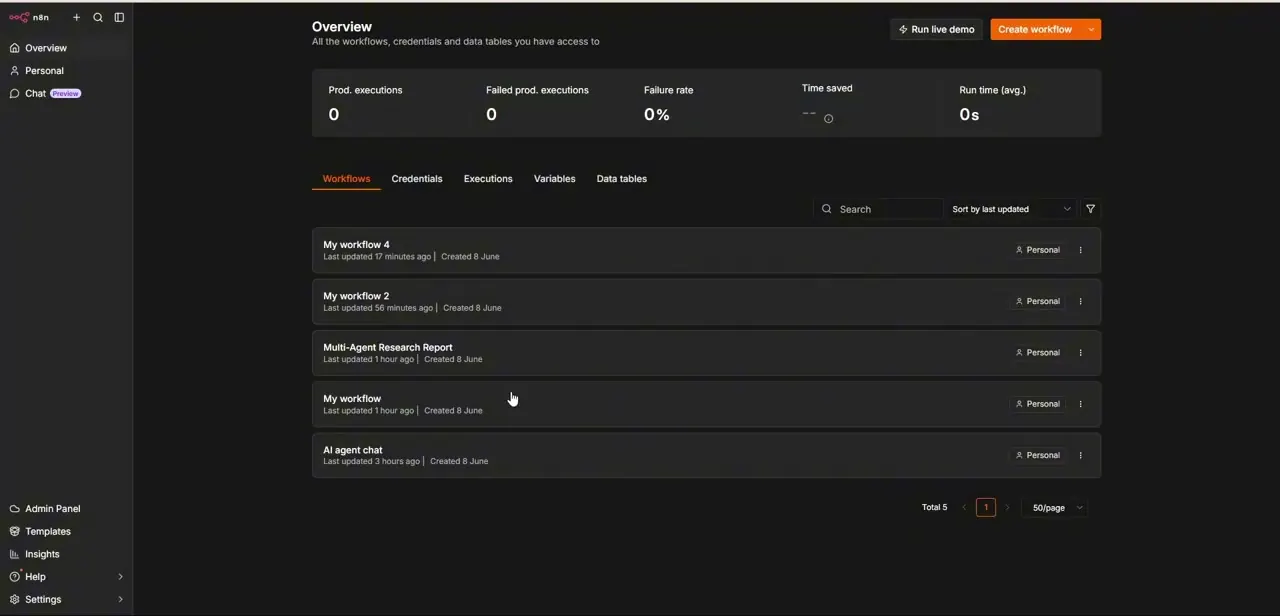
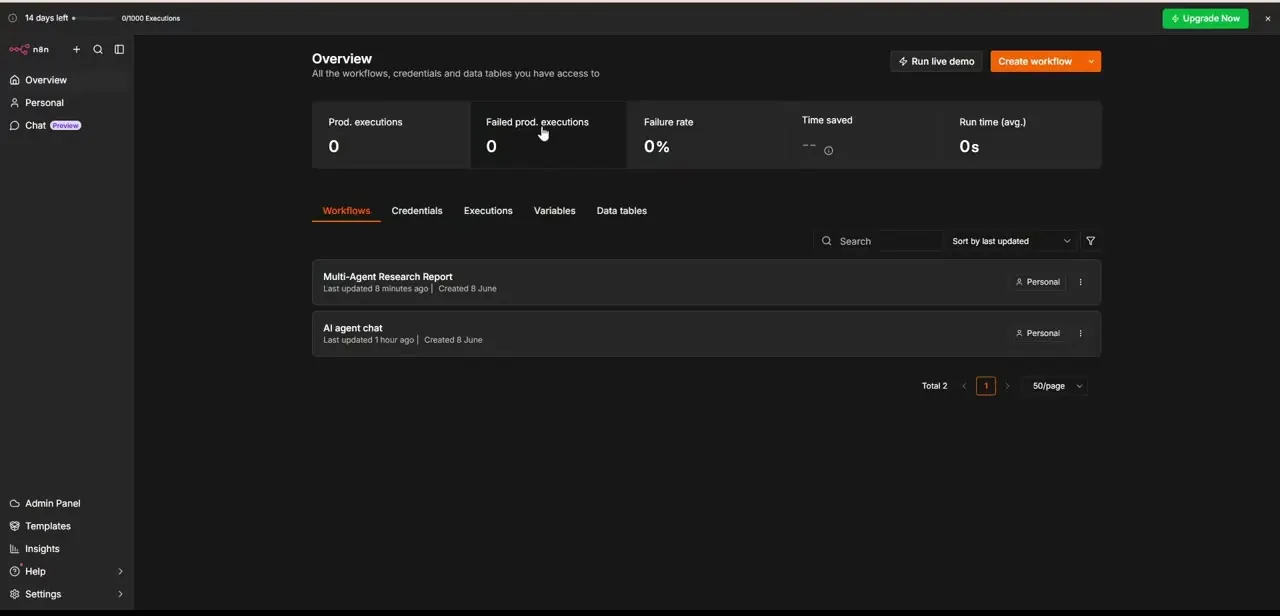
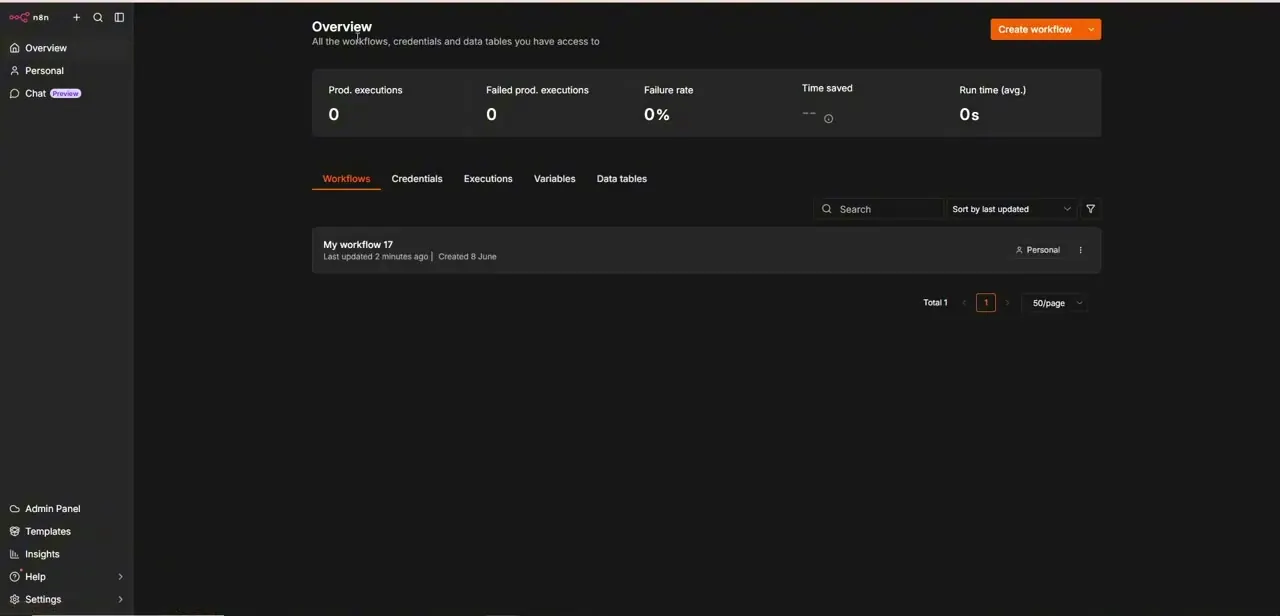
Every n8n instance starts at an Overview screen listing the workflows, credentials, and data tables you have access to, along with summary stats like production executions and failure rate across the top. A fresh or lightly used instance might show just one workflow in the list; that's normal, and it's where you'll click in to build or edit the parent workflow that's going to call another one.
02Add a trigger, then the Execute Sub-workflow node
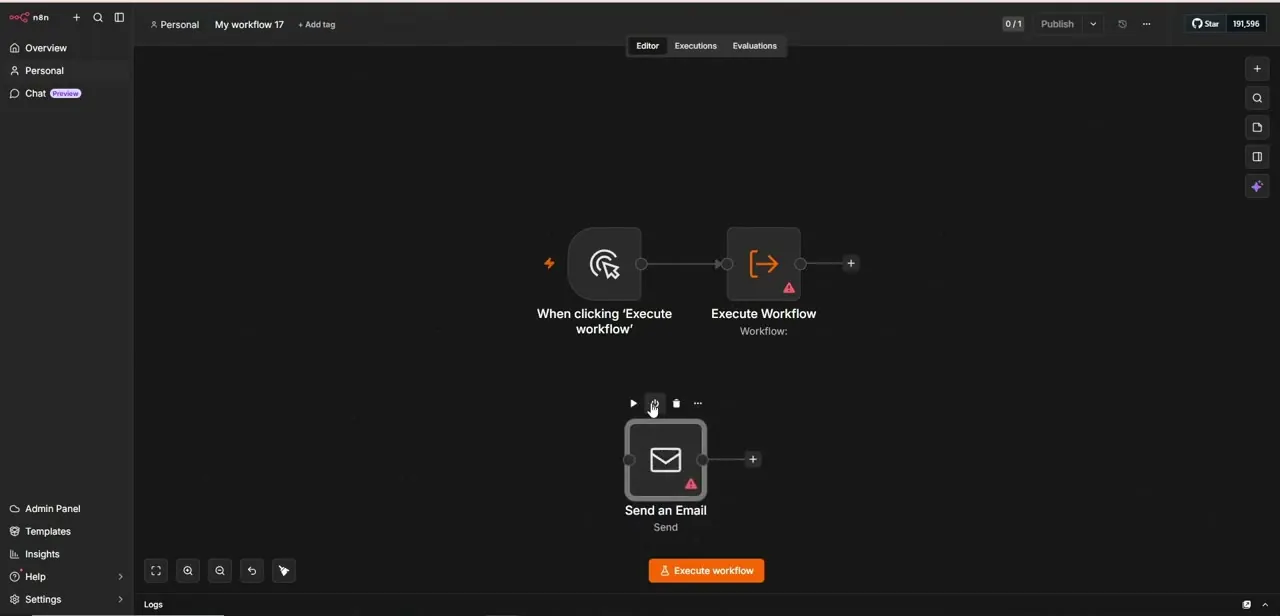
Inside a workflow, the canvas is where nodes connect left to right. Start with a manual trigger, the "When clicking 'Execute workflow'" node, so you can run the parent on demand while building it, before wiring it up to a real trigger later.
Connect what n8n now calls the Execute Sub-workflow node to that trigger. The node was called Execute Workflow in older versions, and plenty of tutorials and forum threads still use that name, but current n8n ships it as Execute Sub-workflow with a matching Execute Sub-workflow Trigger for the child side.
On the canvas it shows its own icon and a Source field where the target gets picked; until that's set, the node displays a warning triangle. That warning isn't a bug. It's n8n telling you the node doesn't yet know which workflow to call.
03Point it at the workflow you want to call
Click into the node to open its parameters. Source defaults to Database, and from there you pick From list to choose an existing workflow by name, or enter its ID directly if you already know it.
This is where your child workflow gets selected from whatever's listed on your Overview screen. Give both the parent and the child clear, descriptive names before you get very far, since "My workflow 17" and similar defaults become impossible to tell apart once you're jumping between several of them.
04Decide what data the child receives, and how often it runs
A child workflow usually needs real data, not just a bare trigger signal. If the child starts with its own Execute Sub-workflow Trigger node, that trigger's defined input fields show up automatically in the parent's node for you to map from upstream data; without one, n8n just starts at the child's first node and hands it whatever the parent sent.
The node's Mode setting also controls how many times the child runs: Run once with all items passes every input item into a single execution, while Run once for each item runs the child separately per item. Pick the one that matches what the child is meant to do, and keep the mapped payload to what the child needs, not everything upstream produced.
05Choose whether the parent waits for a result
The Wait for Sub-Workflow Completion option controls whether the parent pauses and receives data back once the child finishes, or continues immediately without waiting. Turn it on if downstream nodes in the parent depend on something the child calculates or fetches. Leave it off for side tasks, logging or a notification, that shouldn't hold up the rest of the parent's run.
06Run it and check the execution
Use the manual trigger to fire the parent and watch the execution path light up node by node. If the Execute Sub-workflow node still errors after you've picked a target, open the child workflow and check its own Execute Sub-workflow Trigger for a required input field the parent isn't sending; a mismatch there is the most common cause once the warning triangle itself is gone.
| Option | What it controls |
|---|---|
| Mode: Run once with all items | Passes every input item into one execution of the child workflow |
| Mode: Run once for each item | Runs the child workflow separately, once per input item |
| Wait for Sub-Workflow Completion (on) | The parent pauses and receives the child's output before continuing |
| Wait for Sub-Workflow Completion (off) | The parent fires the call and moves on right away |
When it doesn't work
The node shows a warning triangle right after you add it.
Why: No target workflow has been selected yet in the Source field.
Fix: Open the node's parameters and pick a workflow under Source, either From list or by entering its Workflow ID.
The node still errors after a target workflow is selected.
Why: The child's own Execute Sub-workflow Trigger expects an input field the parent isn't sending.
Fix: Open the child workflow, check its trigger node's defined inputs, and map any missing fields from the parent.
The child runs more times than expected, or a side effect (like a notification) fires repeatedly.
Why: Mode is set to Run once for each item while the parent is sending multiple items through.
Fix: Switch Mode to Run once with all items if the child should run a single time regardless of how many rows came in.
Frequently asked questions
What node do I use to call another workflow in n8n?
Execute Sub-workflow. It's the current name for the node older guides call Execute Workflow; it sits on your parent workflow's canvas and needs a target workflow selected before it will run.
Why does the node show a warning icon?
That triangle means no target workflow has been selected yet. It appears as soon as you add the node, before you've configured which workflow it should call.
Can I pass data into the workflow I'm calling?
Yes. If the child starts with its own Execute Sub-workflow Trigger node, its defined input fields show up in the parent's node so you can map values from upstream data.
Does the parent workflow wait for the child to finish?
Only if Wait for Sub-Workflow Completion is turned on. Leave it off and the parent continues immediately without waiting for a result.
What's the difference between the two Mode options?
Run once with all items sends every input item into a single execution of the child. Run once for each item runs the child separately for every item, which matters if the parent is passing through more than one row.
Why would I split workflows instead of using one big workflow?
Splitting logic into separate, well-named workflows makes each piece easier to read, test, and reuse than one long canvas handling every case.
Sources and last check
Click path and the warning-triangle behavior come from a recorded walkthrough on a real n8n canvas. The node's current name, its Source/Mode parameters, and the Wait for Sub-Workflow Completion toggle were checked against n8n's official docs in September 2026; the node the recording shows as Execute Workflow now ships as Execute Sub-workflow, with a matching Execute Sub-workflow Trigger on the child side, and this pass corrected the name throughout.
About the author

Impran M N
I've been hooked on technology for as long as I can remember — especially the new tools and AI apps that seem to land every other week. Easy Tech Tuts is where I write up whatever I've just worked out: I do the task in the real product, record the screen, and turn it into the guide I wish I'd found first.