Easy Tech Tuts
How to Import Etsy Reviews & Temu Reviews to Shopify Easily 2026 for Free
By Impran M NLast checked against official docs
Real customer feedback from Etsy and Temu can make a new Shopify store look far more credible than empty product pages. Kudosi (formerly Ali Reviews) does this with a Shopify app plus a browser extension that scans reviews straight off a live marketplace listing.
The one thing worth knowing before you start: Kudosi's free plan only imports from AliExpress. Pulling reviews from Etsy, Temu, Amazon, or eBay specifically needs a paid plan, which this guide covers alongside the actual scan-and-import workflow.
01Install Kudosi and check which plan you're on
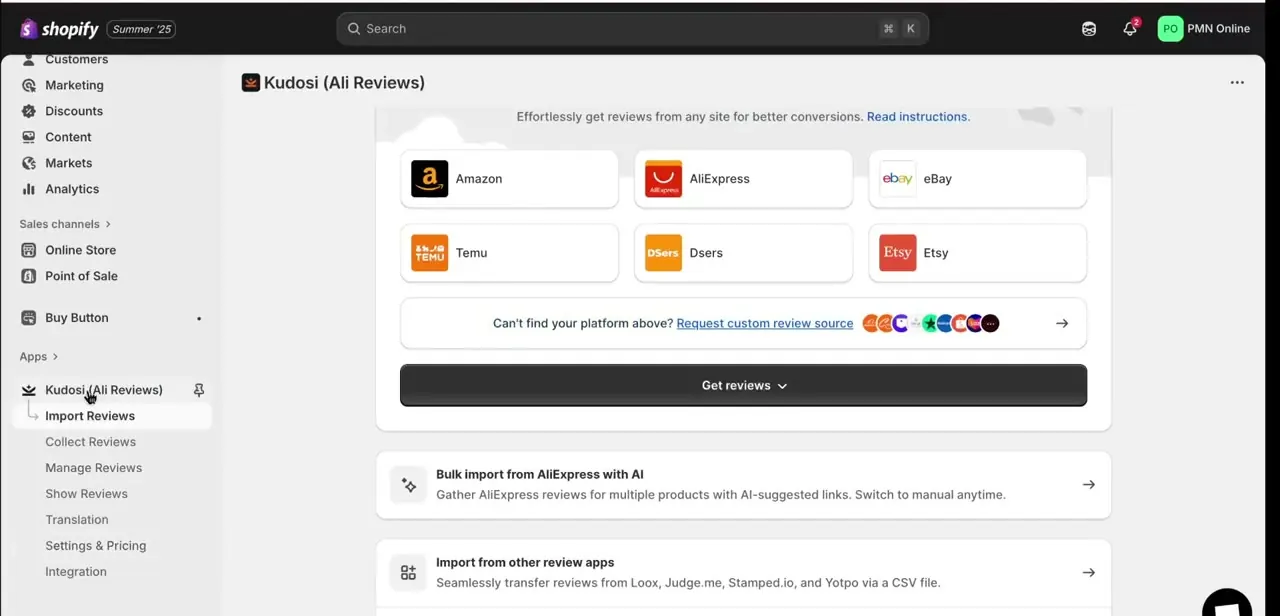
From your Shopify admin, install Kudosi (formerly Ali Reviews) from the App Store. It adds its own section to the left-hand menu, with Import Reviews, Collect Reviews, Manage Reviews, and display settings.
Before scanning anything, check your plan under Kudosi's billing settings. If you're on Free, Etsy and Temu will show as available source tiles in the Import Reviews screen, but scanning from them will prompt an upgrade; that's expected, not a bug.
02Add the Kudosi browser extension
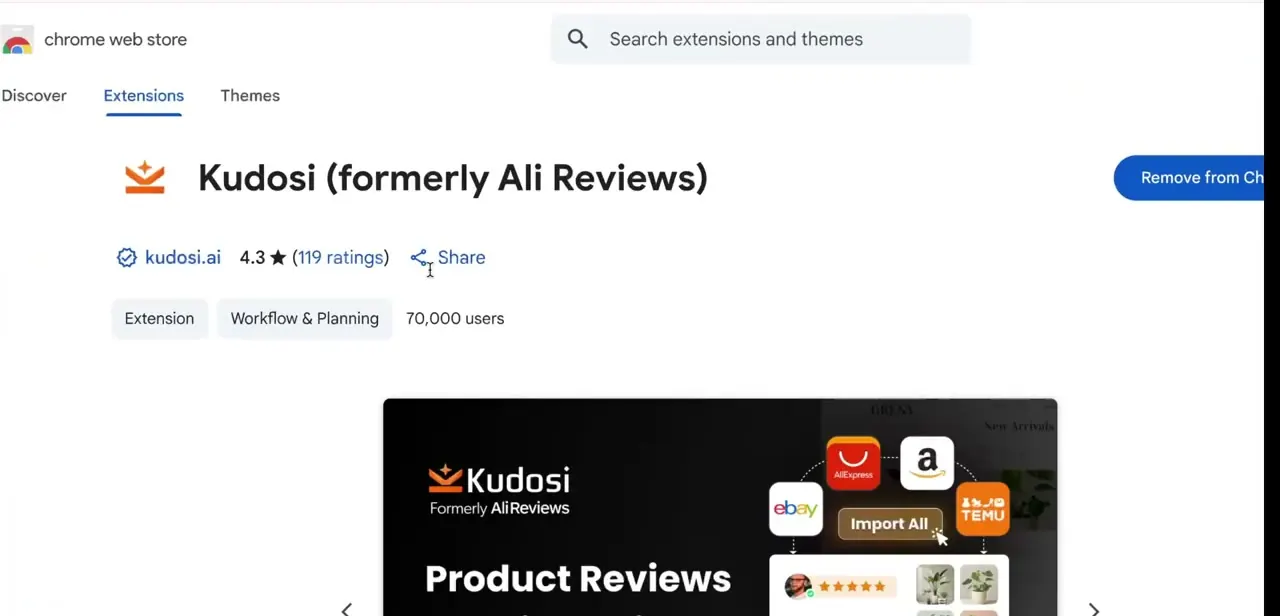
Importing straight from a live Etsy or Temu listing needs a companion browser extension, not just the Shopify app itself. Search the Chrome Web Store for Kudosi (formerly Ali Reviews) and add it to Chrome.
At the time of writing it carries a rating in the low 4s across tens of thousands of users, worth a glance since extensions with review-scraping permissions are exactly the kind of tool you want a track record on before installing. Once added, its icon appears in your browser toolbar on any product page you visit afterward.
03Scan reviews from an Etsy or Temu product page
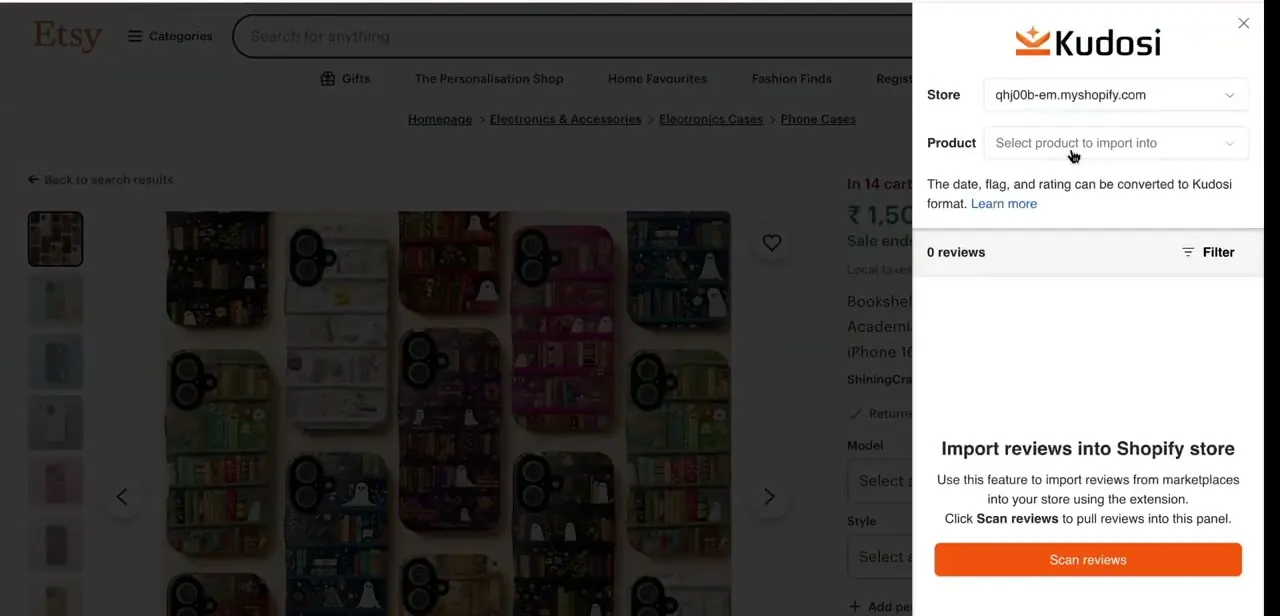
Open the actual Etsy or Temu product whose reviews you want, then click the Kudosi extension icon in the toolbar. A side panel slides in asking you to pick your Shopify store and the specific product you're importing into.
Below that, optional filters let you require reviews to have photos or written text before they're pulled in. Click Scan Reviews and the extension reads the review data off the page you're on. According to Kudosi's own help documentation, one scan can pull in up to 1,000 reviews and up to 5 images per review, so trim the list down to what fits your product before importing.
04Repeat on a matching listing, then curate before publishing
The workflow for Temu is identical in structure: find the Temu product that matches what you're selling, open the same extension panel, select the destination product, and scan. Getting the source listing close to your own product matters more than the marketplace it came from, since an imported review should describe the item you're selling.
Back in the Shopify admin under Manage Reviews, scanned reviews sit in a queue instead of going live automatically. Use the bulk actions there to approve or reject many at once, and remove anything that references a color, size, or feature you don't stock.
05Set how reviews display on your storefront
Once reviews are approved, the Show Reviews section controls the widget rendered on your product pages: star ratings, review count, layout, and whether photos are included. Match this to your theme instead of leaving Kudosi's defaults in place, since a review block that looks bolted on undercuts the trust it's supposed to build. Check a live product page on both desktop and mobile after adjusting the settings.
| Plan | Price | Import sources | Published reviews per product |
|---|---|---|---|
| Free | $0 | AliExpress only | 10 |
| Basic | $14.95/mo | Amazon, eBay, Temu, Etsy, AliExpress | 150 |
| Growth | $24.95/mo | Same as Basic, plus AI summaries | 1,500 |
| Advanced | $49.95/mo | Same as Basic, unlimited | Unlimited |
Pricing and limits from Kudosi's Shopify App Store listing, checked September 2026; the app may change these tiers over time.
When it doesn't work
Scan Reviews is greyed out or prompts an upgrade on an Etsy or Temu page
Why: Your Kudosi plan is Free, which only imports from AliExpress.
Fix: Upgrade to at least the Basic plan, or use its 14-day free trial, to unlock Etsy and Temu as import sources.
The extension finds no reviews to scan
Why: You're not on the product's actual review section, or the listing has too few reviews for the extension to detect.
Fix: Scroll to the reviews section on the source page so it's fully loaded, then reopen the extension panel and scan again.
Imported reviews look out of place on the storefront
Why: A review references a variant, color, or size your Shopify product doesn't carry, or it just reads as generic filler.
Fix: Remove it in Manage Reviews before publishing; only approve reviews that plausibly describe your actual listing.
Frequently asked questions
Is importing Etsy and Temu reviews really free?
No. Kudosi's Free plan only imports from AliExpress. Etsy and Temu require the Basic plan ($14.95/month), which does come with a 14-day free trial.
Will this work for a dropshipping store?
Yes, it's built with dropshippers in mind, though any store can use it to add social proof from a matching listing.
Can I import reviews for many products at once?
Manage Reviews inside Kudosi supports bulk actions, so approving or rejecting scanned reviews doesn't have to happen one product at a time.
Is there a limit on how many reviews I can scan in one go?
Kudosi's documentation lists a cap of up to 1,000 reviews and 5 images per review per scan.
Do I need the browser extension, or does the Shopify app alone work?
You need both. The Shopify app manages your review library, plan, and display settings, while the Chrome extension is what scans reviews off a live Etsy or Temu product page.
Sources and last check
Click path and screens come from a recorded walkthrough. Pricing, source restrictions, and the per-scan import limit were re-checked against Kudosi's Shopify App Store listing and its own help center in September 2026. That check corrected the article's core claim: Etsy and Temu imports are not free, only AliExpress is on the Free plan. The title's 'for free' framing has been qualified, not removed, since the slug carries it.
About the author

Impran M N
I've been hooked on technology for as long as I can remember — especially the new tools and AI apps that seem to land every other week. Easy Tech Tuts is where I write up whatever I've just worked out: I do the task in the real product, record the screen, and turn it into the guide I wish I'd found first.