Easy Tech Tuts
How To Transfer From Binance To PayPal, Send Money, Crypto, Bitcoin, USDT, FIAT for US, Non-USA 2026
By Impran M NLast checked against official docs
Binance has no 'send to PayPal' button, and that leads a lot of people to assume there's no working route at all. That's not quite right anymore.
If you have an eligible, confirmed personal PayPal account in the U.S. or U.S. Territories, PayPal now accepts a small set of coins, BTC, ETH, LTC, BCH, PYUSD, LINK, and SOL, as a direct external transfer straight from an exchange like Binance.
Outside the U.S., or with coins PayPal doesn't accept (USDT and USDC are the common ones people hold), you still need a third-party bridge or a fiat conversion step. This guide covers both: the direct route for the coins and accounts that qualify, and the bridge-service route for everything else, with a real Binance Pay-to-bridge transaction shown along the way.
Before you start
- For the direct route: an eligible, confirmed personal PayPal account in the U.S. or U.S. Territories. PayPal's crypto transfer feature isn't available outside the U.S. or on unconfirmed/business accounts.
- For the bridge route: an account with a bridge service such as Airtm, and a Binance account with Binance Pay enabled.
01Work out which route applies to you
Two separate questions decide your route: is your PayPal account in the U.S., and is the coin you're holding one PayPal accepts as a direct transfer? PayPal's crypto transfer feature only exists for confirmed personal accounts in the U.S. and U.S.
Territories, and even there it only accepts BTC, ETH, LTC, BCH, PYUSD, LINK, and SOL. USDT and USDC, the coins most Binance users hold, aren't on that list, and neither is any account outside the U.S. If either of those applies to you, skip to the bridge-service steps further down.
02Check your starting balance in Binance
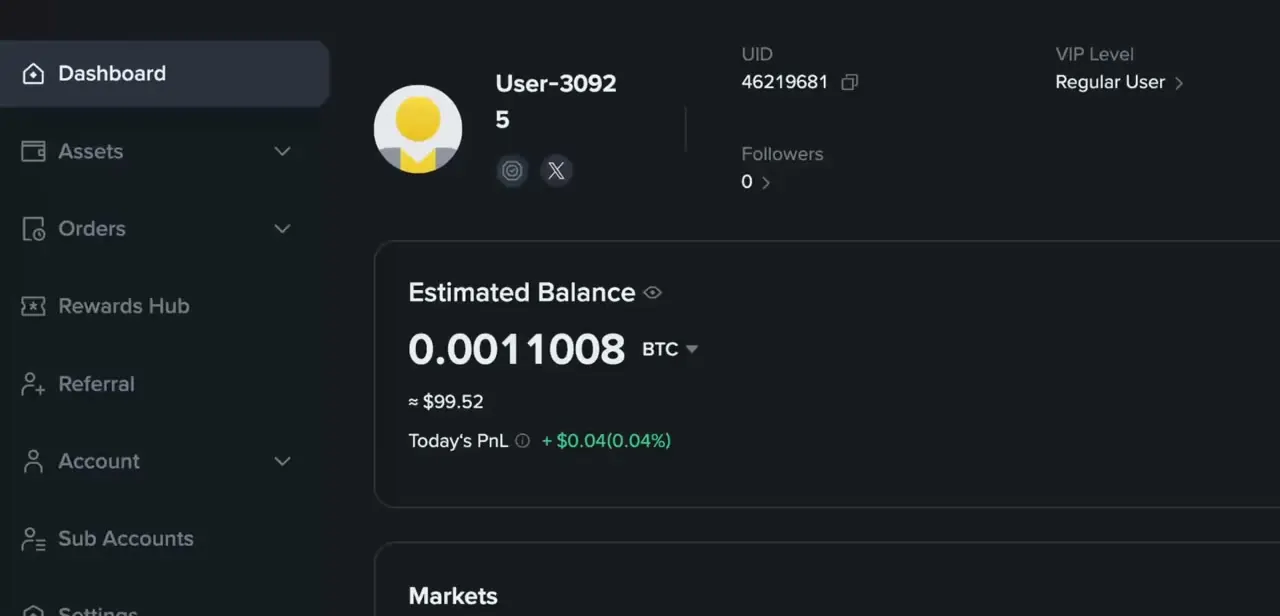
Your Binance dashboard shows Estimated Balance at the top, in BTC, USDT, or whatever base currency you've set, along with your UID, VIP level, and a Markets panel below. Before initiating any transfer, confirm you have the crypto or USDT you plan to move, and in what asset, since that's what decides whether you're on the direct route or the bridge route.
03If you qualify, send the coin straight to PayPal
In the PayPal app, open Finances, tap your crypto balance, choose the transfer arrows, then Receive, and pick the coin you're sending (BTC, ETH, LTC, BCH, PYUSD, LINK, or SOL). PayPal generates a one-time address or QR code for that coin.
Copy that address into Binance's withdrawal screen for the matching coin and network, and confirm the withdrawal there. PayPal caps this at $25,000 a week for consumer accounts, charges the blockchain's own network fee, and enforces a minimum per coin, for example 0.001 BTC or 0.01 ETH/LTC/BCH. Crypto transfers can't be cancelled once sent, so double-check the coin and network match on both sides before confirming.
04Know what PayPal's own Crypto section is for
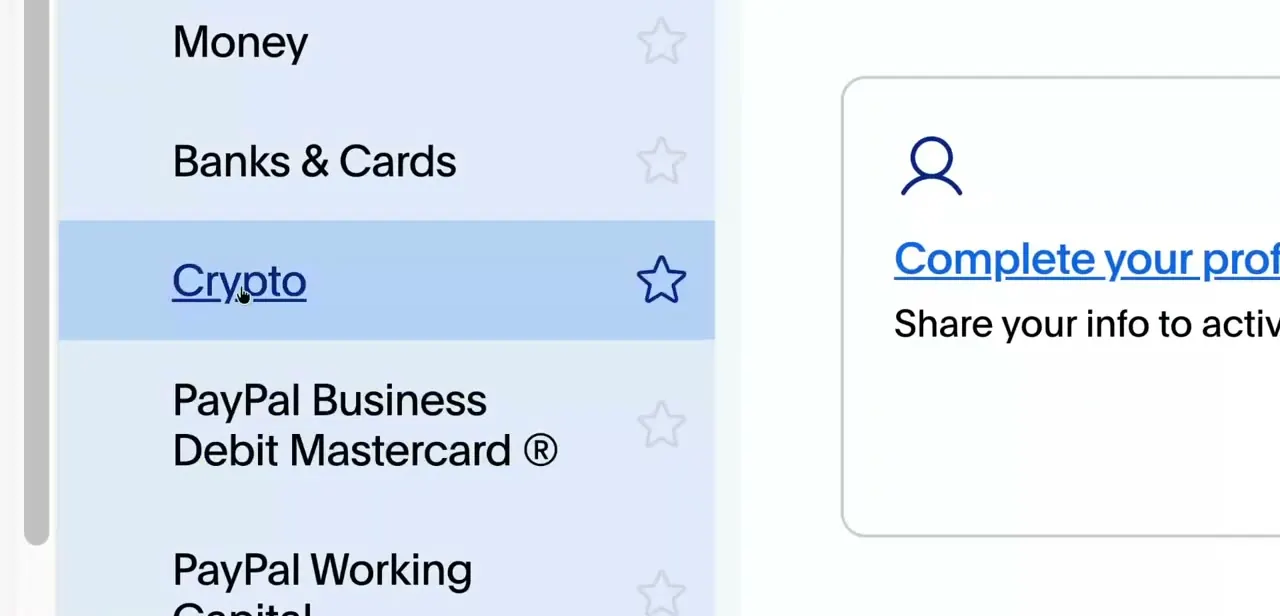
Inside PayPal's app, the side menu includes a Crypto tab alongside Money, Banks & Cards, and PayPal's own debit and working capital products. This is also where the transfer feature above lives, generating receive addresses and sending to external ones, but it's worth being clear on the boundary: buying crypto inside this tab is PayPal's own custodial purchase, separate from a coin arriving by external transfer. Both show up in the same balance, but only the coins listed above can arrive from an outside exchange.
05Otherwise, use a bridge service like Airtm
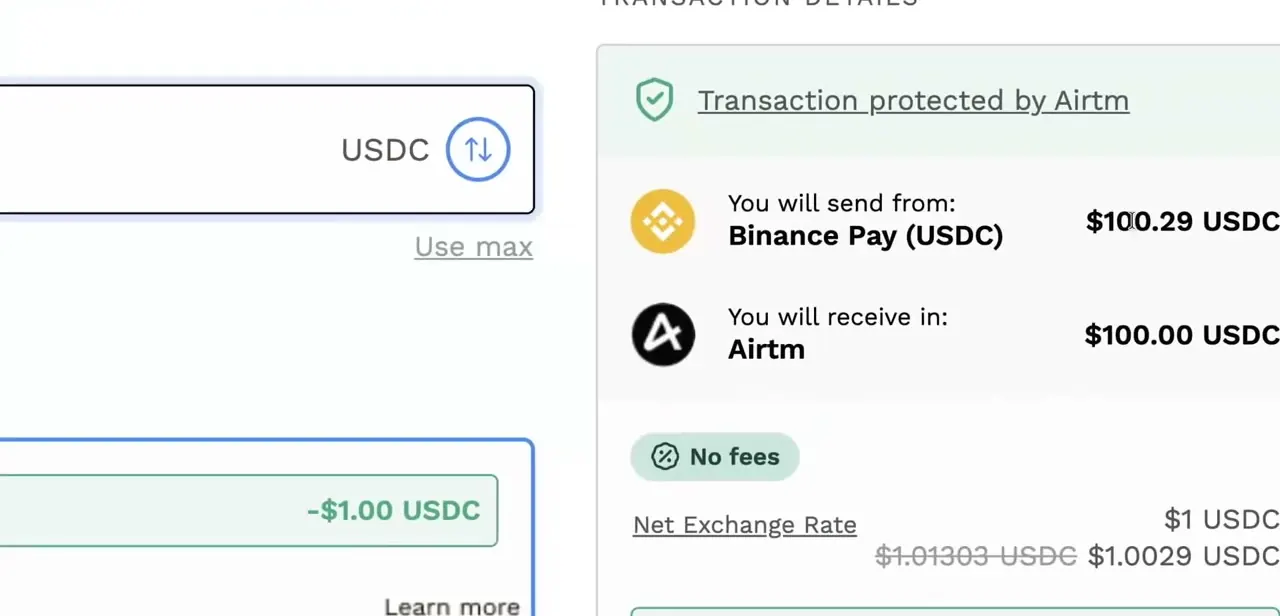
If your coin isn't on PayPal's supported list, or your account is outside the U.S., a bridge service is the working route. One option is sending funds out through Binance Pay in USDC and converting them through a bridge such as Airtm, which then holds the balance in a form that can move toward PayPal-compatible payment methods depending on your country (Airtm's own documentation confirms USDC withdrawal support across several networks, including Ethereum and Solana). A real transaction screen shows this clearly: 'You will send from: Binance Pay (USDC) $100.29' and 'You will receive in: Airtm $100.00 USDC', with the transaction marked as protected by Airtm and no fee on that particular route.
06Convert to fiat before it reaches PayPal, on the bridge route
When you're going through a bridge instead of PayPal's direct coin transfer, the last leg needs to land as fiat, not crypto, since PayPal's standard balance and withdrawal methods outside the Crypto tab work in dollars, euros, and similar currencies. That conversion has to happen either on Binance, by selling for fiat before moving funds out, or on the bridge platform itself, before the money reaches whatever payment method connects to your PayPal account.
07Account for regional differences and stay on verified routes
Supported countries, transfer limits, and available bridge or P2P methods differ meaningfully between U.S. and non-U.S. Binance accounts, so confirm what's available in your region before committing funds to a route.
Stick to platforms with visible buyer or transaction protection, like the 'protected by Airtm' marker shown on a legitimate transaction, and avoid unofficial third-party 'converters' advertised outside of Binance, PayPal, or the bridge service's own ecosystem. Those are the routes most likely to end in frozen funds or an account flag.
| Coin | Minimum per transfer |
|---|---|
| BTC | 0.001 |
| ETH | 0.01 |
| LTC | 0.01 |
| BCH | 0.01 |
| PYUSD (Ethereum/Arbitrum) | 10 / 1 |
| PYUSD (Solana) | 1 |
Figures are from PayPal's official help documentation and apply to eligible U.S. consumer accounts; PayPal can change them without notice.
When it doesn't work
PayPal doesn't show an option to receive crypto from an external address
Why: The transfer feature is limited to eligible, confirmed personal PayPal accounts in the U.S. and U.S. Territories. Business accounts, unconfirmed accounts, and non-U.S. accounts don't get it.
Fix: Confirm your account type and country. If you're outside the U.S. or on a business account, use a bridge service instead of looking for a direct option.
Sending USDT or USDC straight to a PayPal address doesn't work
Why: PayPal's supported external-transfer coins are BTC, ETH, LTC, BCH, PYUSD, LINK, and SOL. USDT and USDC, the coins most Binance balances are held in, aren't on that list.
Fix: Either convert to a supported coin on Binance before withdrawing, or route through a bridge service that pays out to a PayPal-linked payment method instead of a wallet address.
A crypto transfer was sent to the wrong address or network
Why: PayPal states plainly that crypto transfers can't be cancelled or reversed once sent, and sending on the wrong network is a common way funds go missing.
Fix: There's no recall option after confirmation, so double-check the address and network match on both ends before sending. If it's already sent, there's nothing PayPal or Binance support can undo.
Frequently asked questions
Can I send crypto directly from Binance to PayPal now?
For BTC, ETH, LTC, BCH, PYUSD, LINK, or SOL, yes, if you have an eligible confirmed personal PayPal account in the U.S. Generate a receive address in PayPal's Crypto tab and withdraw to it from Binance. For any other coin, or a non-U.S. account, you still need a bridge or fiat conversion.
What is a bridge service like Airtm used for?
It accepts crypto, for example USDC sent through Binance Pay, and converts it into a balance that can move toward PayPal-compatible payment methods, covering the coins and accounts PayPal's own direct transfer doesn't.
Do US and non-US users have different transfer options?
Yes, and the gap is bigger than just limits. PayPal's crypto transfer feature is U.S.-only, so non-U.S. users need a bridge or P2P route regardless of which coin they hold, while eligible U.S. users can use PayPal's direct transfer for the seven supported coins.
Is there a limit on how much I can transfer?
PayPal's direct crypto transfer caps out at $25,000 a week for consumer accounts, with a minimum per coin and a blockchain network fee on top. Bridge services set their own limits separately.
Why might my funds get frozen during a transfer?
Funds can get frozen when using unverified or unofficial third-party conversion services instead of platforms with visible transaction protection, so it's safest to stick with verified, compliant routes.
Sources and last check
This guide previously stated there was no way to move crypto from Binance to PayPal without a bridge. Re-checked against PayPal's official help articles in September 2026, that's wrong for eligible, confirmed personal PayPal accounts in the U.S.: PayPal accepts BTC, ETH, LTC, BCH, PYUSD, LINK, and SOL as direct external transfers, with a $25,000 weekly cap and per-coin minimums now listed in the table above. USDT and USDC, and any non-U.S. account, still need the bridge route this guide originally described. The Airtm/Binance Pay screenshots and transaction details come from a recorded walkthrough; Airtm's own help documentation confirms its USDC withdrawal support but doesn't itself name Binance Pay.
About the author

Impran M N
I've been hooked on technology for as long as I can remember — especially the new tools and AI apps that seem to land every other week. Easy Tech Tuts is where I write up whatever I've just worked out: I do the task in the real product, record the screen, and turn it into the guide I wish I'd found first.